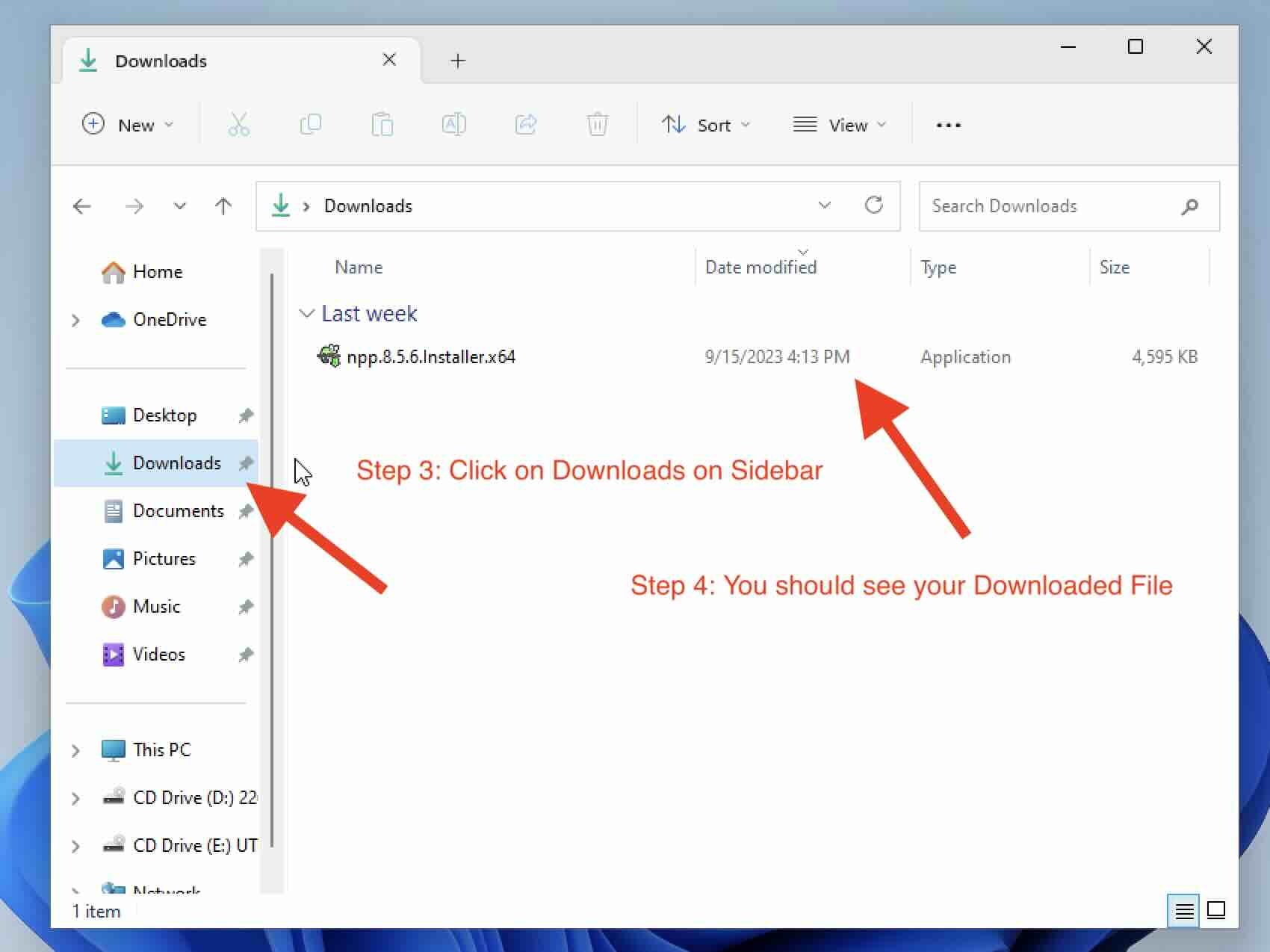
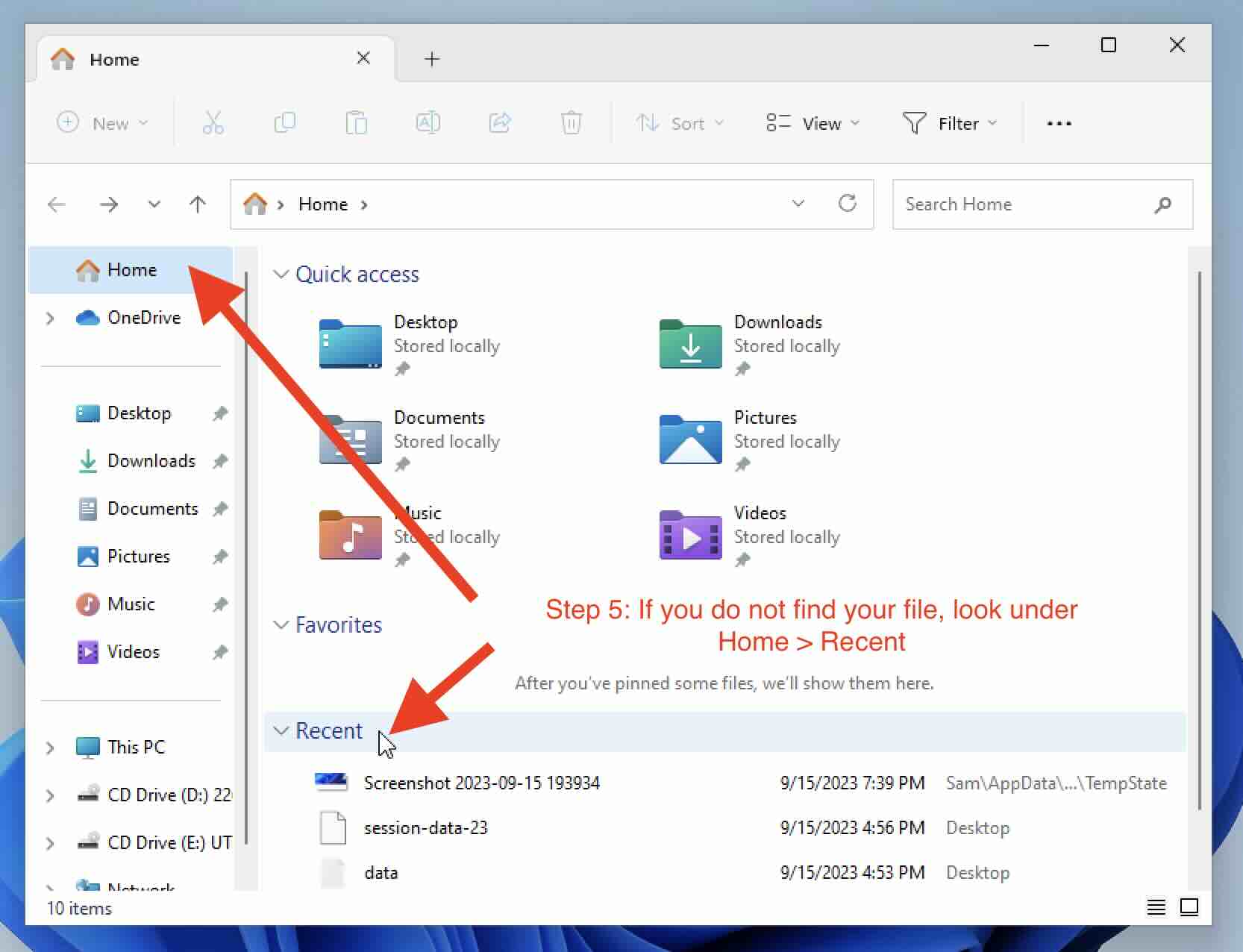
If you have downloaded an application setup, an image, excel, or any other file on your Windows 11 PC using a web browser such as Edge or Chrome, and you are wondering where can you find it, simply follow the below step-by-step guide with screenshots on how to reach to that file.

This article assumes that you have not changed the default location of file downloads on your Windows 11 PC.


Comments & Discussion
Facing issues? Have questions? Post them here! We're happy to help!