If you happened to change the default Font Style and Size and want to get it back to the default settings for it, then you can choose the below options under Settings.
- Open Notepad app on Windows 11.
- Now click on the Settings gear icon.
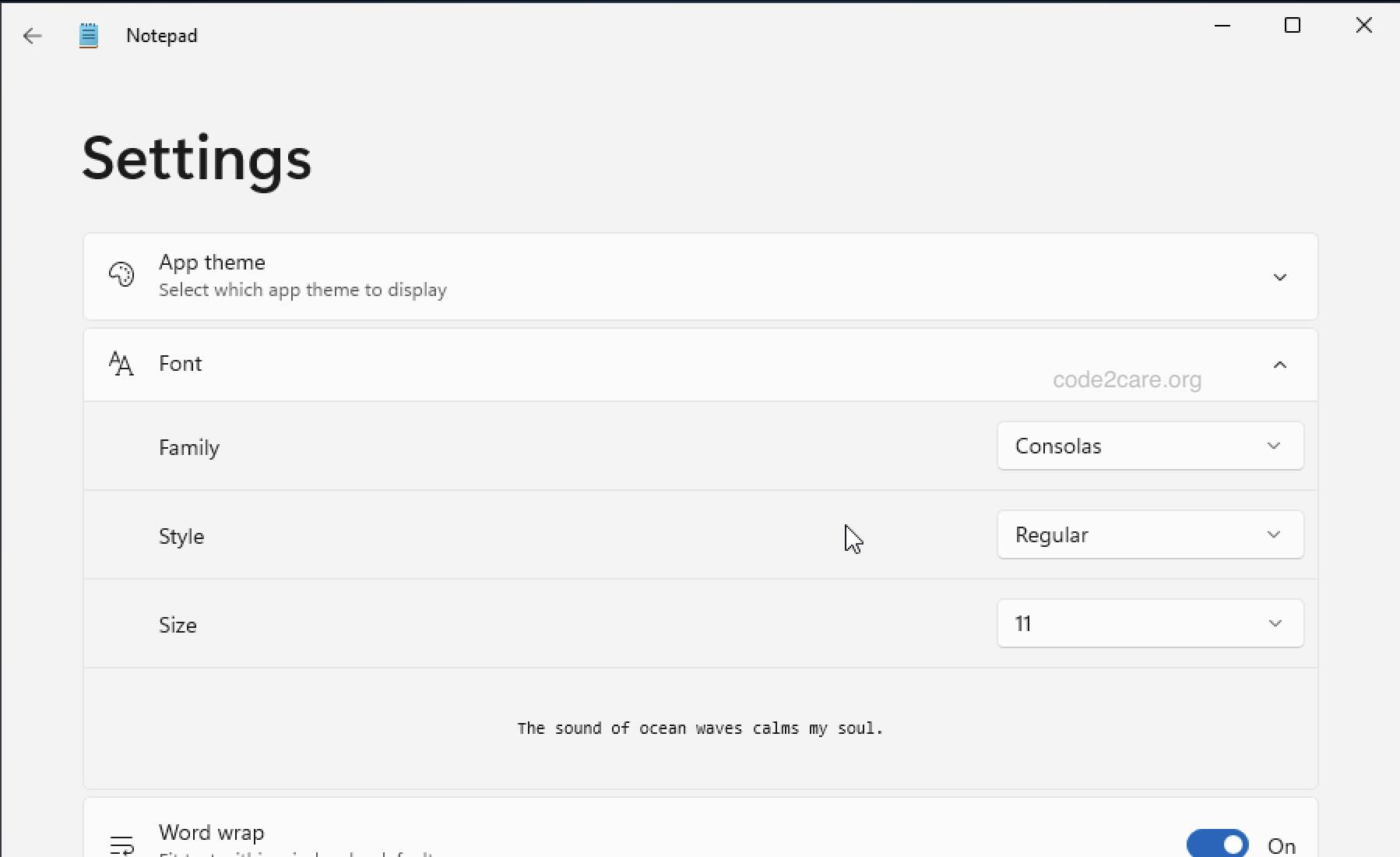
Expand the Font and choose the below.
- Family: Conolas
- Sytle: Regular
- Size: 11
These are the default settings!

This is not an AI-generated article but is demonstrated by a human on a Windows 11 PC.
Please support independent contributors like Code2care by donating a coffee.
Buy me a coffee!
Comments & Discussion
Facing issues? Have questions? Post them here! We're happy to help!