The Notepad application on Windows 11 has some great new features, one of them is the much-needed spell check.
Below are the steps to Enable/Disable this feature.
- Open Notepad.
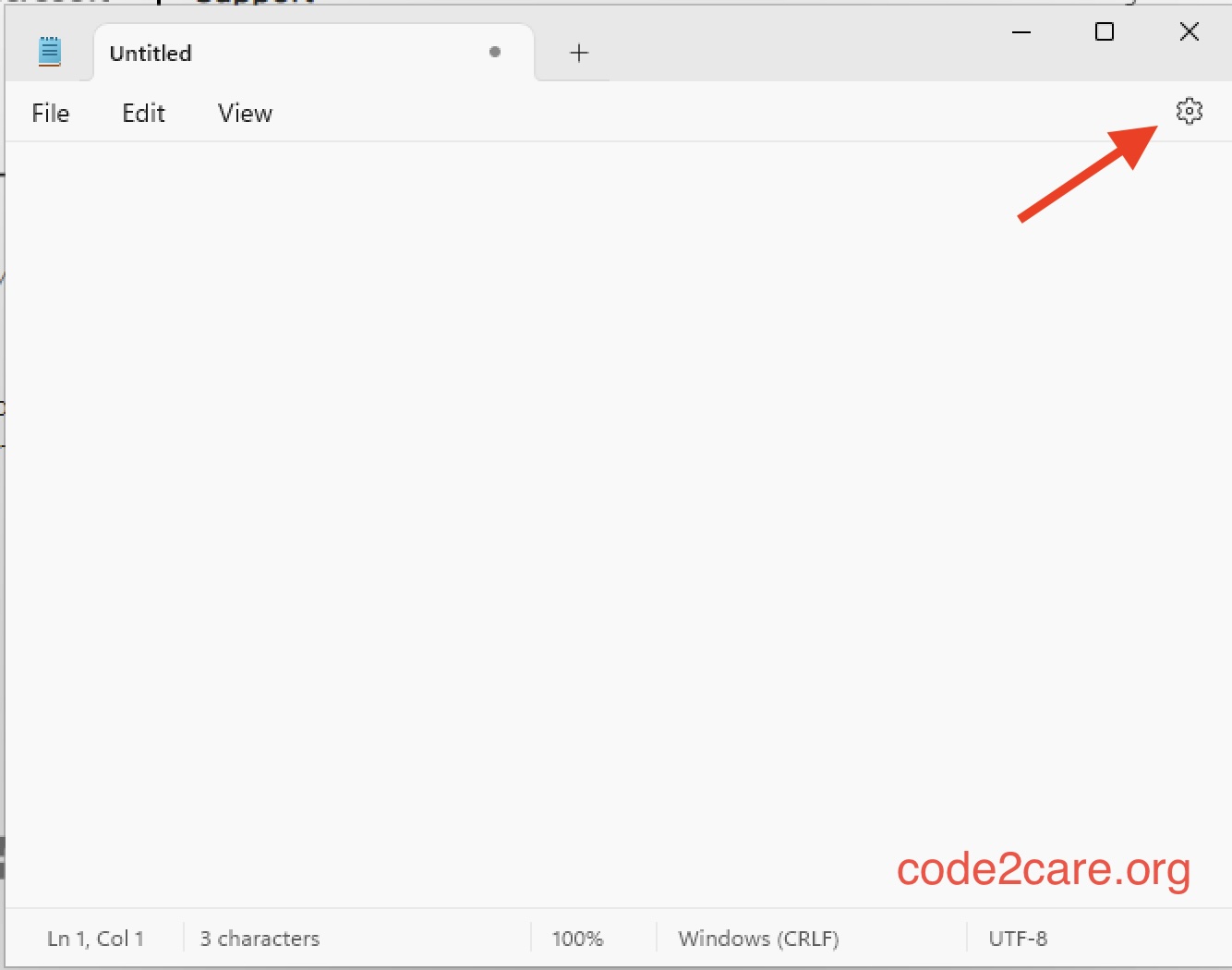
- Click on the Settings gear icon at the top right.
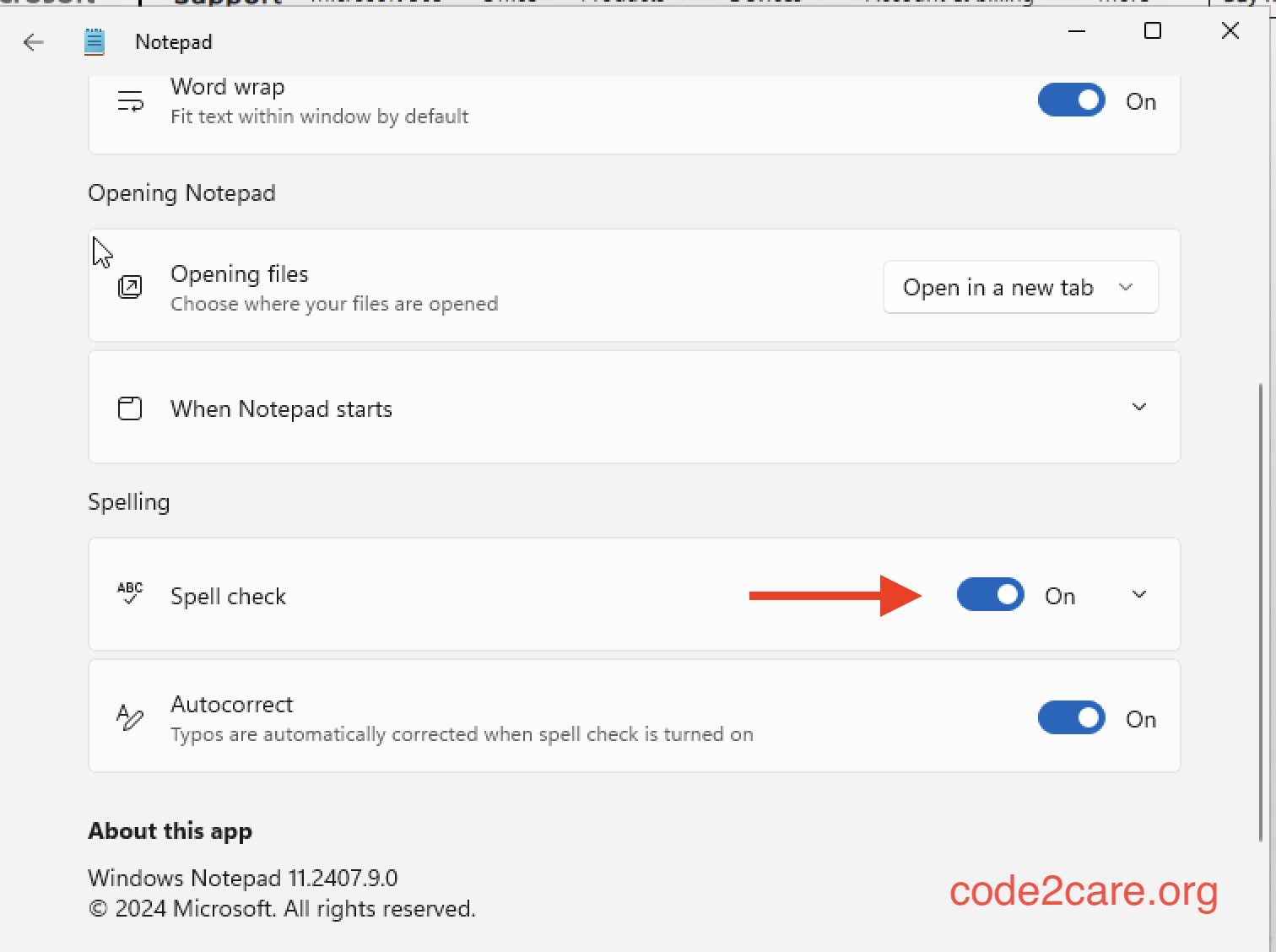
- Now toggle button next Spell Check.

This is not an AI-generated article but is demonstrated by a human.
Please support independent contributors like Code2care by donating a coffee.
Buy me a coffee!
Comments & Discussion
Facing issues? Have questions? Post them here! We're happy to help!