The new Notepad Application on Windows 11 has some new enhancements, one of them is autocorrect that helps to automatically correct typos when spell check is turned on.
If you want to enable or disable this autocorrect feature, follow the below steps.
- Open Notepad.
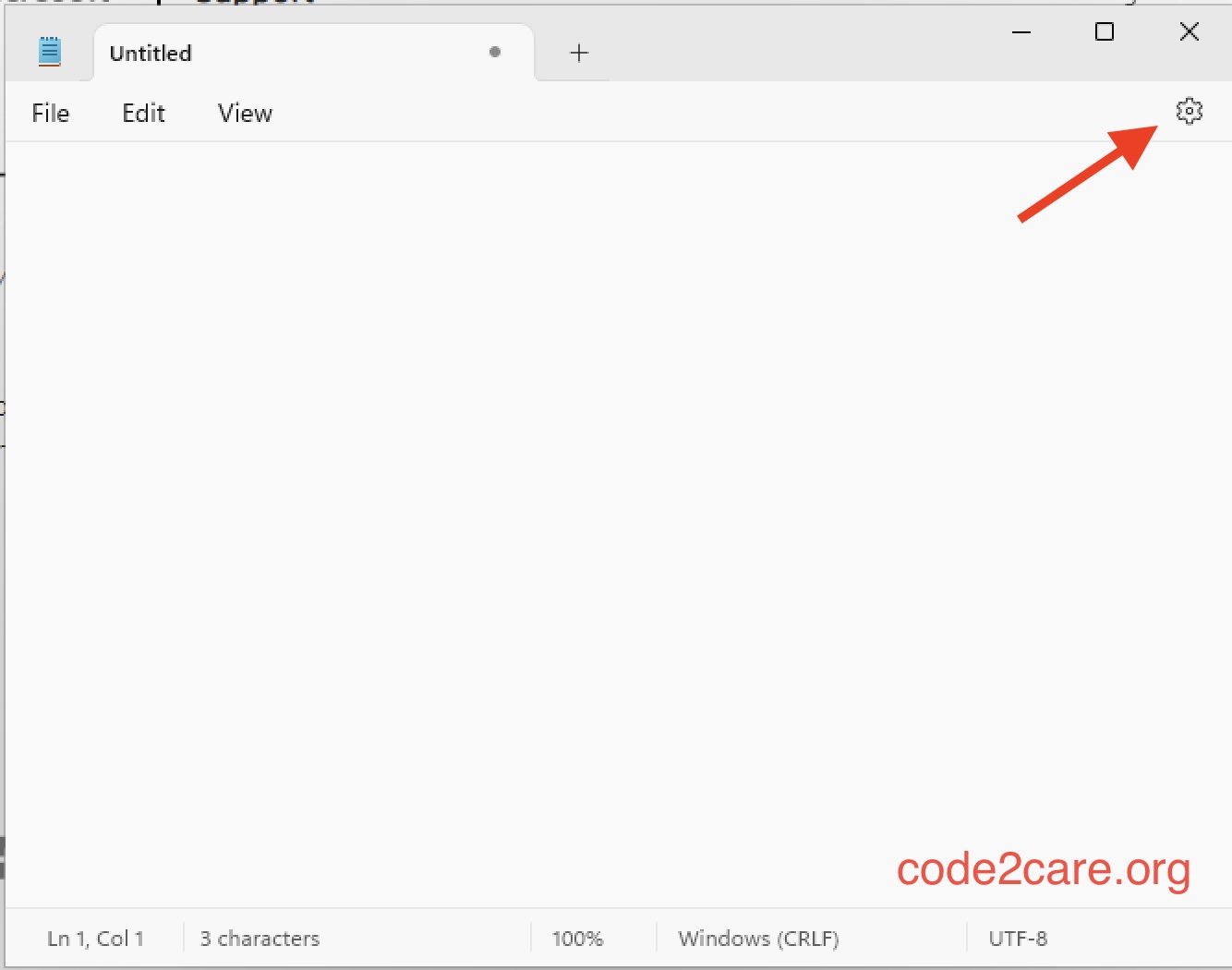
- Now click on the Settings icon (as shown below screenshot)
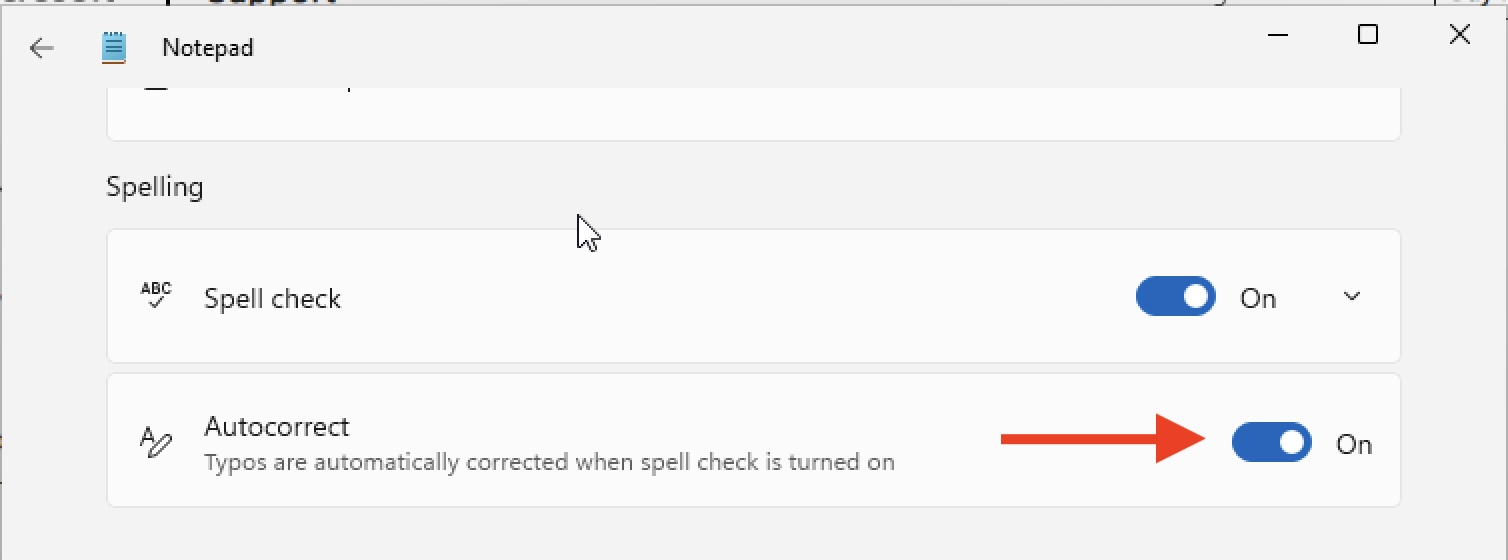
- Toogle the button next to Autocorrect.

This is not an AI-generated article but is demonstrated by a human.
Please support independent contributors like Code2care by donating a coffee.
Buy me a coffee!
Comments & Discussion
Facing issues? Have questions? Post them here! We're happy to help!