
If you want to make use of the classic old Notepad application on Windows 11, then you can install it in the following steps.
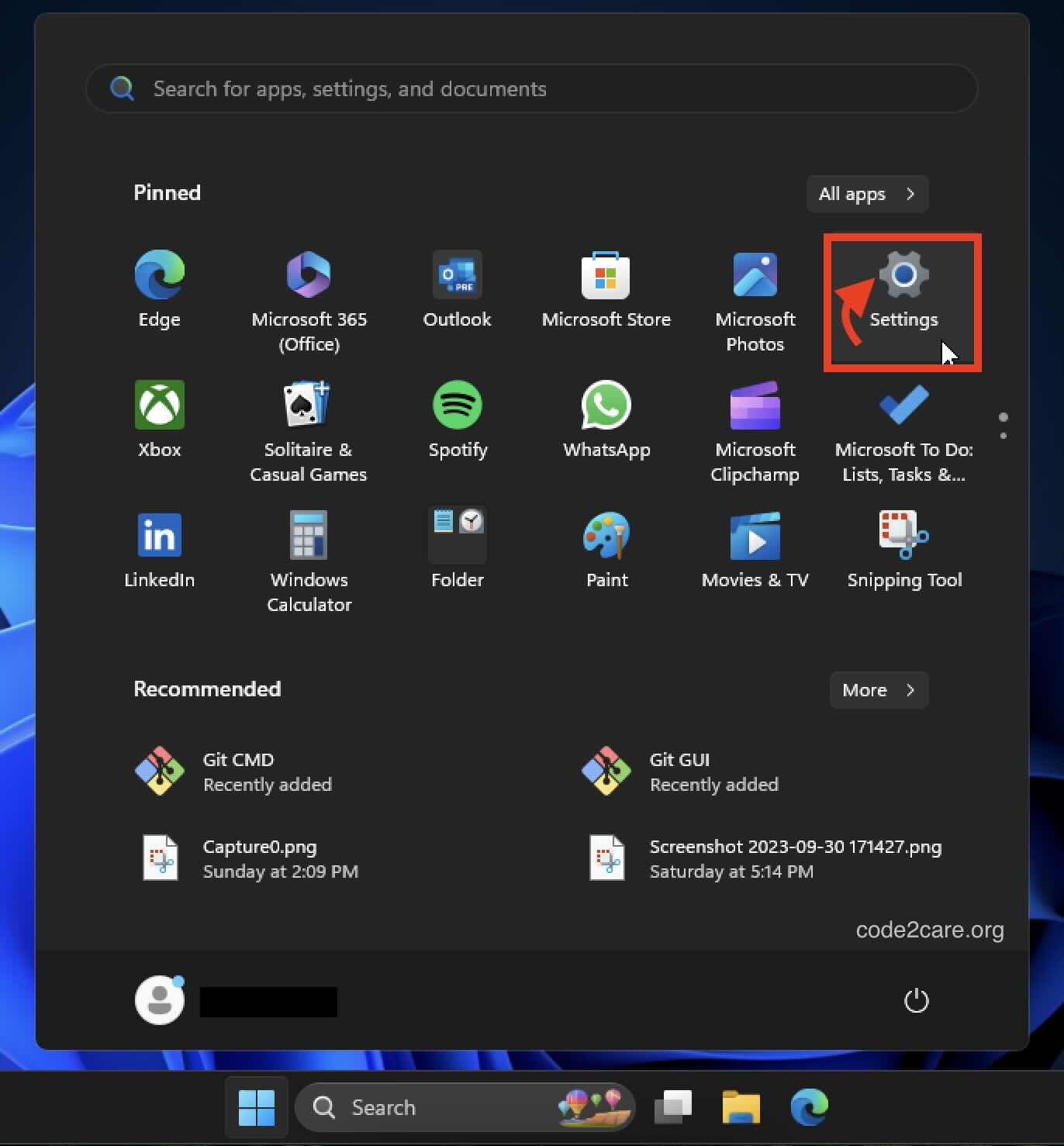
- Click on the Windows Logo on the Windows 11 Taskbar.
- Now select Settings app.
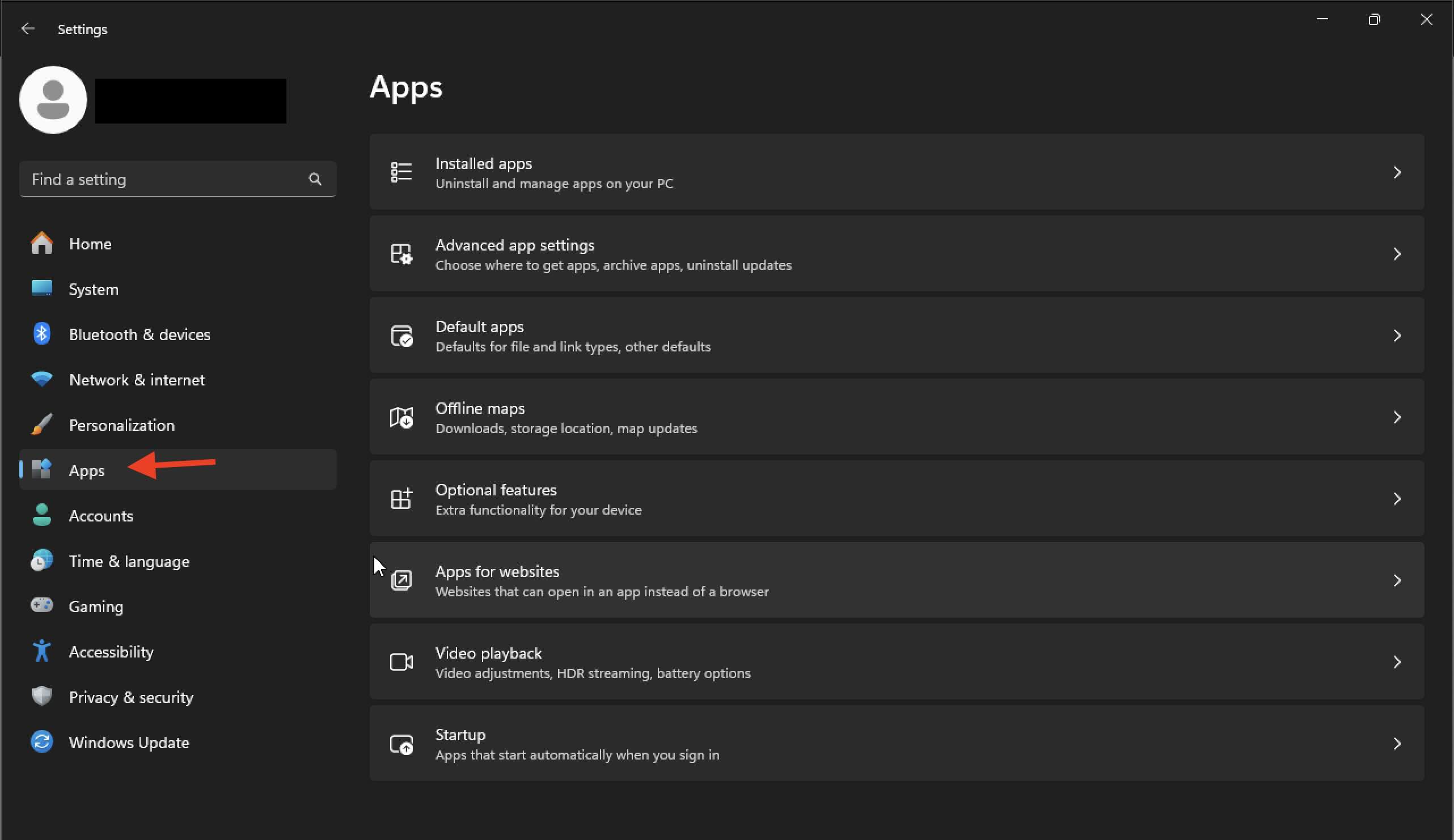
- Click on Apps on the Sidebar and choose Optional Features.
- Click on "View Features" button on the top and search for Notepad.

- Check the box and hit Next and Install.
- You should now have the old classic Notepad app installed on your Windows 11.
Provide Feedback For This Article
We take your feedback seriously and use it to improve our content. Thank you for helping us serve you better!
😊 Thanks for your time, your feedback has been registered!
Comments & Discussion
Facing issues? Have questions? Post them here! We're happy to help!