If you are on Windows 11 (or 10) with a Dark Theme and you see that your Notepad App is in the black theme and you want to see it in white, the classic look, then you can follow the below steps.
- Open Notepad App.
- Click on the Settings Gear Icon at the top right.

- Expand App Theme and choose Light.
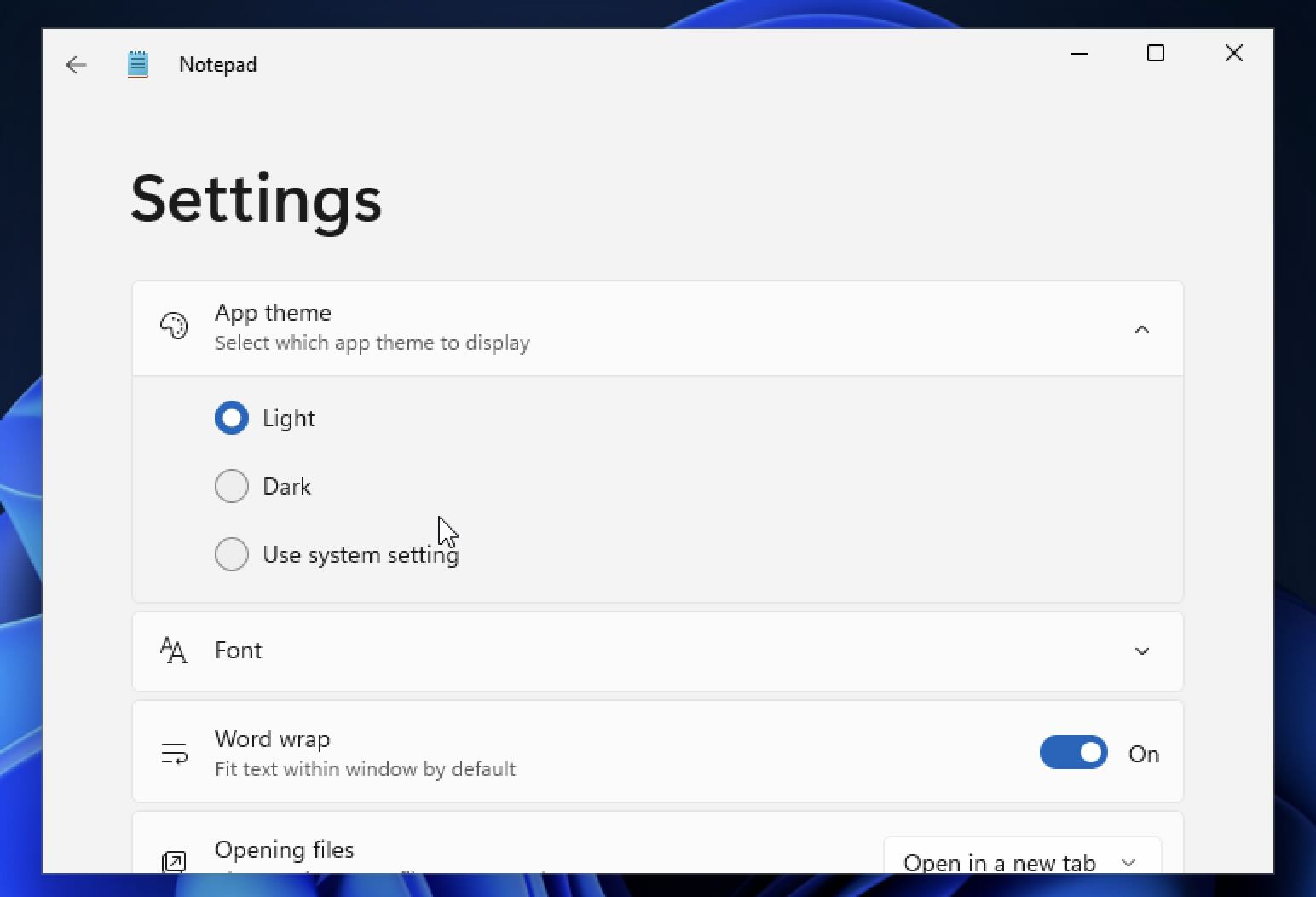
- You will see that the Notepad background is now in White and the text in black.

This is not an AI-generated article but is demonstrated by a human on an M1 Mac running Windows 11 version 22H2.
Please support independent contributors like Code2care by donating a coffee.
Buy me a coffee!
Comments & Discussion
Facing issues? Have questions? Post them here! We're happy to help!