
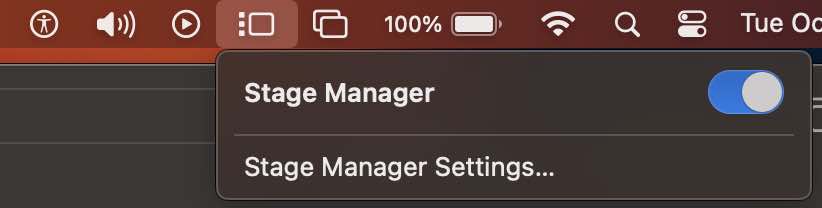
Stage Manager is a new addition to macOS that arranges your recent windows into a single strip for reduced clutter and quick access. If you do not want to use your Mac with the Stage Manager strip as seen on the left side of the screen, you can turn it off in the following ways,
Turn off Stage Manager from macOS Ventura Menu Bar
If turned on, you should see the Stage Manager icon (3 dots followed by a rectangular shape) on the Mac Menu Bar, click on it and toggle "Stage Manager" switch
Turn off Stage Manager using System Settings
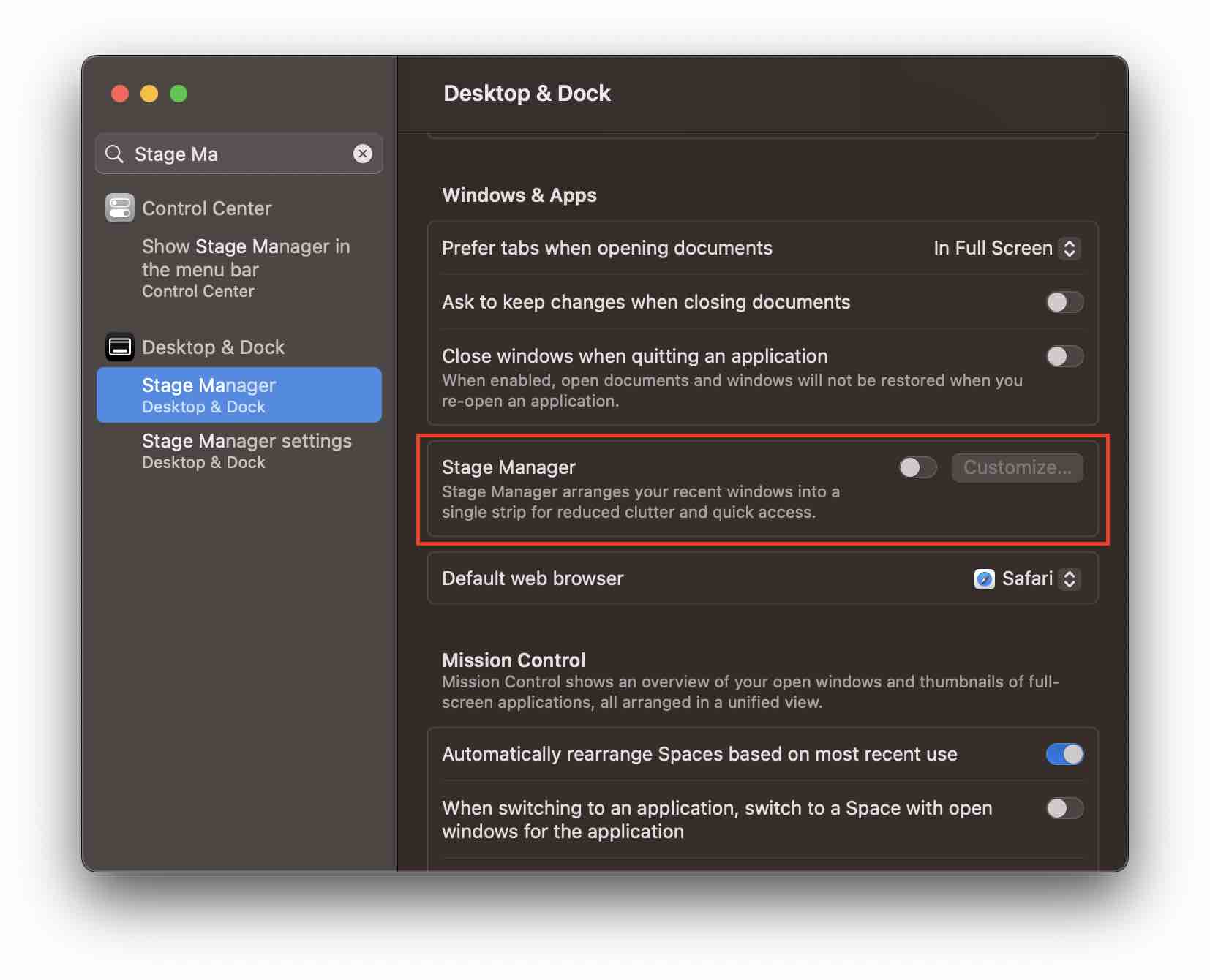
- Click on the Apple Logo on the Mac Menu bar,
- Select System Settings -> Desktop & Dock
- Now under Windows & Apps turn off the button for Stage Manager
How to remove the Stage Manager icon from the macOS Menu Bar
If you do not want to see the Stage Manager Menu on the macOS Menu bar, go to System Settings -> Control Center and select "Don't show on Menu Bar" against Stage Manager.
Provide Feedback For This Article
We take your feedback seriously and use it to improve our content. Thank you for helping us serve you better!
😊 Thanks for your time, your feedback has been registered!
Comments & Discussion
Facing issues? Have questions? Post them here! We're happy to help!