Windows 11 Notepad now supports multiple tabs and saves file sessions, ensuring no data is lost when reopening the application.
This feature addresses a major issue users faced previously when files got closed either by mistake or on shutdown thus making it hard to recover data loss.
Make sure this feature is enabled, follow the below steps.
- Click on the Settings icon.
- Under Opening Notepad section expand "When Notepad starts" and make sure to select "Continue previous session"
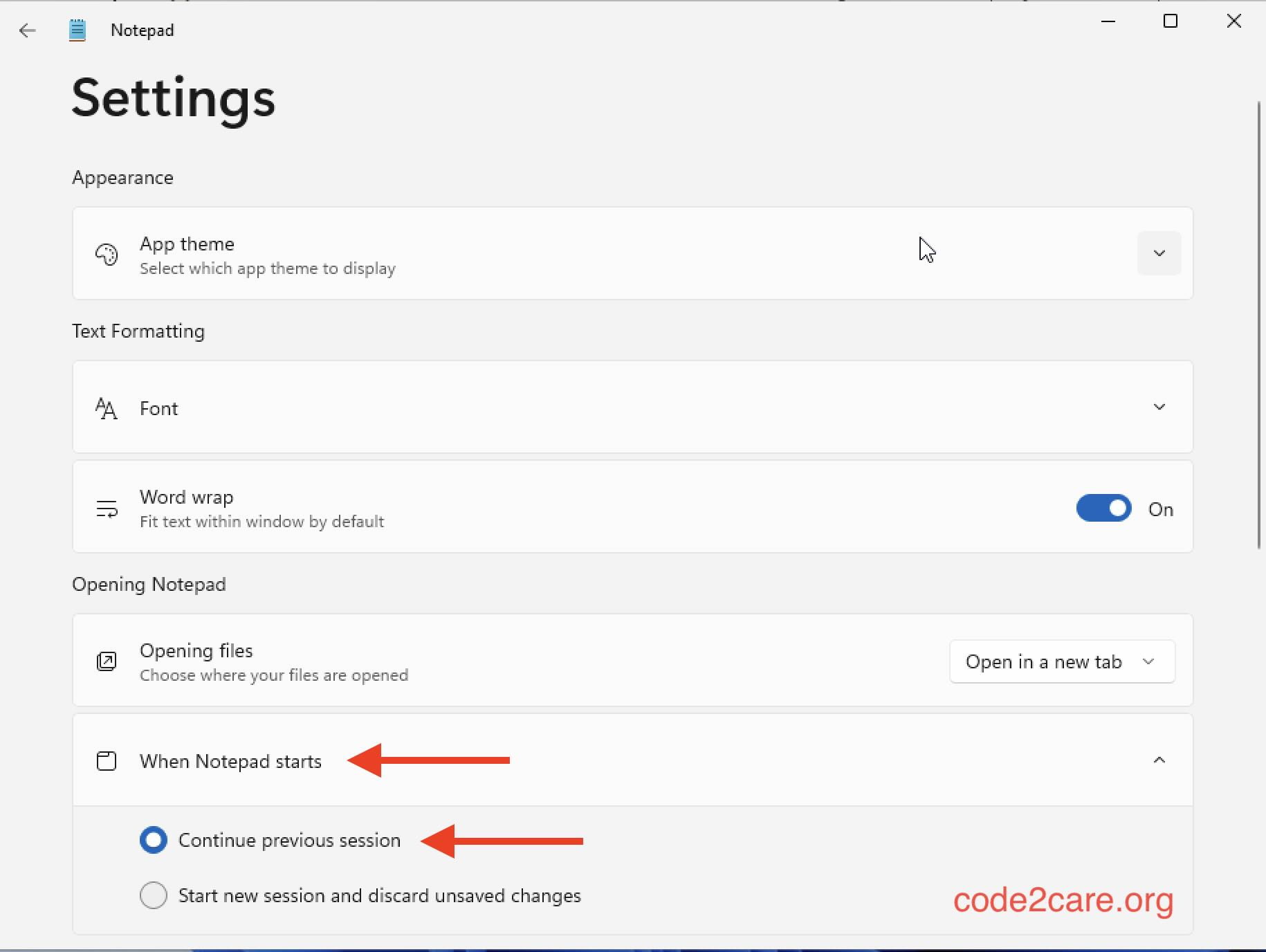
- Thats it!

This is not an AI-generated article but is demonstrated by a human.
Please support independent contributors like Code2care by donating a coffee.
Buy me a coffee!
Comments & Discussion
Facing issues? Have questions? Post them here! We're happy to help!