
Transpose refers to the process of switching the rows and columns of a dataset.
- Open the document containing the data you wish to transpose in Notepad++.
- Select the column of data you want to transpose.
- Copy the selected data by right-clicking and choosing Copy or by pressing
Ctrl + C. - Navigate to the location where you want to paste the transposed data.
- Right-click and select Paste or press
Ctrl + V. - To transpose the data, use the following steps:
- Select all the data by pressing
Ctrl + A. - Press
Ctrl + Jto join the lines into a single row.
A, B, C
D, E, F
G, H, I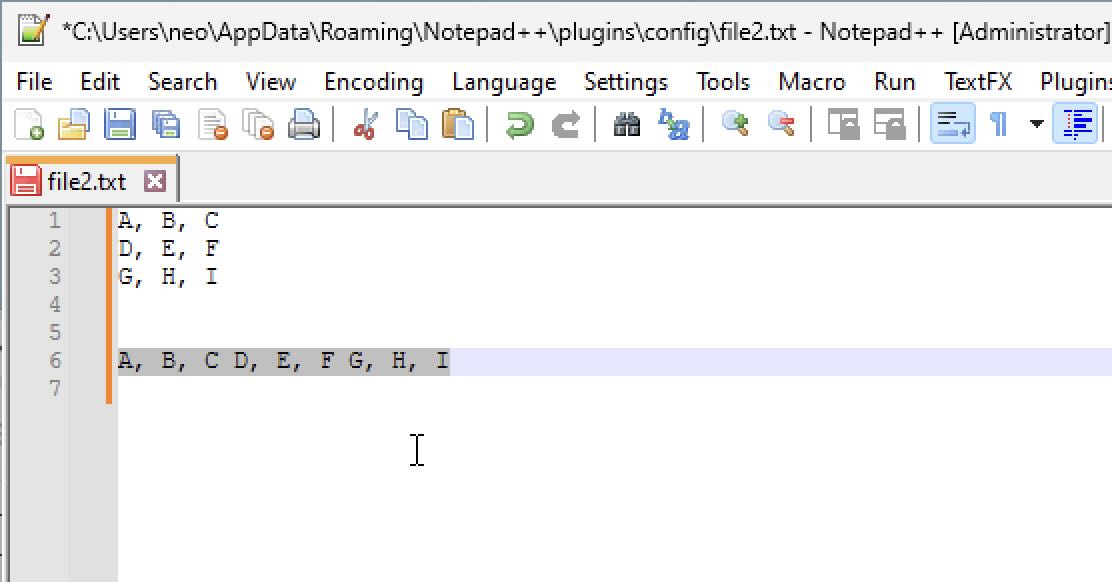
Provide Feedback For This Article
We take your feedback seriously and use it to improve our content. Thank you for helping us serve you better!
😊 Thanks for your time, your feedback has been registered!
Comments & Discussion
Facing issues? Have questions? Post them here! We're happy to help!