Some files such as the configuration files located in the System32 folder cannot be modified in the Notepad app on Windows 11 unless you open it as an Administrator.
To do so, follow the below steps,
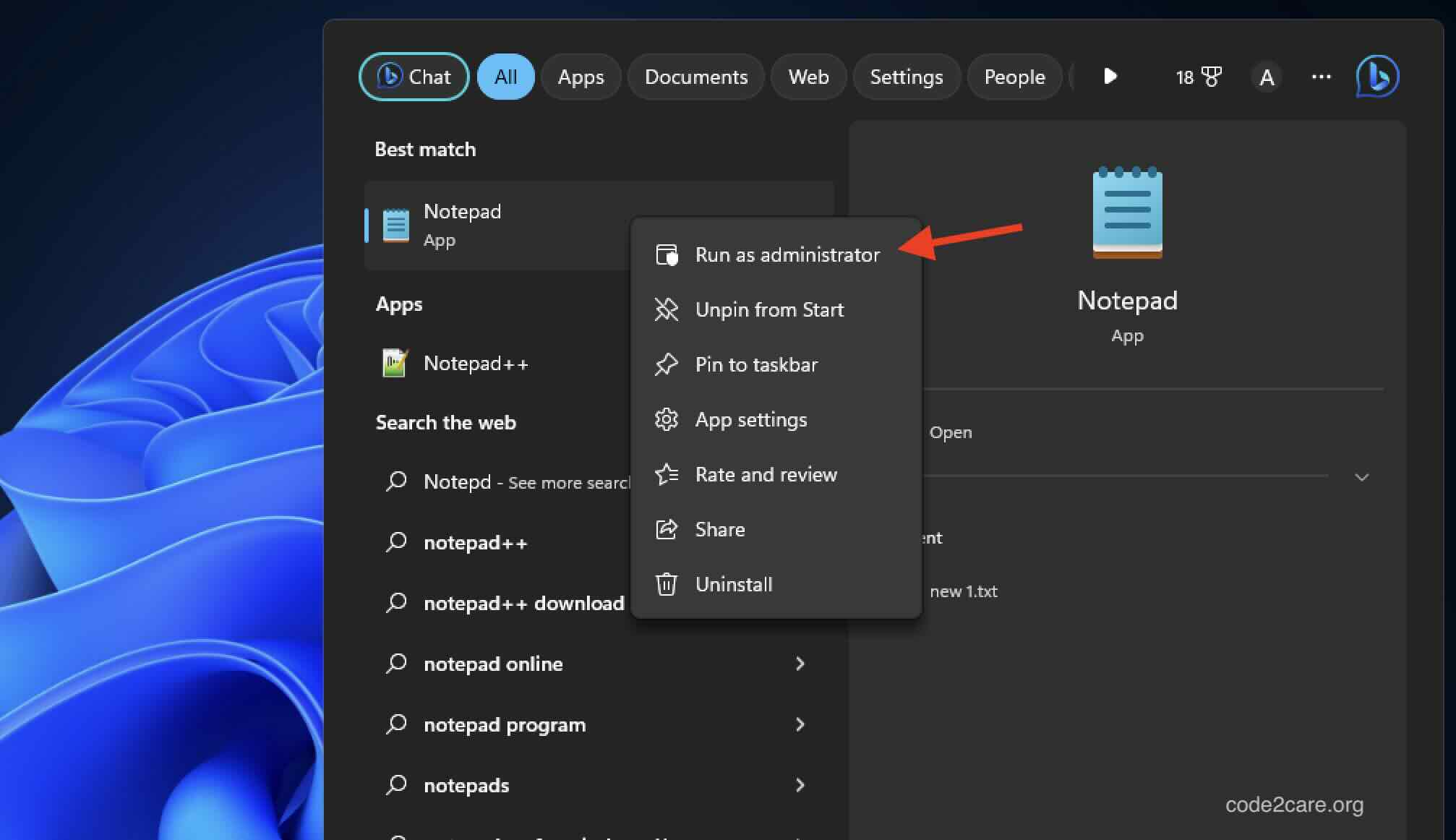
- On the Windows 11 Search type Notepad.
- Now right click on it and select "Run as administrator"
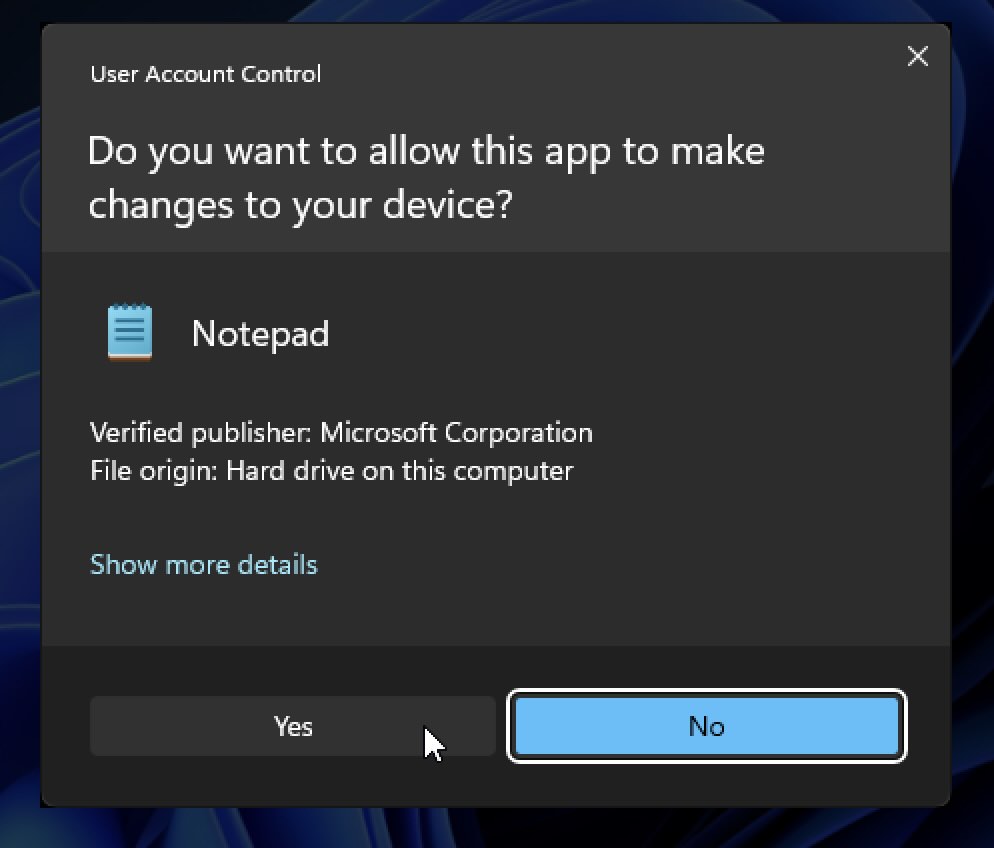
Select "Yes" for the prompt "Do you want to allow this app to make changes to your device?"
- Now when the Notepad app opens it's in Administrator mode.

This is not an AI-generated article but is verified & demonstrated by a human on a Windows 11 PC.
Please support independent contributors like Code2care by donating a coffee.
Buy me a coffee!
Comments & Discussion
Facing issues? Have questions? Post them here! We're happy to help!