
Troubleshooting details
If you contact your administrator, please provide them with the following information
to assist in diagnosing the issue.
Copy the information to clipboard for easy sharing.

Advanced diagnostics: Disable
If you plan on seeking support for this issue, please enable this option and attempt to reproduce the error.
This will gather additional diagnostic information that can be invaluable for troubleshooting.

Error Code: 50058
Request Id: 69f8f5e2-a338-4a81-9432-0133912c2700
Correlation Id: 1701fc2a-6a10-46e0-a3a1-ea161fc5123b
Timestamp: 2020-09-12T13:35:29.398Z 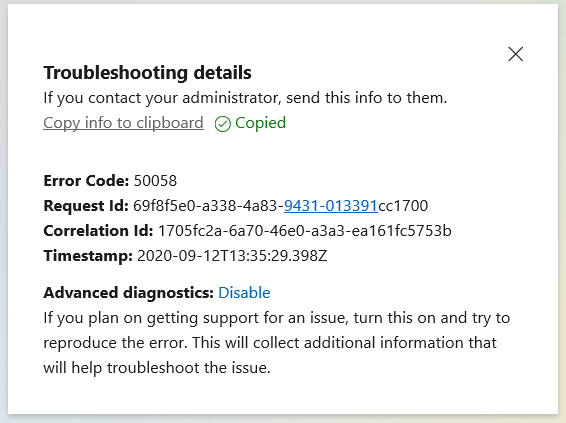
If you encounter the error 50058 while attempting to log in to Microsoft applications such as Teams, Office365, or Outlook, it is typically related to Single Sign-On (SSO) or login issues.
For more information about this error code, you can visit the Microsoft URL: https://login.microsoftonline.com/error
| Error Code | 50058 |
| Message | Session information is not sufficient for single-sign-on. |
| Remediation | This error indicates that the user is not signed in. It is a common error that occurs when a user is unauthenticated and has not yet signed in. If this error arises in an SSO context where the user has previously signed in, it suggests that the SSO session was either not found or is invalid. This error may also be returned to the application if the parameter prompt=none is specified. |
Frequently Asked Questions (FAQ)
-
Q: What does the error code 50058 mean?
A: The error code 50058 indicates that session information is not sufficient for single sign-on, typically meaning the user is not authenticated or the SSO session is invalid.
-
Q: How can I resolve the 50058 error?
A: To resolve the 50058 error, ensure that you are signed in to the application. If you are using SSO, try signing out and signing back in to refresh your session.
-
Q: What should I do if the error persists?
A: If the error persists, contact your administrator with the error details, including the Request Id and Correlation Id, to assist in troubleshooting.
-
Q: Is there a specific Microsoft documentation for error 50058?
A: Yes, you can find more information about error 50058 in the Microsoft documentation at this link.
-
Q: Can I get help from Microsoft support for this error?
A: Yes, if you continue to experience issues, you can reach out to Microsoft support for assistance with error 50058.
Provide Feedback For This Article
We take your feedback seriously and use it to improve our content. Thank you for helping us serve you better!
😊 Thanks for your time, your feedback has been registered!
Comments & Discussion
Facing issues? Have questions? Post them here! We're happy to help!