If you are working on a Word document or writing an email with screenshots, you might find copying the screenshots to the clipboard much quicker rather than saving it as a file on your desktop, opening it, copying it, and then pasting it.
Steps to Copy Screenshot on Clipboard on Mac (macOS)
- Press Command. + Shift + 5
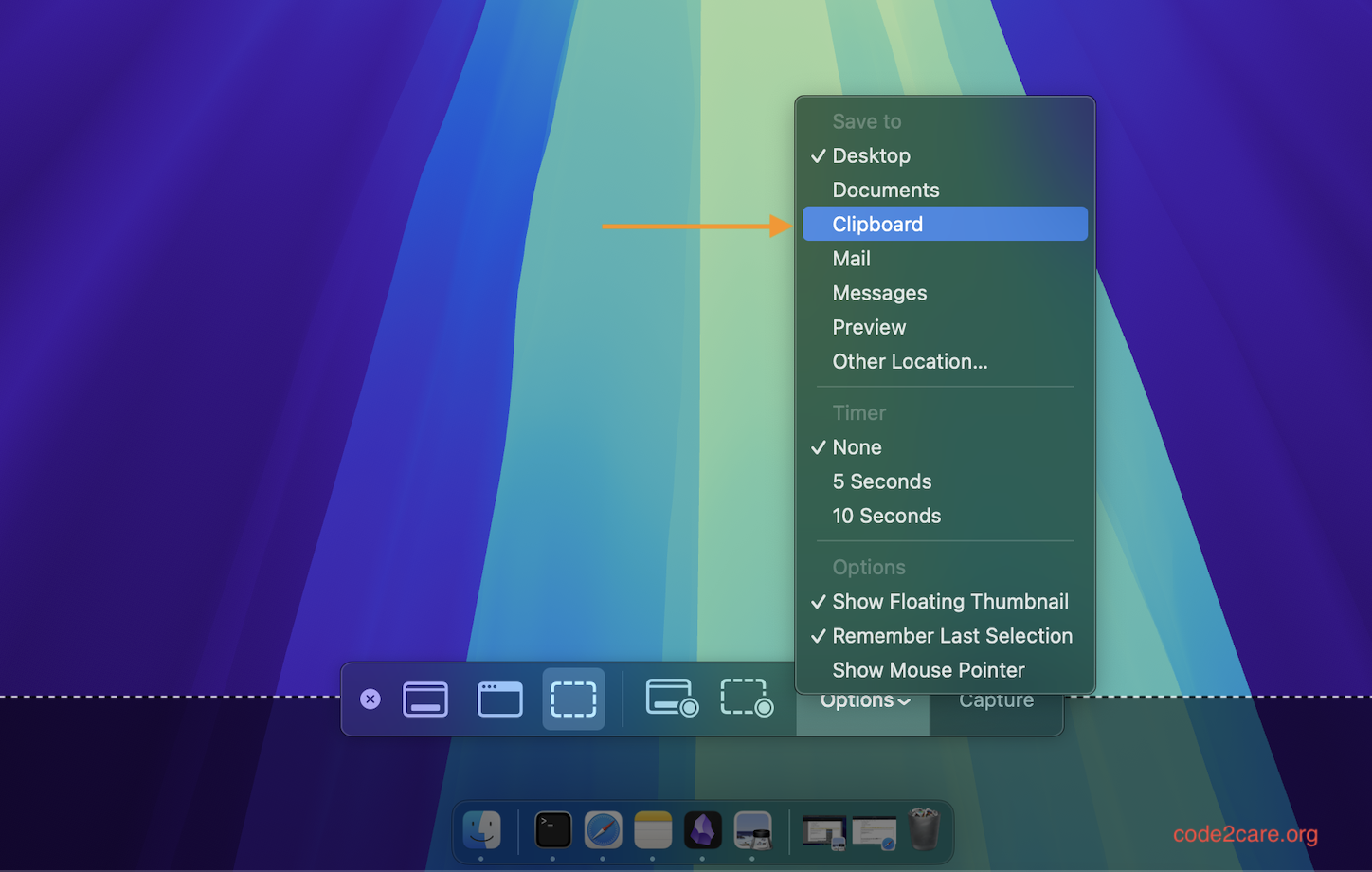
- Now Click on Options
- Under "Save to" select "Clipboard"
- Press escape.
Now all you need to do is paste the clipboard to your document.

This is not an AI-generated article but is demonstrated by a human on an M1 Mac running macOS Sequoia 15.0.
Please support independent contributors like Code2care by donating a coffee.
Buy me a coffee!
Comments & Discussion
Facing issues? Have questions? Post them here! We're happy to help!