As a developer, encountering an unresponsive IDE on your macOS can be quite frustrating.
You may find that the application freezes while you're in the middle of an important task, preventing you from saving your work or accessing essential features. This can happen due to various reasons, such as memory overload, plugin conflicts, or even system resource limitations.
In such cases, using the Force Quit option is a reliable way to close the application and regain control of your system.
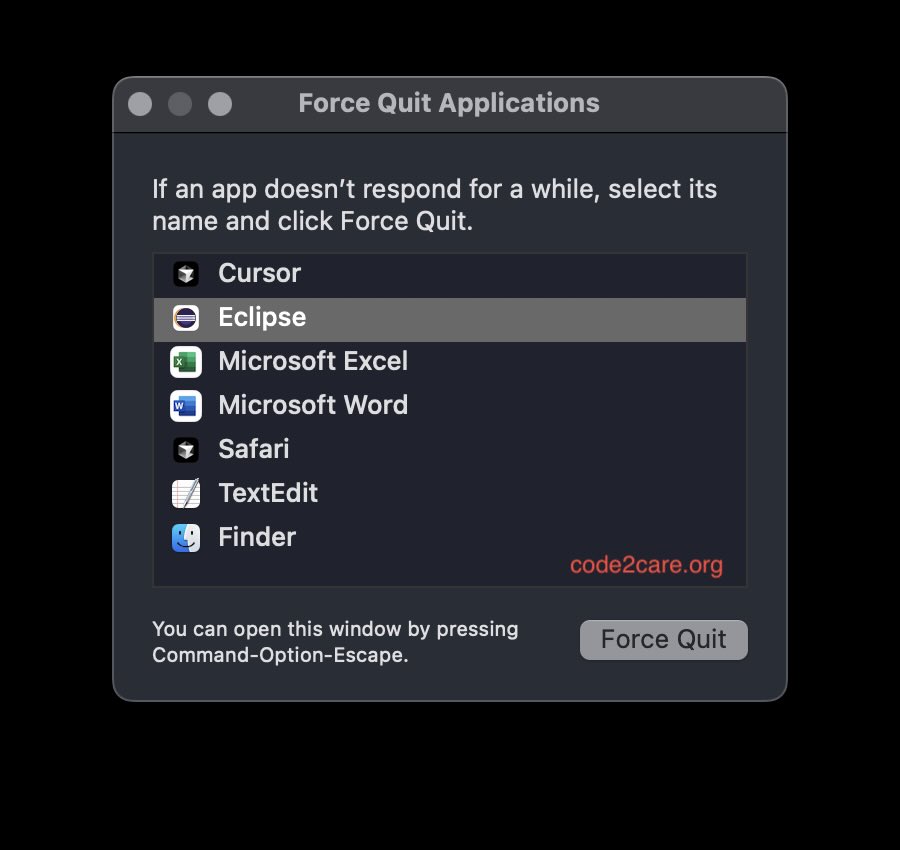
Steps to Force Quit Eclipse IDE on macOS
- Click on the Apple logo in the top-left corner of your screen.
- Select Force Quit... from the dropdown menu.
- In the Force Quit Applications window, find and select Eclipse.
- Click the Force Quit button to terminate the application.
- Confirm the action if prompted.
Remember to save your work frequently to minimize the impact of unexpected freezes in the future or enable auto-save.

This is not an AI-generated article but is demonstrated by a human on an M1 Mac running macOS Sonoma 14.0.
Please support independent contributors like Code2care by donating a coffee.
Buy me a coffee!
Comments & Discussion
Facing issues? Have questions? Post them here! We're happy to help!