With the new macOS at times it can be confusing to know how to set a custom wallpaper. Here we will see a quick way how to do it.
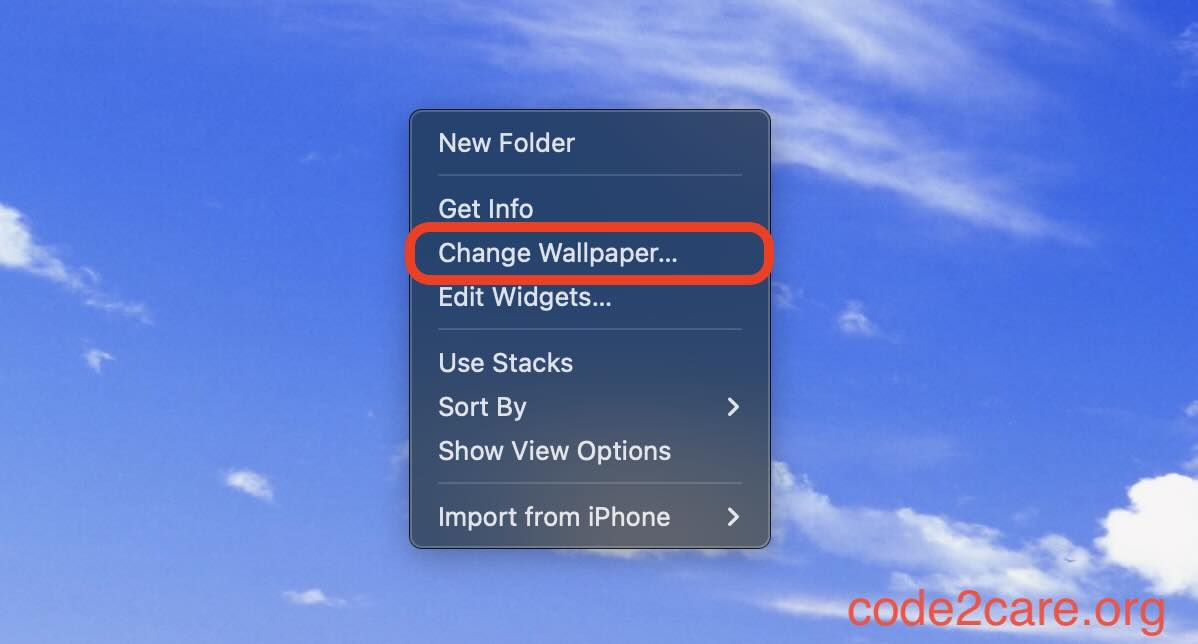
Step 1: Right Click on your Mac Desktop
Step 2: Now click on "Add Photo" -> "Choose..."
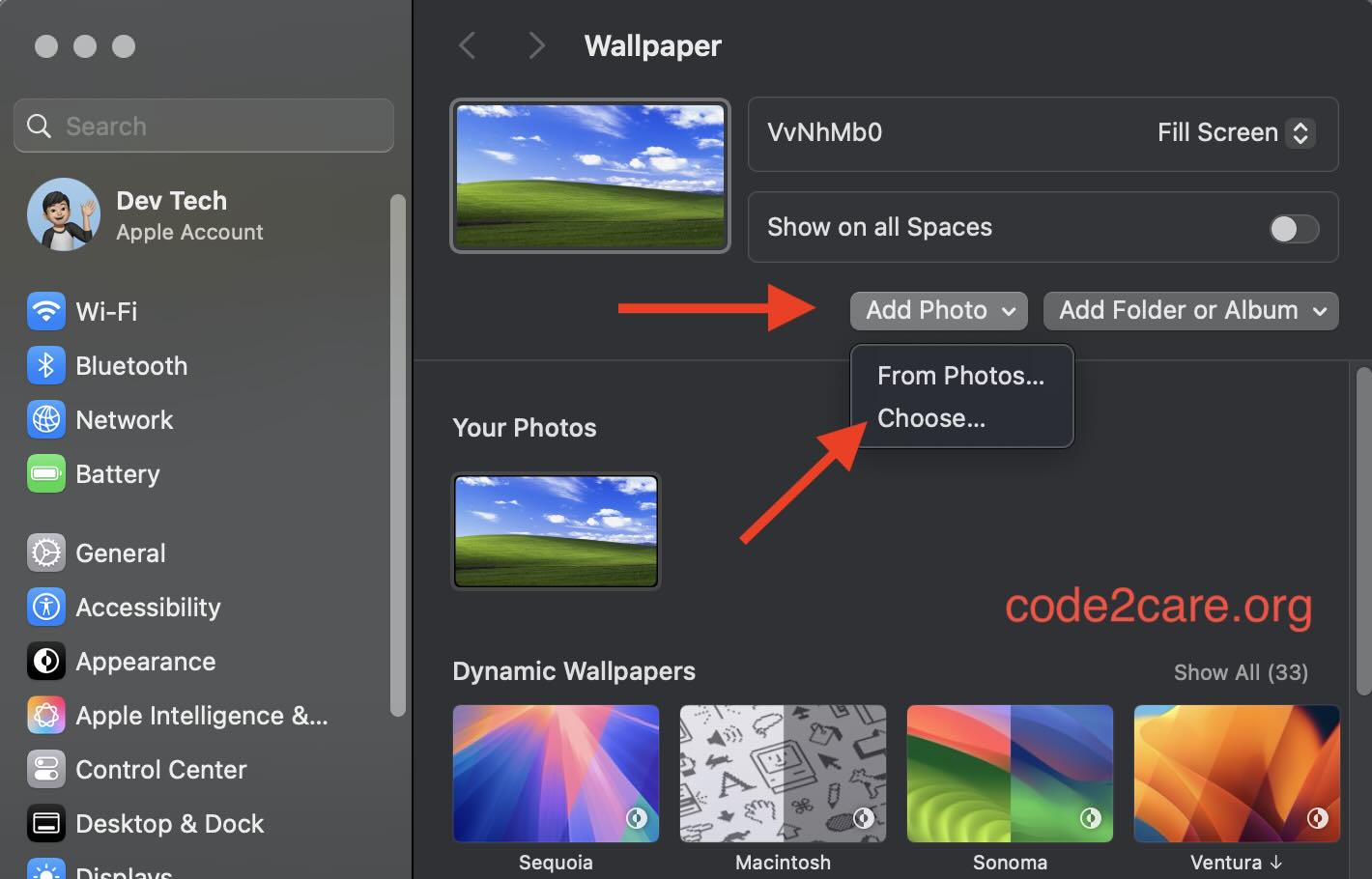
Now select the image file that you want to use as Wallpaper.
Thats it!

This is not an AI-generated article but is demonstrated by a human.
Please support independent contributors like Code2care by donating a coffee.
Buy me a coffee!
Comments & Discussion
Facing issues? Have questions? Post them here! We're happy to help!