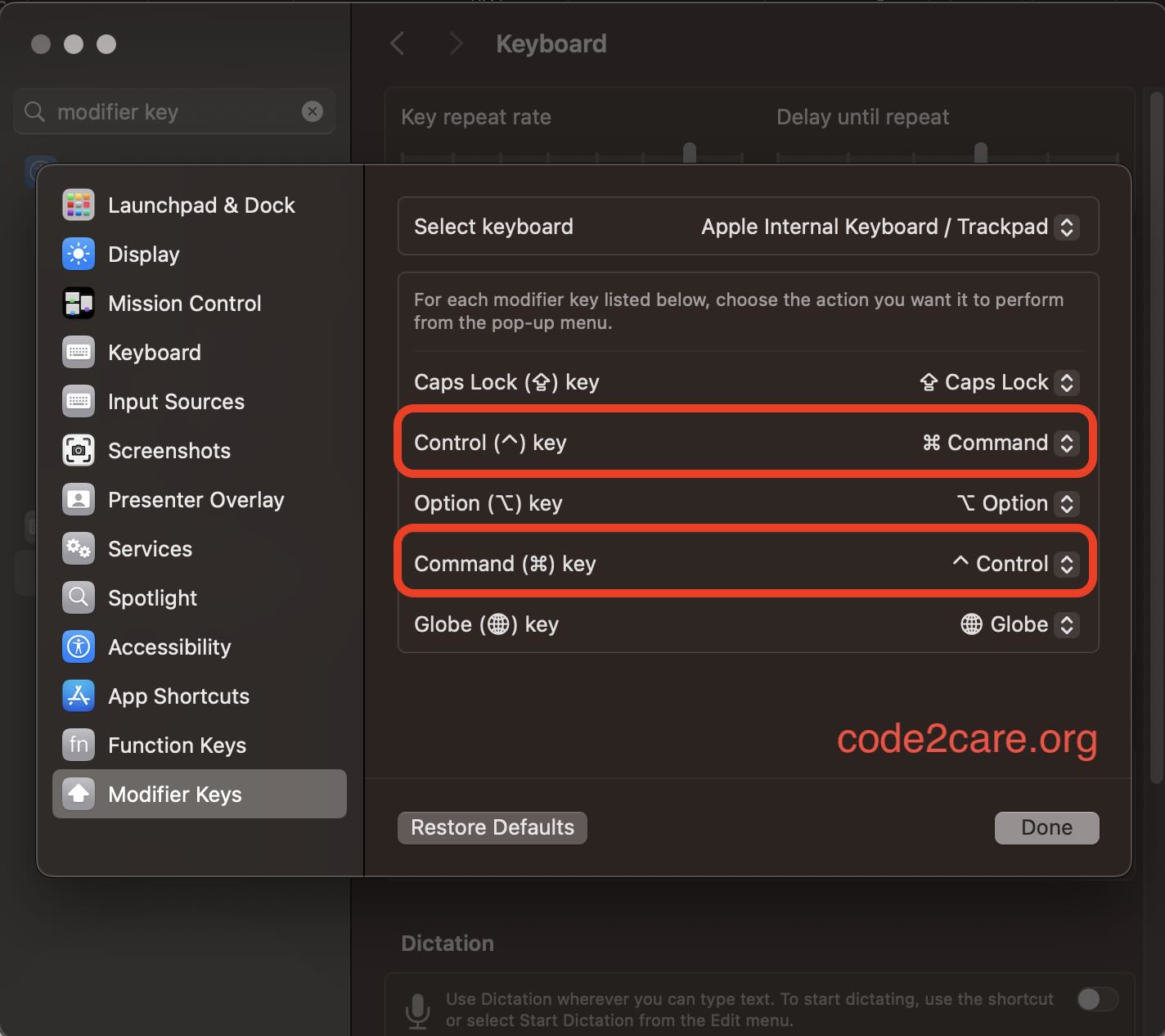
If you are used to the keyboard of a Windows PC/Laptop then using the basic copy-paste keyboard shortcuts on a Mac may take a while as the Contol button is swapped with Command ⌘.
If you want the change this mapping on your Mac/Macbook, you can follow the below steps.
- Click on the Apple logo on your macOS Menubar.
- Now select System Settings...
- Go to Keyboard from the sidebar.
- Click on Keyboard Shortcuts...
- Now from the sidebar select Modify Keyboard.
- Here Swap the Command key with Control as shown in the screenshot below.

This is not an AI-generated article but is demonstrated by a human.
Please support independent contributors like Code2care by donating a coffee.
Buy me a coffee!
Comments & Discussion
Facing issues? Have questions? Post them here! We're happy to help!