
Notepad++ text editor works only on Windows (sadly!) and thus the default line encoding for the files you create using Notepad++ is Windows - CR LF.
This could be problematic for developers or DevOps who are working on a file that needs to be deployed on Unix/Linux or Mac devices.
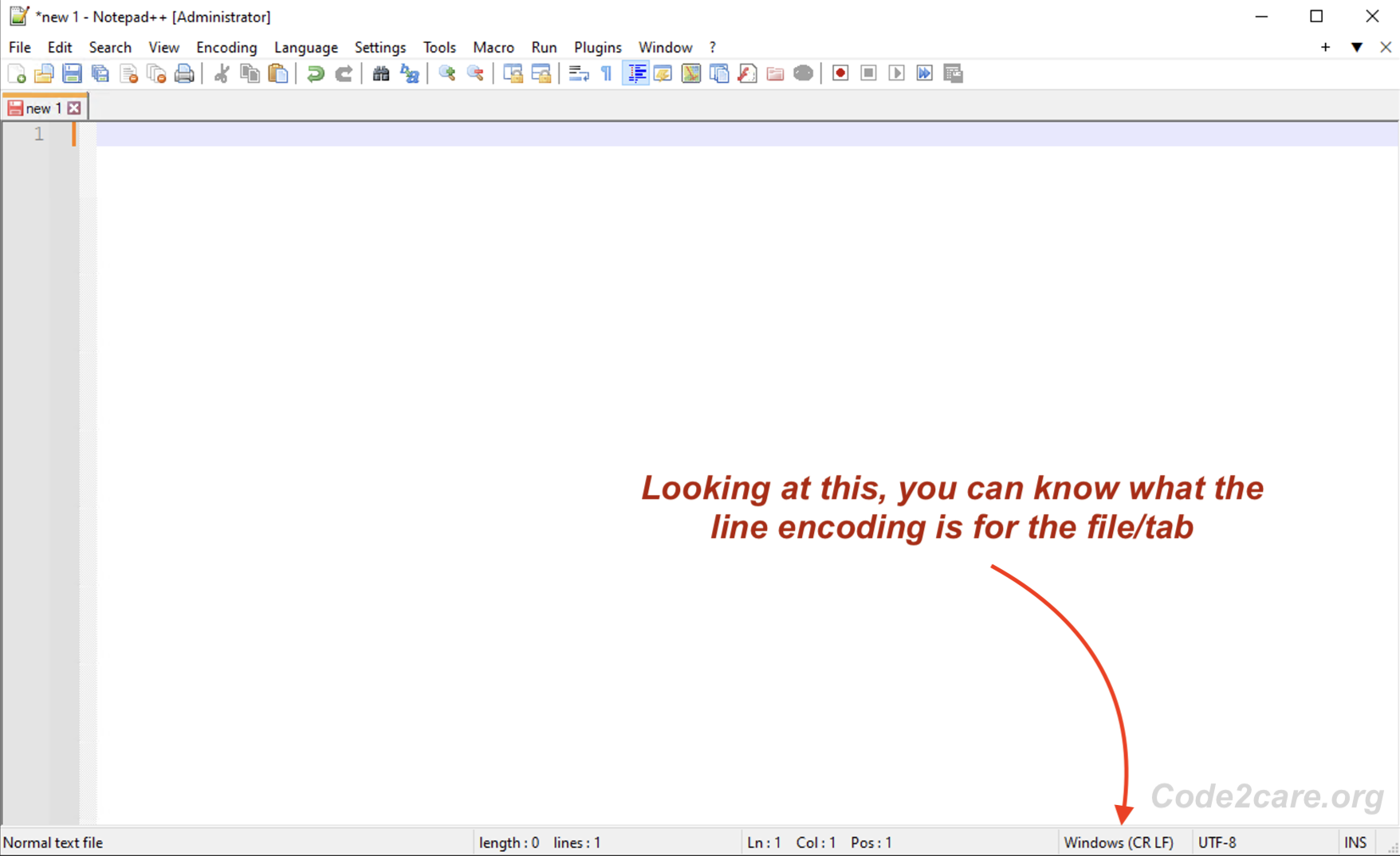
Tip: You can quickly tell what the file/tab line encoding is by looking at the status bar at the far right.
How to change the default line encoding for new documents/tabs in Notepad++?
- Go to Settings -> Preferences...
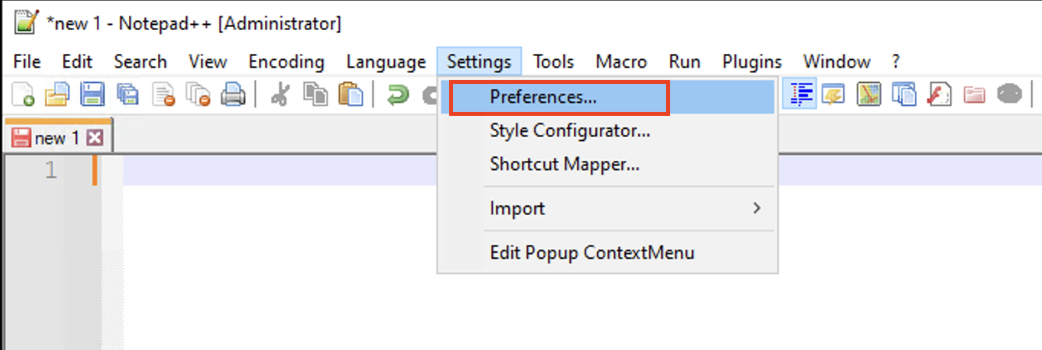
- Now select New Documents from the side bar.
- Under Format (Line ending), you will see by default "Windows (CR LF)" is selected, choose among,
- Unix (LF)
- Macintosh (CR)
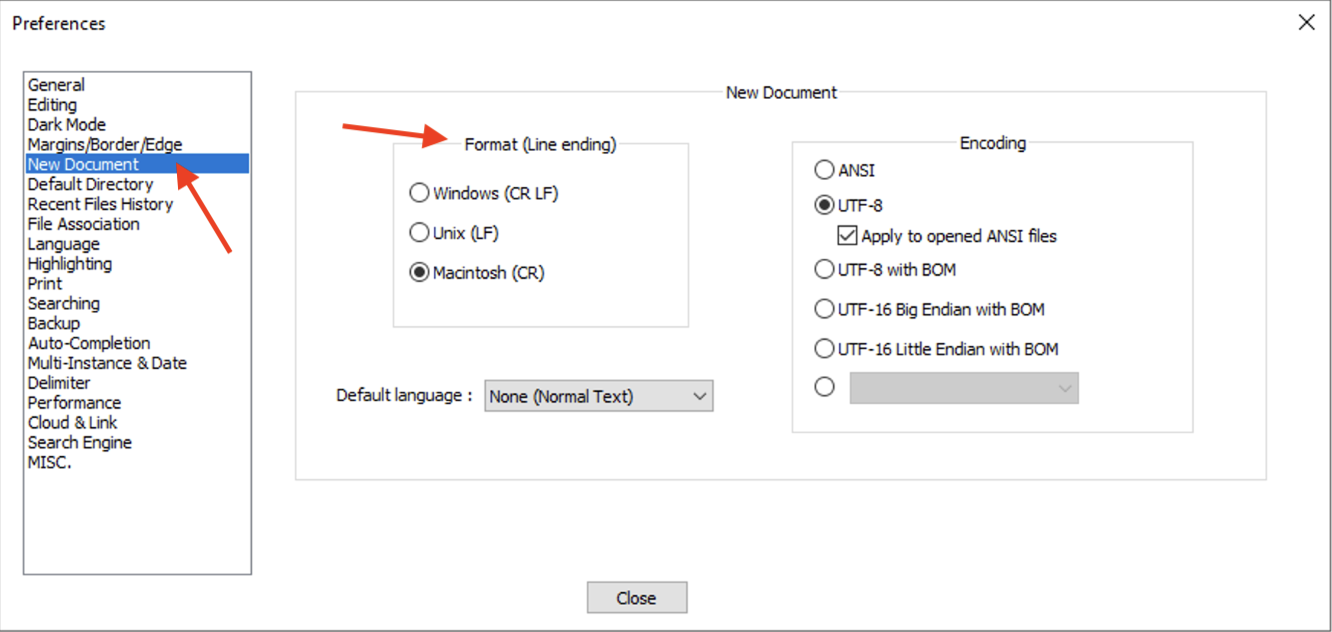
- Click close.
Now when you will open any new tab or a new document, it will have a default line encoding that you just selected.
Provide Feedback For This Article
We take your feedback seriously and use it to improve our content. Thank you for helping us serve you better!
😊 Thanks for your time, your feedback has been registered!
Comments & Discussion
Facing issues? Have questions? Post them here! We're happy to help!