
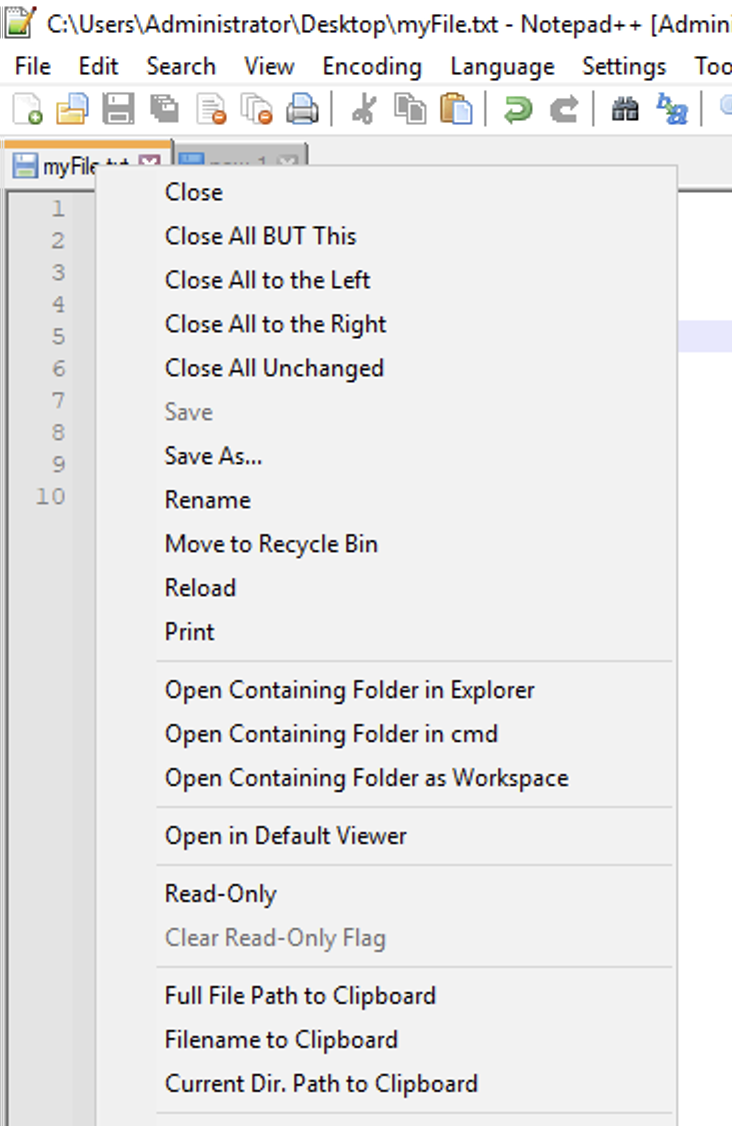
If you want to copy the file name and the path of the file in the current tab you can do it in Notepad++ by simply right-clicking on the tab and selecting the below options as per your requirements,
Full file Path to Clipboard
This will copy the absolute full path of the file: example: c:\User\c2c\Desktop\myFile.txt
Filename to Clipboard
This will just copy the file name: example: myFile.txt
Current Dir. Path to Clipboard
This will copy the path where the file resides: example: c:\User\c2c\Desktop\
Provide Feedback For This Article
We take your feedback seriously and use it to improve our content. Thank you for helping us serve you better!
😊 Thanks for your time, your feedback has been registered!
Comments & Discussion
Facing issues? Have questions? Post them here! We're happy to help!