
While using Bootstrap libraries for creating webpages we must make use of the classes provided by the bootstrap.css file to align text.
Though by default in HTML we have text aligned Left, but if you have nested elements containing text and want to left align it use the class "text-left"
Example 1: Left Aligned Text
<div style="padding:20px">
<p class="text-left">Lorem ipsum dolor sit amet, consectetur adipiscing
elit, sed do eiusmod tempor incididunt ut labore et dolore magna
 aliqua. Ut enim ad minim veniam, quis
nostrud exercitation ullamco laboris nisi ut aliquip ex ea
 commodo consequat. Duis aute irure dolor in reprehenderit
in voluptate velit esse cillum dolore eu fugiat nulla pariatur.
Excepteur sint occaecat cupidatat non proident, sunt in culpa qui officia
 deserunt mollit anim id est laborum.</p>
</div>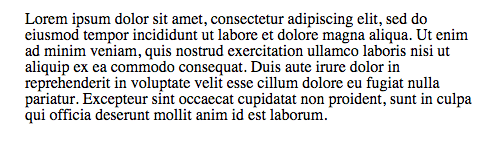
<div style="padding:20px">
<p class="text-center">This text is centered using Bootstrap's text-center class.</p>
</div><div style="padding:20px">
<p class="text-right">This text is right aligned using Bootstrap's text-right class.</p>
</div><div style="padding:20px">
<p class="text-justify">This text is justified using Bootstrap's text-justify class. It will stretch the lines to fill the width of the container.</p>
</div>Frequently Asked Questions
What is text alignment in Bootstrap?
Text alignment in Bootstrap refers to the use of utility classes to control the alignment of text within elements.
How do I left align text in Bootstrap?
You can left align text in Bootstrap by using the class text-left on the element containing the text.
What class do I use for center aligning text?
To center align text, use the class text-center on the element that contains the text.
How can I right align text in Bootstrap?
Right align text by applying the class text-right to the text element.
What does the text-justify class do?
The text-justify class is used to justify text, making it stretch to fill the width of its container.
Can I align text in a Bootstrap grid?
Yes, you can align text within Bootstrap grid columns using the text alignment classes on the column elements.
Are there responsive text alignment classes in Bootstrap?
Yes, Bootstrap provides responsive text alignment classes like text-sm-left, text-md-center, and text-lg-right for different screen sizes.
How do I align text in a Bootstrap card?
You can align text in a Bootstrap card by applying the appropriate text alignment class to the card body or any text-containing element within the card.
Can I use custom CSS for text alignment in Bootstrap?
Yes, you can always use custom CSS to achieve specific text alignment styles in addition to Bootstrap's utility classes.
Provide Feedback For This Article
We take your feedback seriously and use it to improve our content. Thank you for helping us serve you better!
😊 Thanks for your time, your feedback has been registered!
Comments & Discussion
Facing issues? Have questions? Post them here! We're happy to help!