
It's always better to run applications that are built to run natively on an ARM-based M1 Mac device, if you are looking for the installation of Eclipse on an M1/M2 Mac, follow the below steps,
- First we need to download the Eclipse Installer 2022‑03 M1 now includes a JRE for macOS and native ARM64 support. The Eclipse Installer 2021‑12 includes a JRE for macOS, Windows, and Linux. Note as the page says: This is a developer build that might contain issues.
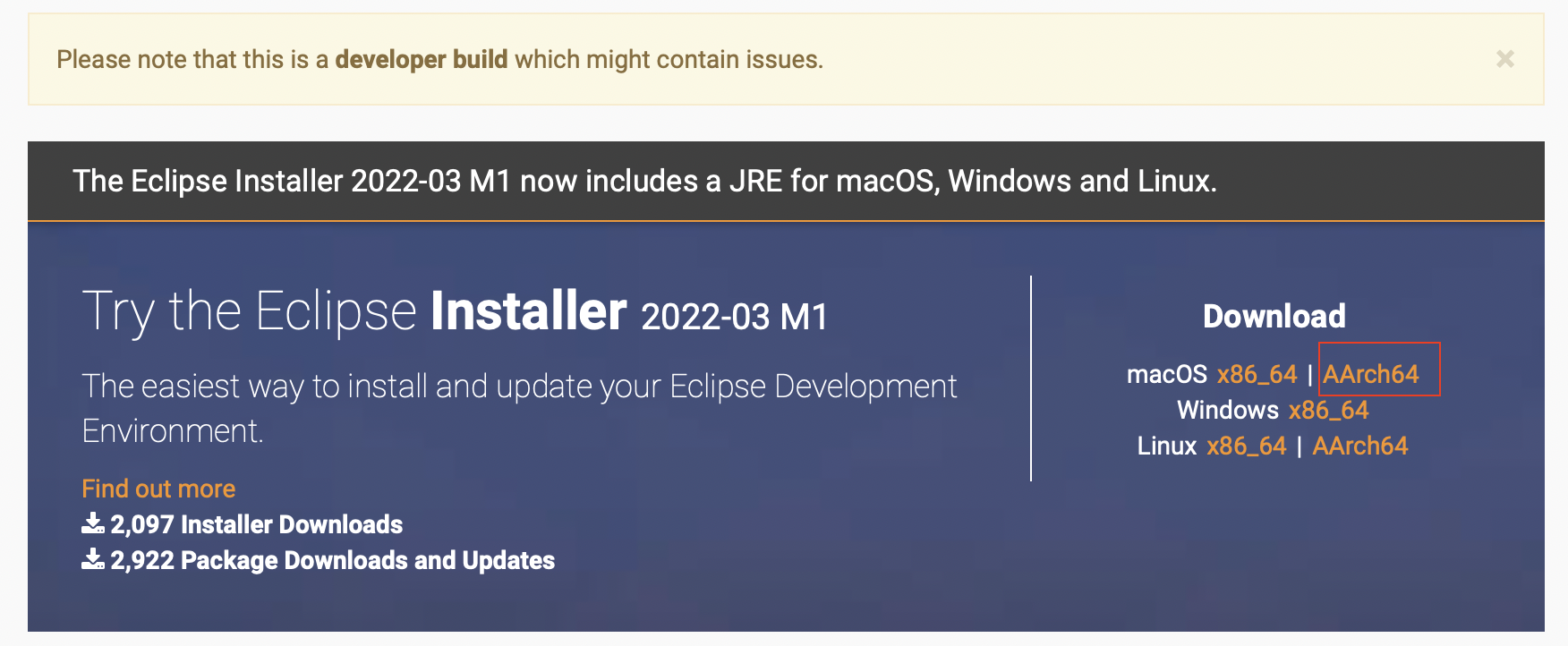
M1 based Eclipse Installation for Mac Download Link: https://www.eclipse.org/downloads/download.php?file=/oomph/epp/2022-03/M1/eclipse-inst-jre-mac-aarch64.dmg
- Once the installer is downloaded open it, you might see the below message, just click open,
"Eclipse Installer" is an app downloaded from the internet. Are you sure you want to open it? This item is on the disk image "eclipse-inst-jre-mac-aarch64.dmg". Safari downloaded this disk image today at 1:43 PM from ftp.jaist.ac.jp. Apple checked it for malicious software and none was detected. - Based on what eclipse you want to install you can select among the below,
- Eclipse IDE for Java Developers
- Eclipse IDE for Enterprise Java and Web Developers
- Eclipse IDE for C/C++ Developers
- Eclipse IDE for Embedded C/C++ Developers
- Eclipse IDE for PHP Developers
For this demonstration, I have selected Eclipse IDE for Java Developers. The installation will now download - Java 17 and the essential tools for any Java developer, including a Java IDE, a Git client, XML Editor, Maven, and Gradle integration.
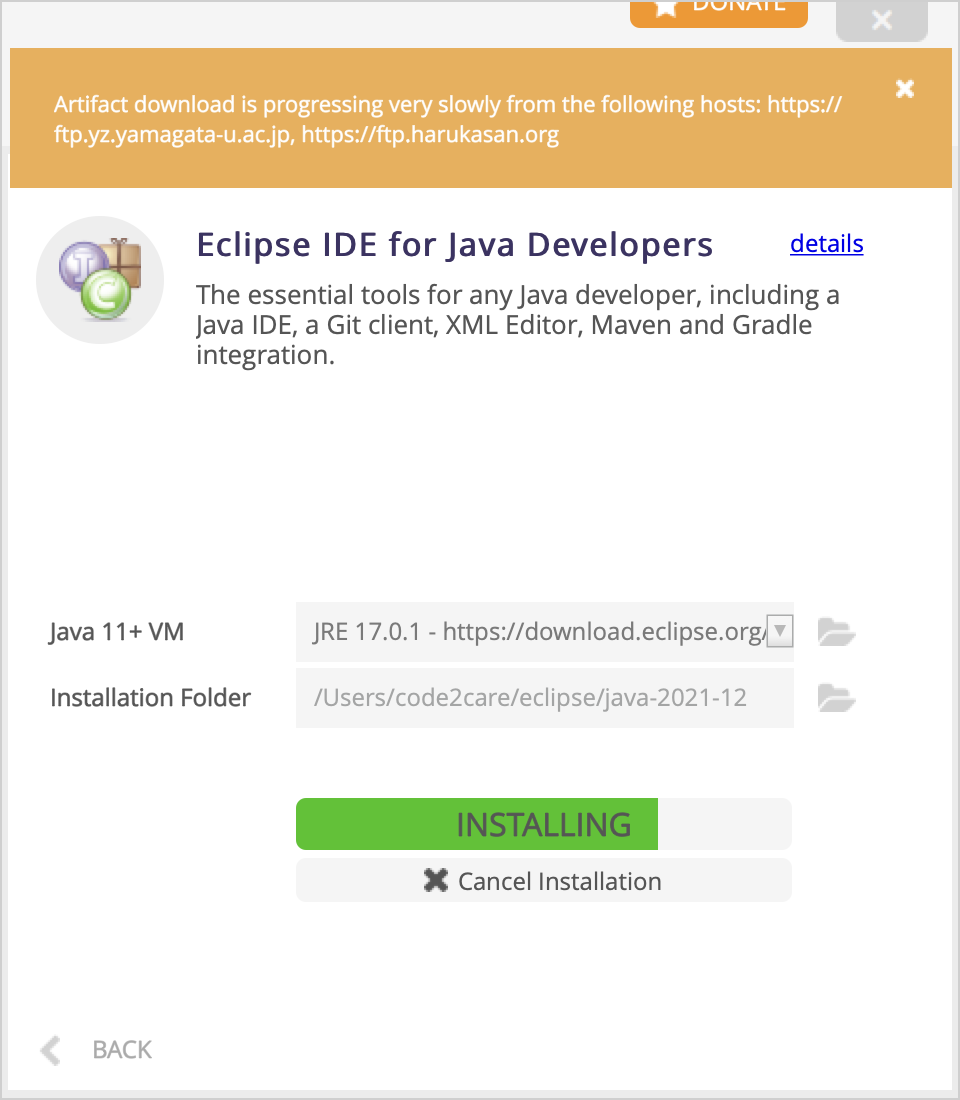
For me, the installations were slow, and could see notifications like "Artifact download is progressing very slowly from https://ftp.jaist.ac.jp"
Eclipse App will be available under location - /Users/user/eclipse/java-2021-12
Provide Feedback For This Article
We take your feedback seriously and use it to improve our content. Thank you for helping us serve you better!
😊 Thanks for your time, your feedback has been registered!
Comments & Discussion
Facing issues? Have questions? Post them here! We're happy to help!