If you are the organizer of a Teams meeting, then you can mute someone in the meeting by following the below steps.
- Click on the People icon in the Meeting Window.
- You should see the "Participants" sidebar at the left menubar.
Now you should see people who have joined in the "In this meeting" tab.
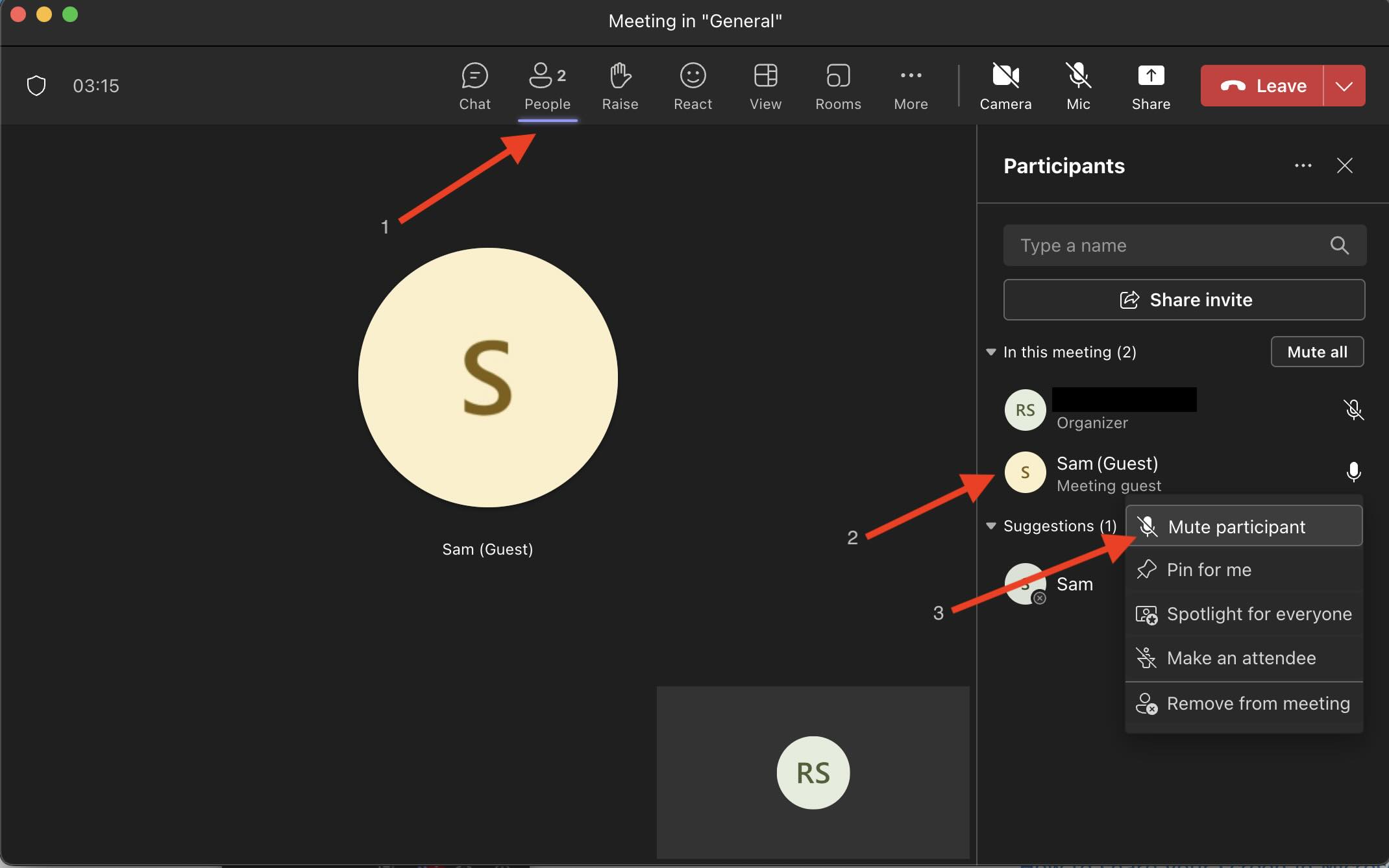
- Now click on the person whom you want to mute, and select the option - "Mute Participant".

This is not an AI-generated article but is demonstrated by a human on an M1 Mac running macOS Sonoma 14.0.
Please support independent contributors like Code2care by donating a coffee.
Buy me a coffee!
Comments & Discussion
Facing issues? Have questions? Post them here! We're happy to help!