
This tutorial is demonstrated on M1 Macbook Air running on macOS Ventrua 13.2.1
Start typing to search commands...
Press Enter to search or Esc to close
This tutorial is demonstrated on M1 Macbook Air running on macOS Ventrua 13.2.1
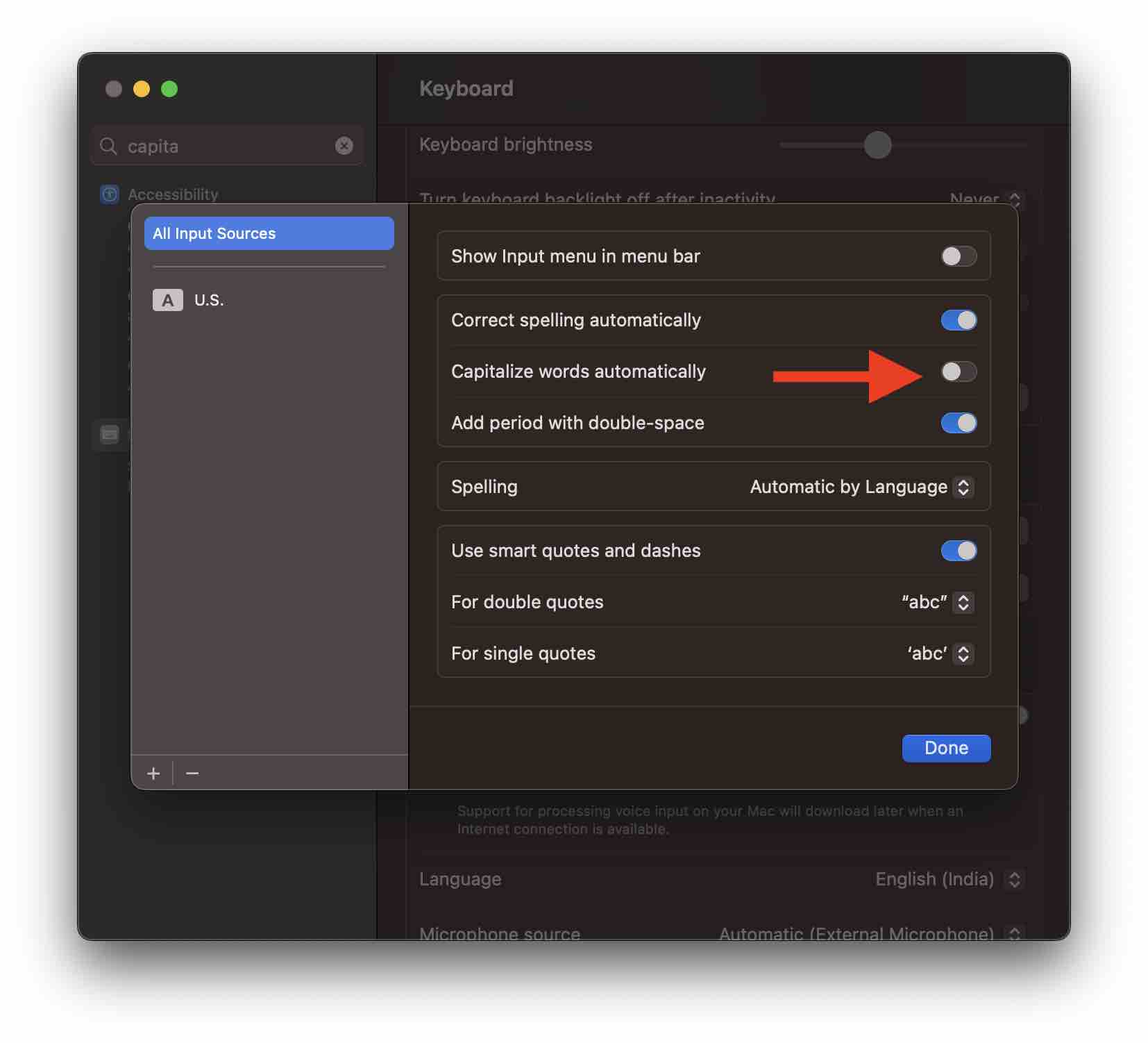
I usually do not prefer the words I type to be auto-capitalized, but this is the default behavior of macOS. That word is auto-capitalized when you add a full stop or a noun.
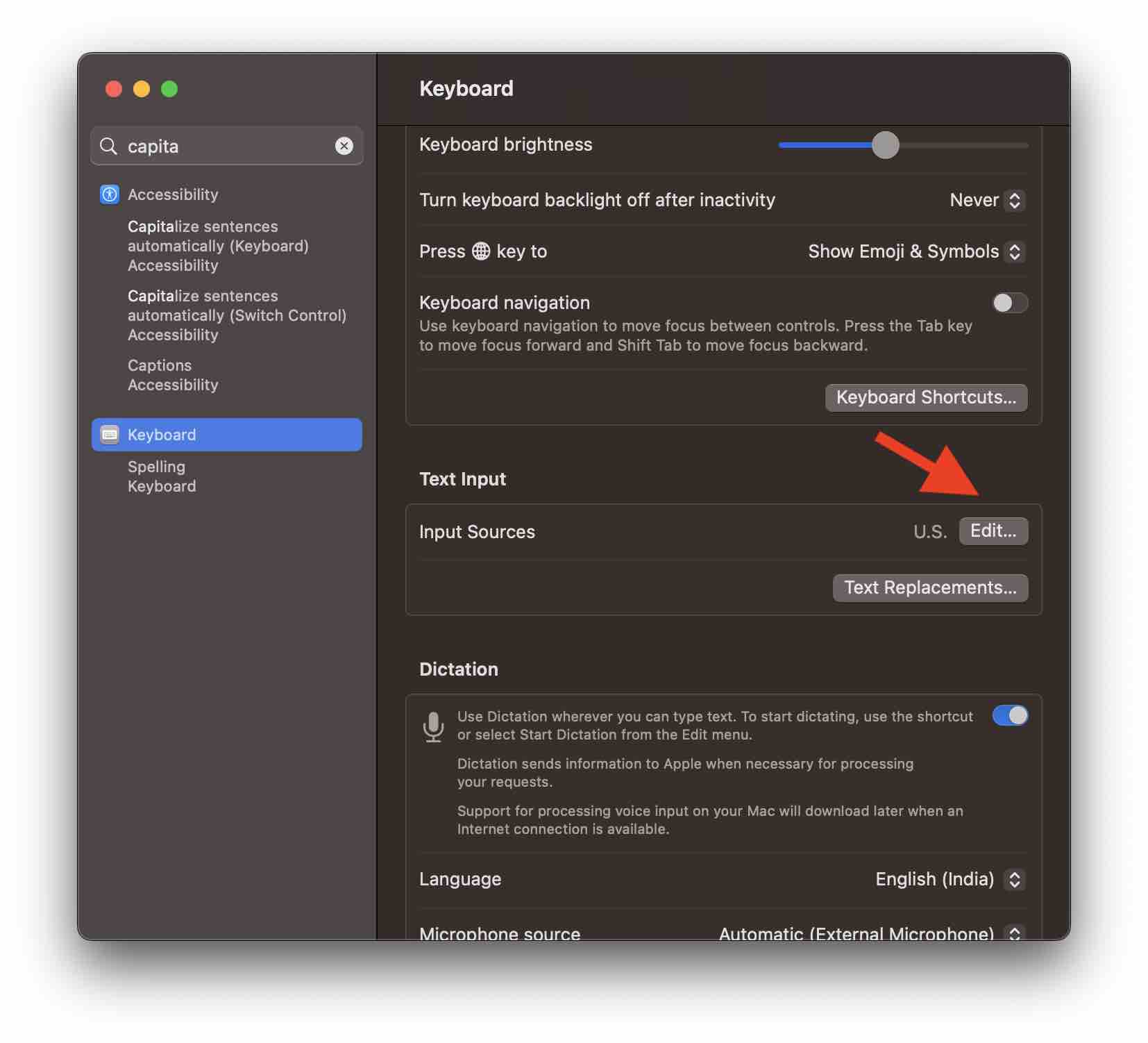
Turning off this feature as follows:
We take your feedback seriously and use it to improve our content. Thank you for helping us serve you better!
😊 Thanks for your time, your feedback has been registered!
Comments & Discussion
Facing issues? Have questions? Post them here! We're happy to help!