
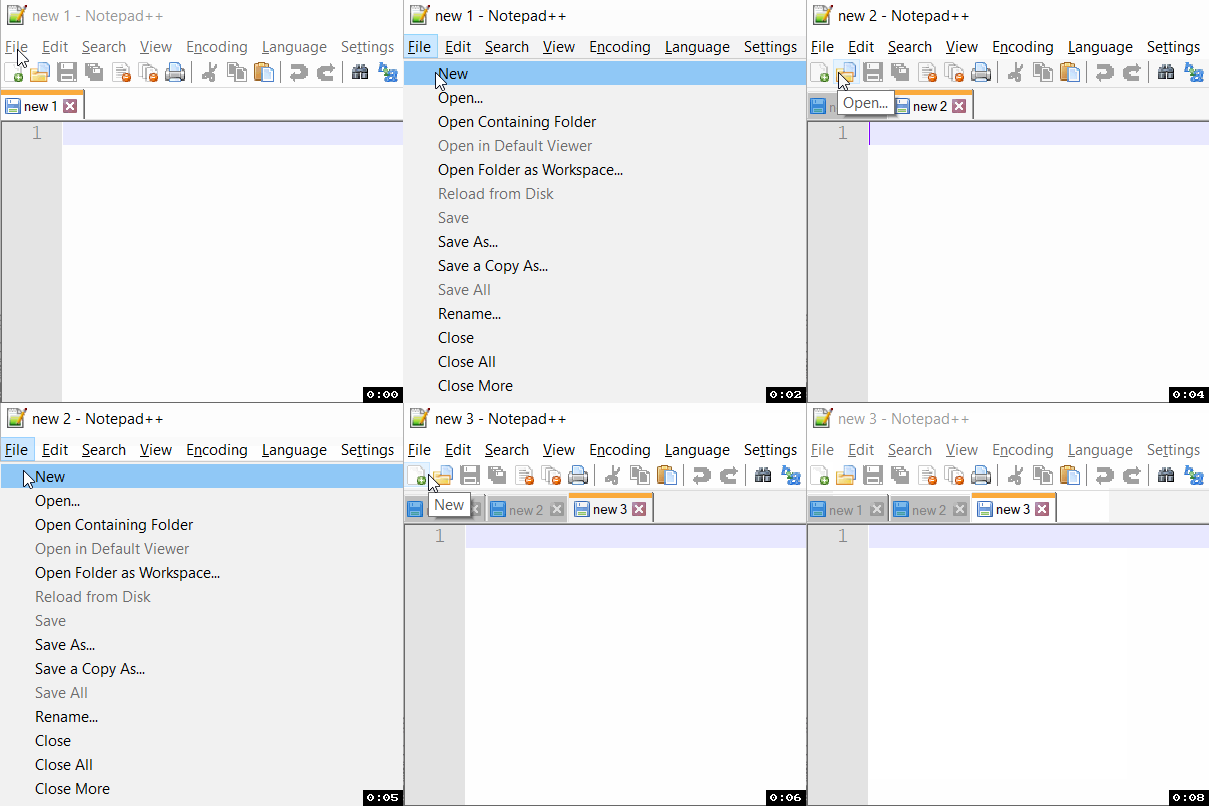
Notepad++ lets you work with multiple files at a time, each file when opened will load in a new tab, if you want to open a new blank tab to draft your text, code, or some text in it, you can do it in two ways one by using the keyboard shortcut Ctrl + N buttons, or by going to menu File -> New.
Opening a new Tab in Notepad++ using Keyboard Shortcut
- Open Notepad++
- If its fresh you will see new 1, press Ctrl (Control) + N, it will open new tab new 2
- If you press Ctrl + N again it will open new 3 and so on...
⚡️ You can also press Alt + F to expand File Menu and then either press enter (as the New tab is the first option that will be highlighted by default) or press the N button.
Opening a new Tab in Notepad++ using Menu Option
- Open Notepad++
- Go to File,
- Select New
Provide Feedback For This Article
We take your feedback seriously and use it to improve our content. Thank you for helping us serve you better!
😊 Thanks for your time, your feedback has been registered!
Comments & Discussion
Facing issues? Have questions? Post them here! We're happy to help!