In order to create and run an HTML file in Notepad on Windows, follow the below easy steps,
- Open Notepad (Press Windows Key + R and type notepad, then press enter)
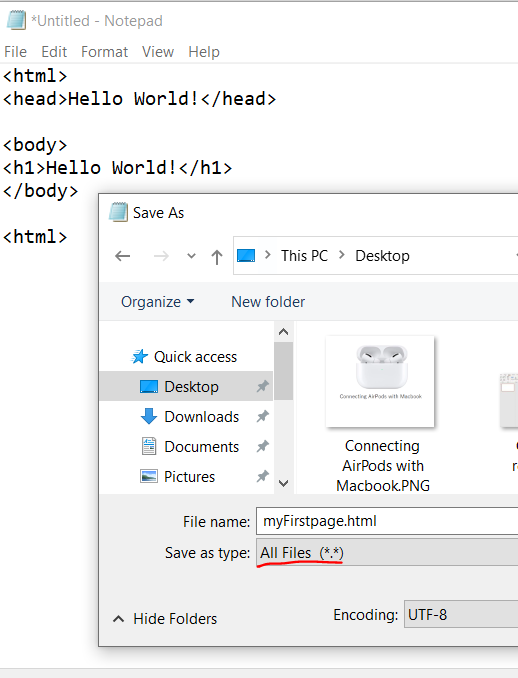
- Now type your HTML code in the editor.
- Press: Ctrl + S to save the file, save the file as myhtmlFile.htm or myhtmlFile.html
- Also make sure that the "save as type" is set to All Files *.*. And Encoding is UTF-8
- Now locate the HTML file and double-click on it.
- This should open your file on your default web browser (EDGE, Chrome, or Firefox)
- You should be able to see your HTML page.

This is not an AI-generated article but is demonstrated by a human.
Please support independent contributors like Code2care by donating a coffee.
Buy me a coffee!
Comments & Discussion
Facing issues? Have questions? Post them here! We're happy to help!