
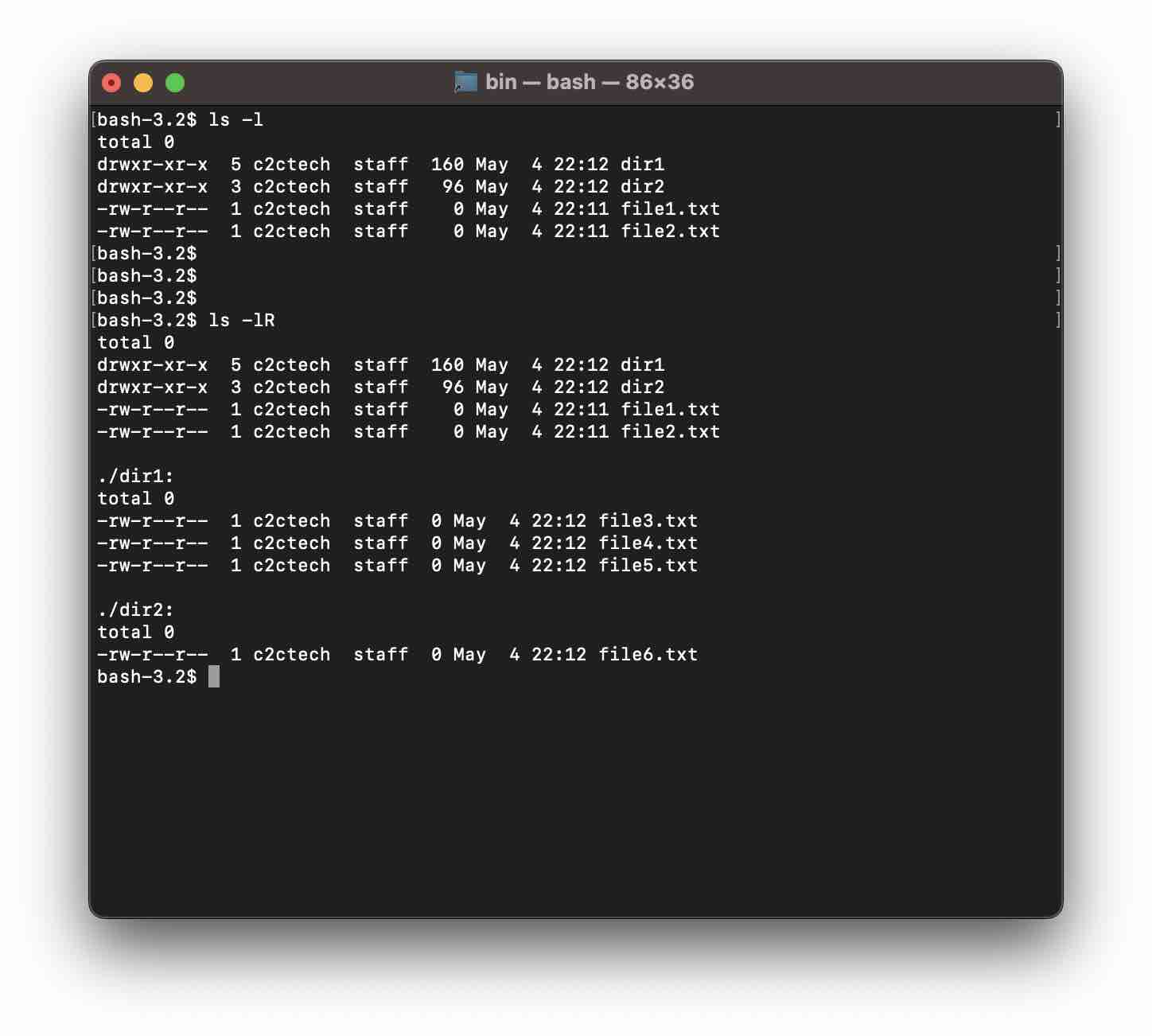
The ls command lists all the directories and files in the current directory that you are in. If you have subdirectories within the current directory and you want to know using the ls command what are the files within the subdirectories in a single execution you will need to make use of the -R option.
Example 1:# total 0
-rw-r--r--@ 1 c2ctech staff 0 May 4 21:46 Annual-Queries-2023.xlsx
drwxr-xr-x@ 5 c2ctech staff 160 May 4 22:00 Archive-2010-2020
drwxr-xr-x@ 4 c2ctech staff 128 May 4 22:01 Archive-2020-2030
-rw-r--r--@ 1 c2ctech staff 0 May 4 21:46 ToDo-List.txt
-rw-r--r-- 1 c2ctech staff 0 May 4 21:48 prod-script.py
-rw-r--r-- 1 c2ctech staff 0 May 4 21:48 satge-script.py
./Archive-2010-2020:
total 0
-rw-r--r-- 1 c2ctech staff 0 May 4 22:00 Annual-Queries-2010.xlsx
-rw-r--r-- 1 c2ctech staff 0 May 4 22:00 Annual-Queries-2011.xlsx
-rw-r--r-- 1 c2ctech staff 0 May 4 22:00 Annual-Queries-2018.xlsx
./Archive-2020-2030:
total 0
-rw-r--r-- 1 c2ctech staff 0 May 4 22:01 Annual-Queries-2021.xlsx
-rw-r--r-- 1 c2ctech staff 0 May 4 22:01 Annaul-Queries-2022.xlsxAs you can see in the above example, we have two subdirectories Archive-2010-2020 and Archive-2020-2030 and both of them have files in them. Using the -R flag we are able to recursively list all files and directories in the current directory and all of its subdirectories.
Example 2:
Provide Feedback For This Article
We take your feedback seriously and use it to improve our content. Thank you for helping us serve you better!
😊 Thanks for your time, your feedback has been registered!
Comments & Discussion
Facing issues? Have questions? Post them here! We're happy to help!