
If you see the Terminal a lot to run commands, you will really like speed things up to save time and be more efficient, one of the features that you can use for this is called autocomplete,
✌️Tab is the keyboard key that you can make use of for autocomplete and autosuggestion feature
Autocomplete example: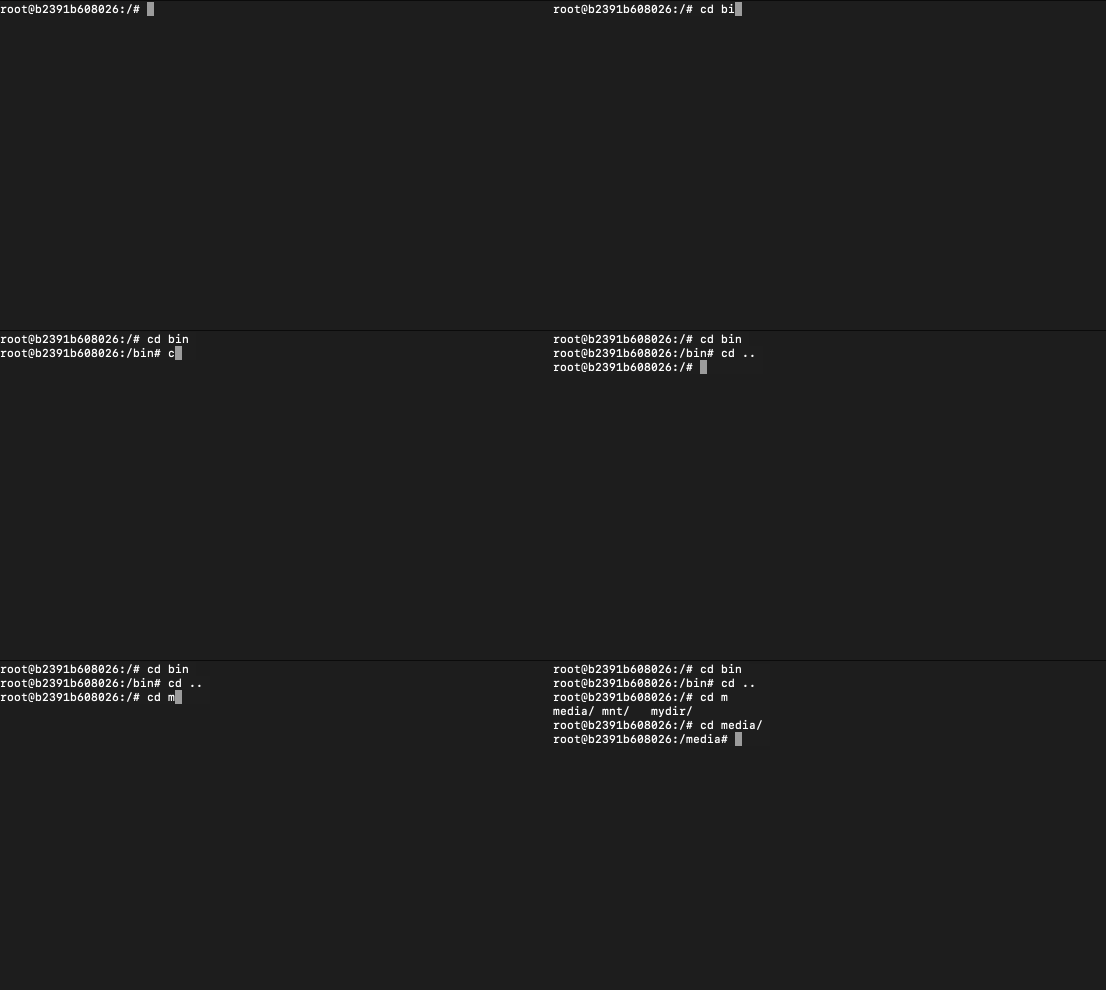
As you can see in the above example when I type cd to change directory and type bi followed by tab key based on the current directory there is only one dir that starts with bi so it's autocompleted to bin
Also, when in the example, I typed cd m followed by pressing the tab key, nothing happened, when I pressed it twice, you get autosuggestions that all files and directories start with the letter m, as I wanted to select the media directory, I simply pressed key e followed by tab!
# cd bin
# cd ..

# cd m
media/ mnt/   mydir/
# cd media/
#
Provide Feedback For This Article
We take your feedback seriously and use it to improve our content. Thank you for helping us serve you better!
😊 Thanks for your time, your feedback has been registered!
Comments & Discussion
Facing issues? Have questions? Post them here! We're happy to help!