
If you have a .csv file and you want to convert it into an SQL insert Query (be MySql, SQLite, Oracle), this can be done in just a few simple steps using Notepad++ Find and Replace with some Regular Expressions.
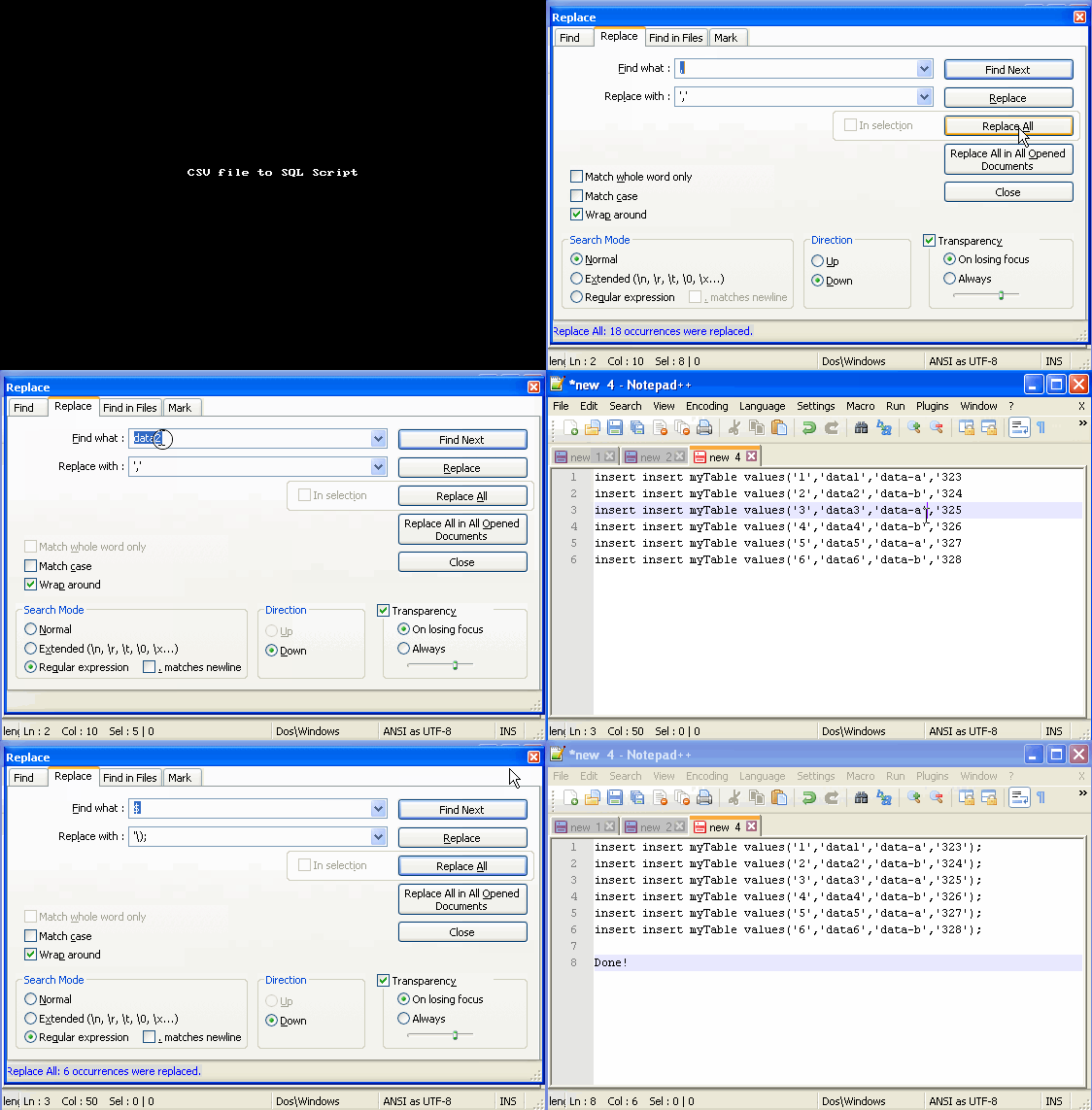
- Open the CSV (Comma Separated Values) file in Notepad++
- Enclose each data values in CSV file with Single Quotes.
Our Sample CSV Data :
1,data1,data-a,323
2,data2,data-b,324
3,data3,data-a,325
4,data4,data-b,326
5,data5,data-a,327
6,data6,data-b,328Open Find and Replace by pressing "Ctrl + F", go to replace tab and,
Find : ,
Replace with : ','
Result :
1','data1','data-a','323
2','data2','data-b','324
3','data3','data-a','325
4','data4','data-b','326
5','data5','data-a','327
6','data6','data-b','328
Now data values are enclosed with Quotes, expect the row start and end. For this we need to use Regular Expression.
Provide Feedback For This Article
We take your feedback seriously and use it to improve our content. Thank you for helping us serve you better!
😊 Thanks for your time, your feedback has been registered!
Comments & Discussion
Facing issues? Have questions? Post them here! We're happy to help!