
Notepad++ is more than just a text-editor. Being an Open-Sourced tool with Plugins makes it most powerful Text Editor available for Windows platform.

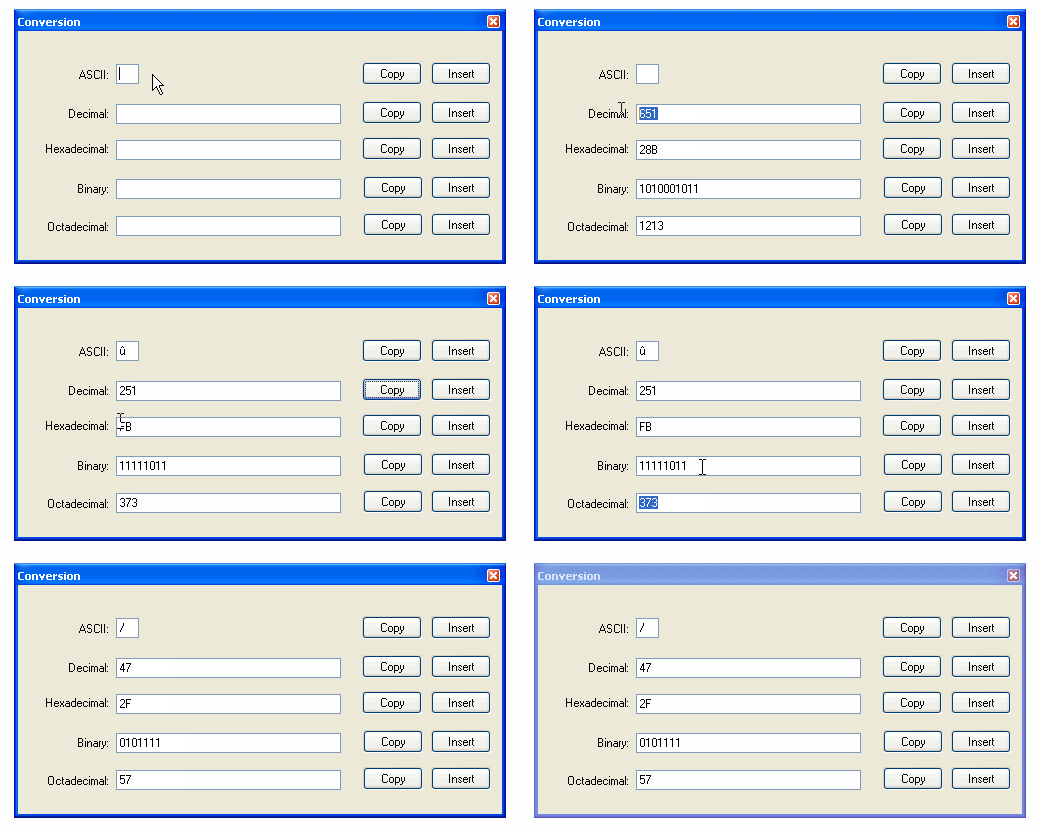
Notepad++ has a pre-installed plug-in called Converter that has an option to Convert ASCII to HEX and Vice-versa. This tool is quite useful as to convert data files that are in HEX format which are to be converted to ASCII to read.
How to Use it (Conversion Panel):
You can get to Converter Panel by going to Menu → Plugins → Converter → Conversion Panel
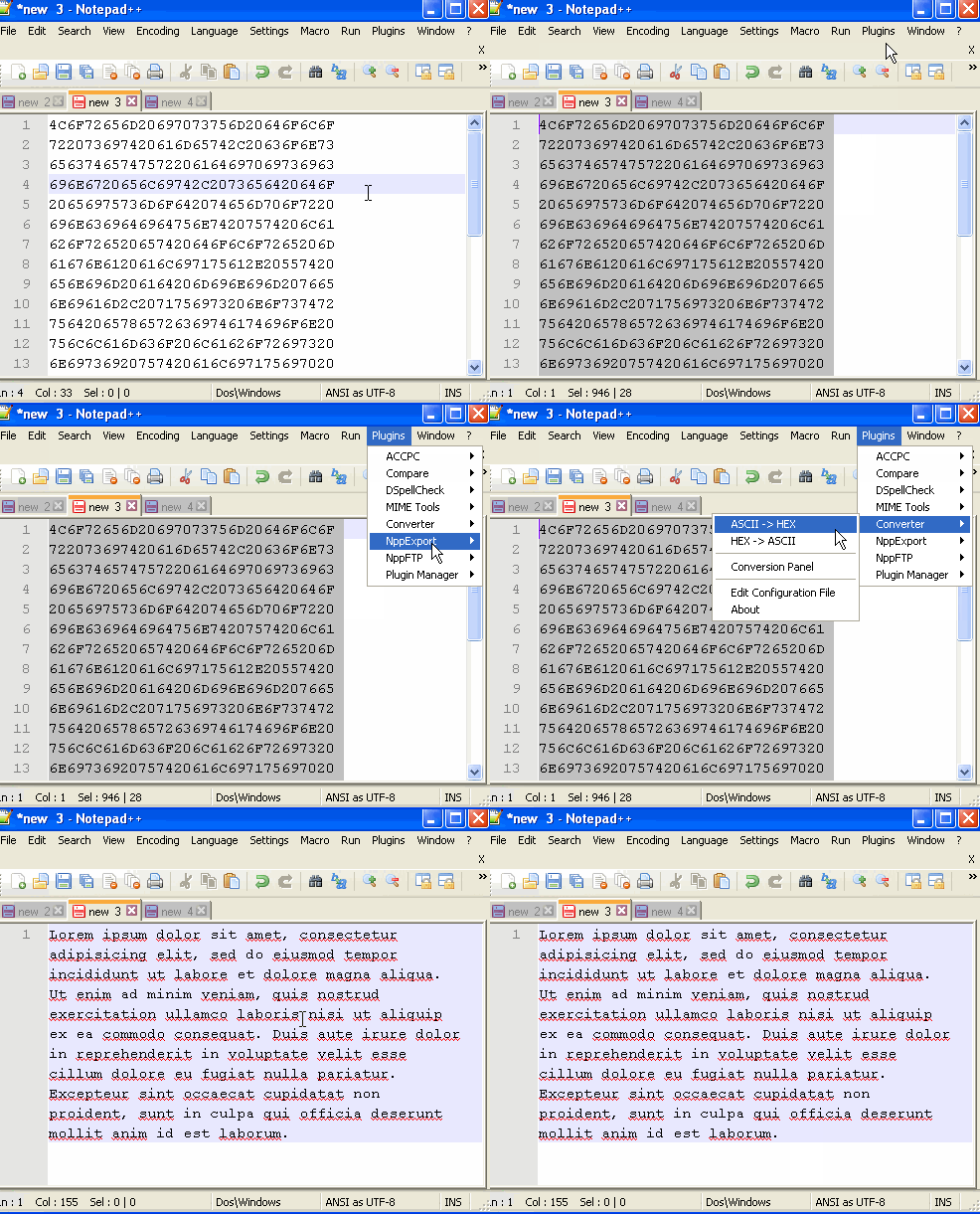
HEX to ASCII You get a Dialog Box with ASCII, Decimal, Hexadecimal, Binary, Octa-decimal fields. Entering a value in any of these fields converts text to other options.
You can convert the whole text file to ASCII from HEX and vice-versa by selecting all text in Notepad++ and go-to Menu → Plugins → Converter → ASCII to HEX/HEX to ASCII
Comments:
- This is much better and easy way to convert text encoding! Thank you! Was helpful.
user1394 | 19 Jul 2020 16:07:14 GMT
- Further comments disabled!
Comments & Discussion
Facing issues? Have questions? Post them here! We're happy to help!
Provide Feedback For This Article
We take your feedback seriously and use it to improve our content. Thank you for helping us serve you better!
😊 Thanks for your time, your feedback has been registered!