
TextEdit is the default text editor for Mac that comes pre-installed on macOS.
The default file extension when you save a file in TextEdit depends on the file format you choose under the File Format menu under Settings..
If you select "Plain Text" format, the default extension is ".txt". However, if you choose "Rich Text Format", the default extension is ".rtf".
Save file as .txt
- Go to Menu: TextEdit -> Settings..
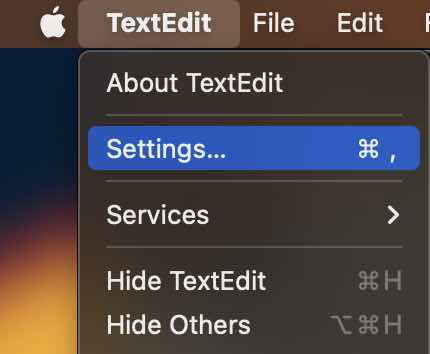
- On the New Document tab, select Plain Text
- On the Open and Save for "When Saving a file" select "Add .txt extensions to plain text files".
- Close Settings Window.


Provide Feedback For This Article
We take your feedback seriously and use it to improve our content. Thank you for helping us serve you better!
😊 Thanks for your time, your feedback has been registered!
Comments & Discussion
Facing issues? Have questions? Post them here! We're happy to help!