
By default the saving and opening file encoding is automatic for TextEdit.
If you will to change the default encoding you can do that by going to Settings/Preferences and Open and Save tab,
- Open TextEdit app on Mac,
- Now go to Menu: TextEdit -> Preferences (Settings if on macOS Ventura or above)
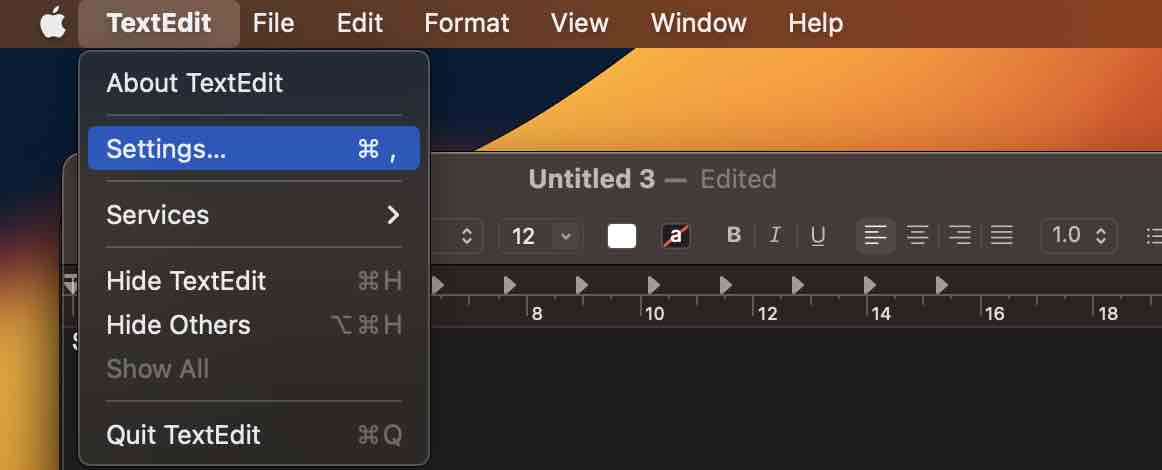
- Now select Open and Save tab,
- Now click on the drop-down next to Opening/Saving files and choose from,
Automatic
Unicode (UTF-16)
Unicode (UTF-8)
Western (Mac OS Roman)
Western (Windows Latin 1)
Japanese (Mac OS)
Japanese (Shift JIS)
Traditional Chinese (Mac OS)
Korean (Mac OS)
Simplified Chinese (Mac OS)
Chinese (GB 18030)
Customise Encodings List...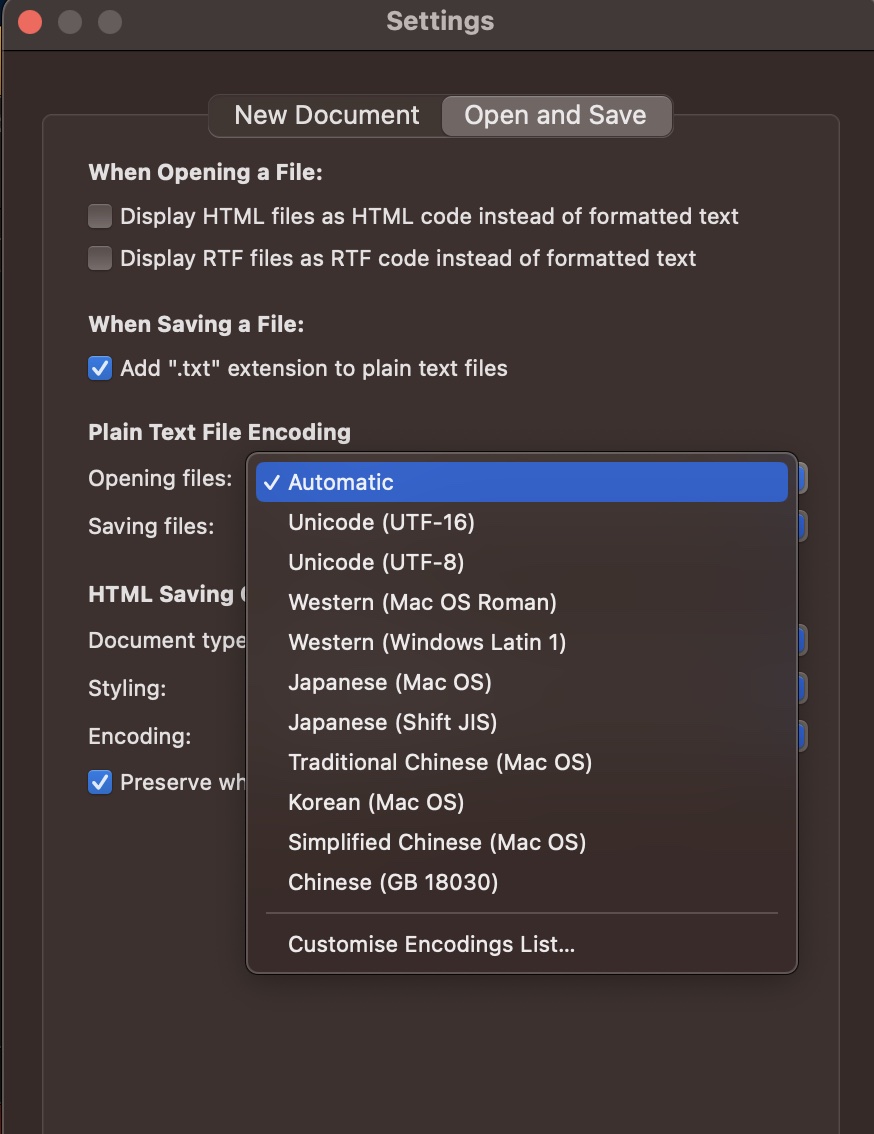
Provide Feedback For This Article
We take your feedback seriously and use it to improve our content. Thank you for helping us serve you better!
😊 Thanks for your time, your feedback has been registered!
Comments & Discussion
Facing issues? Have questions? Post them here! We're happy to help!