
At times you must have observed that the desktop of Mac freezes especially when your system hangs due to heavy CPU or memory usage. If you are able to view files on macOS desktop then you may need to refresh your Desktop.
- Click on Apple Logo in the Menu Bar,
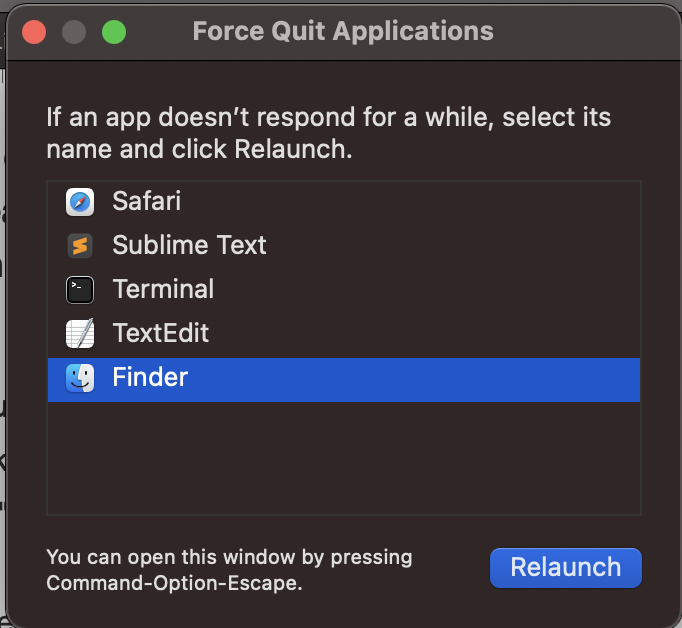
- Now click on Force Quit..
- Select Finder and click "Relaunch",
- You will get a pop-up: "Do you really want to force restart Finder? You will lose unsaved changes.
- Click on Relaunch.
- Your Desktop will get refreshed.
Have Questions? Post them here!
Provide Feedback For This Article
We take your feedback seriously and use it to improve our content. Thank you for helping us serve you better!
😊 Thanks for your time, your feedback has been registered!
Comments & Discussion
Facing issues? Have questions? Post them here! We're happy to help!