

If you are using Microsoft Excel on a Mac computer and do not want it to be in Dark Mode, well here is a way you can get it into Light Mode.
Steps-By-Step: Turn off Dark Mode
Below are 3 easy steps to follow, have added screenshots to the steps so it's easy to follow if you are new to Mac/Excel.
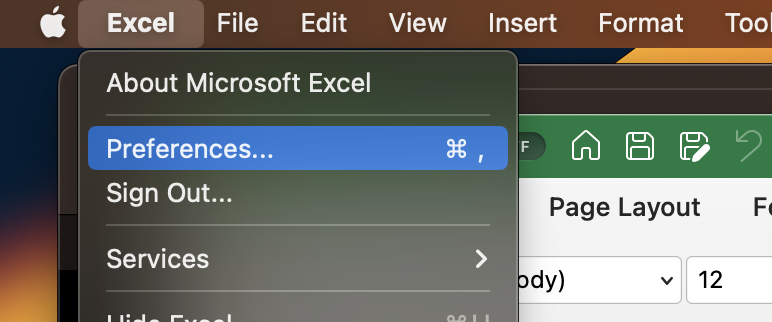
- Step 1: On the Menu select Excel -> Preferences...
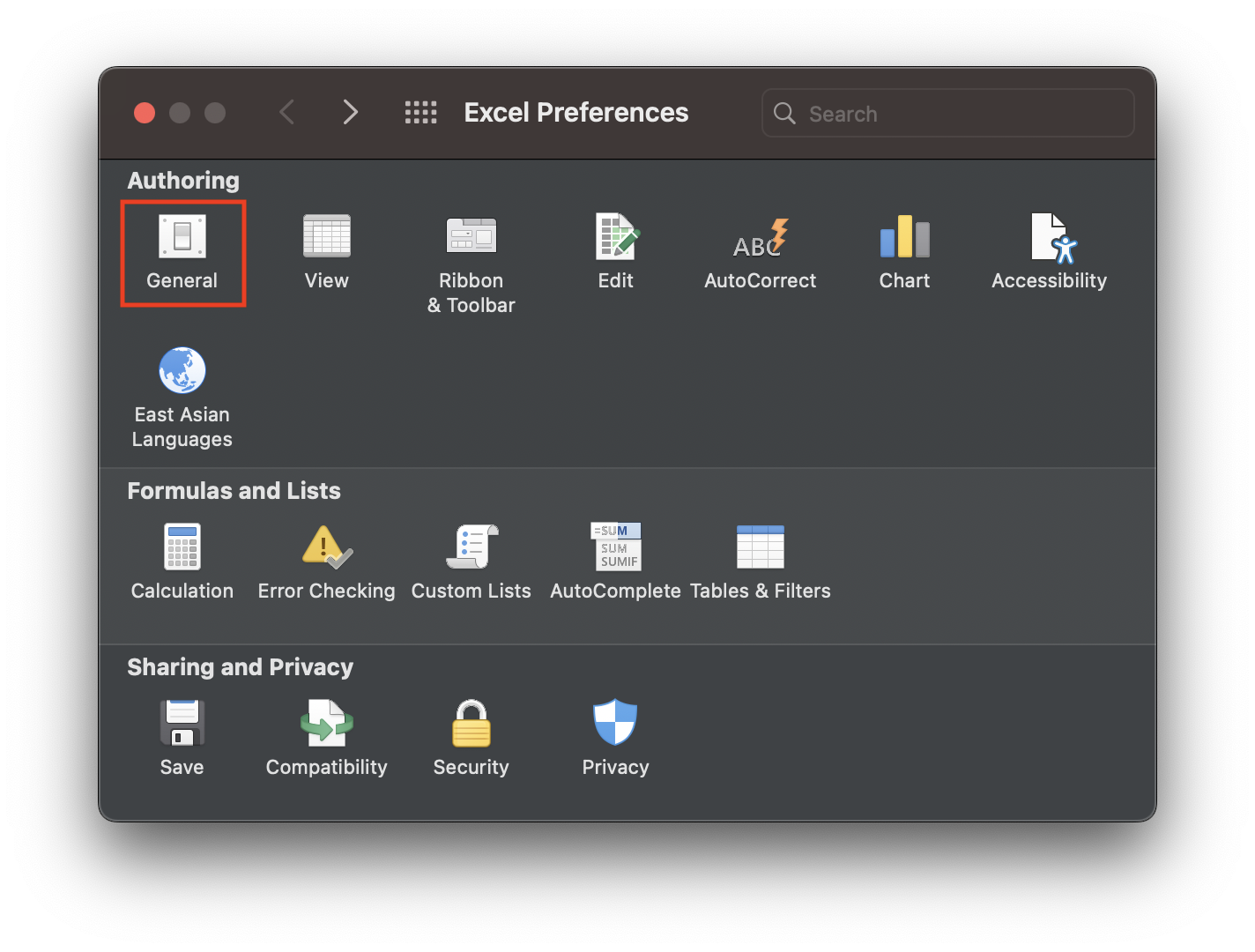
- Step 2: Now click on General under Authoring
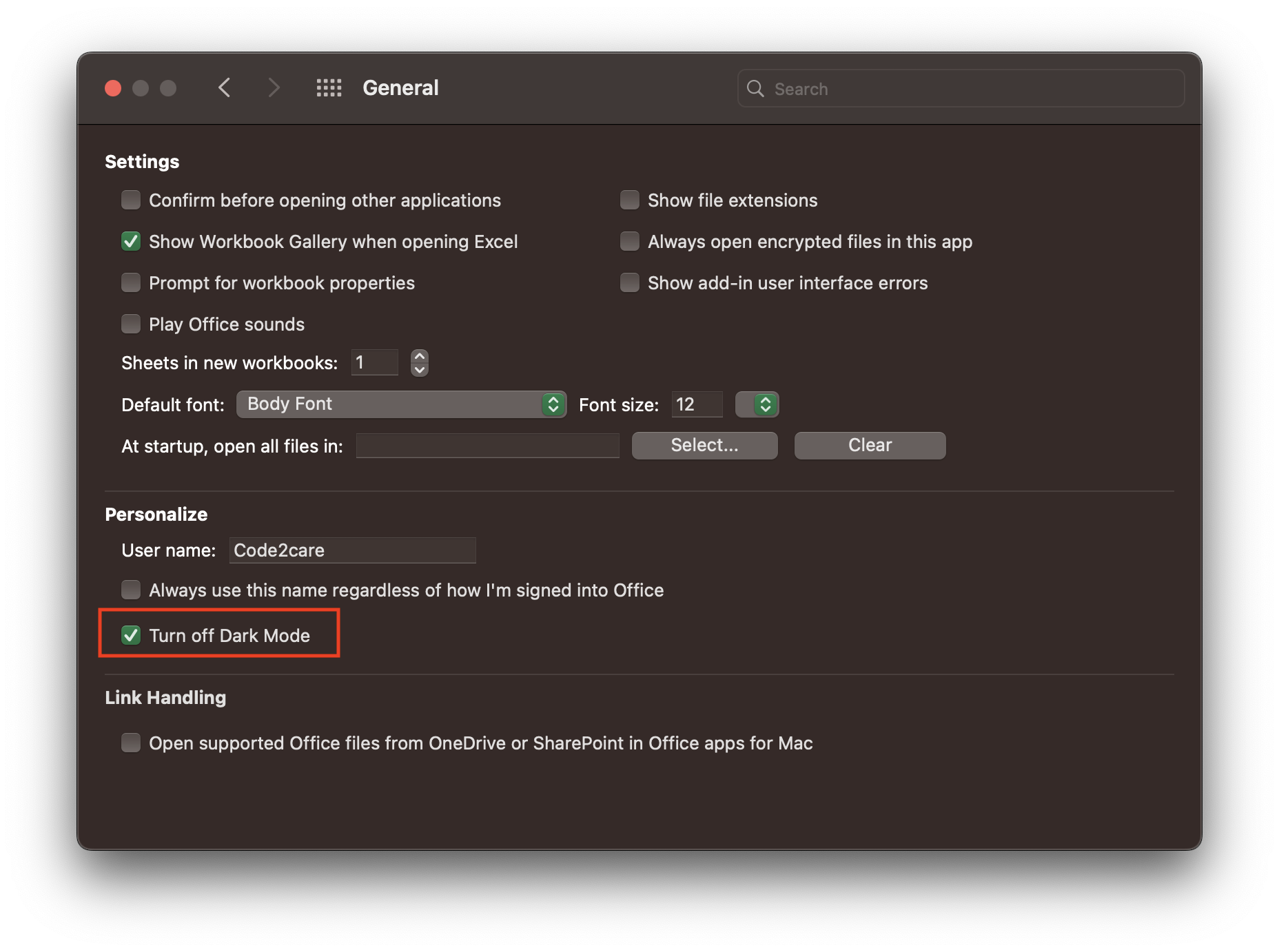
- Step 3: Under Personalise Section check: "Turn off Dark Mode"

Why was Excel in Dark Mode?
Most of us are used to at look at those spreadsheets in the light background of white and black fonts (me included :D)
Well, nowadays most of the applications will be in the dark or light theme based on the System Settings. If your Mac/Macbook is set to Dark Mode, so will all Microsoft Applications - Outlook, Teams, Word, Excel, PowerPoint, etc.
Provide Feedback For This Article
We take your feedback seriously and use it to improve our content. Thank you for helping us serve you better!
😊 Thanks for your time, your feedback has been registered!
Comments & Discussion
Facing issues? Have questions? Post them here! We're happy to help!