
TextEdit Application on the Mac lets you create rich text files, hence it is possible to add text formatting like lists.

If you want to add a bullet point or numbering list within your text file, you can do that as follows,
- Open TextEdit app.
- Make sure you have Rich Text option enabled under Menu: TextEdit -> Preferences/Settings -> New Document.
- Now click on "List bullets and numbering" option and you should see options,
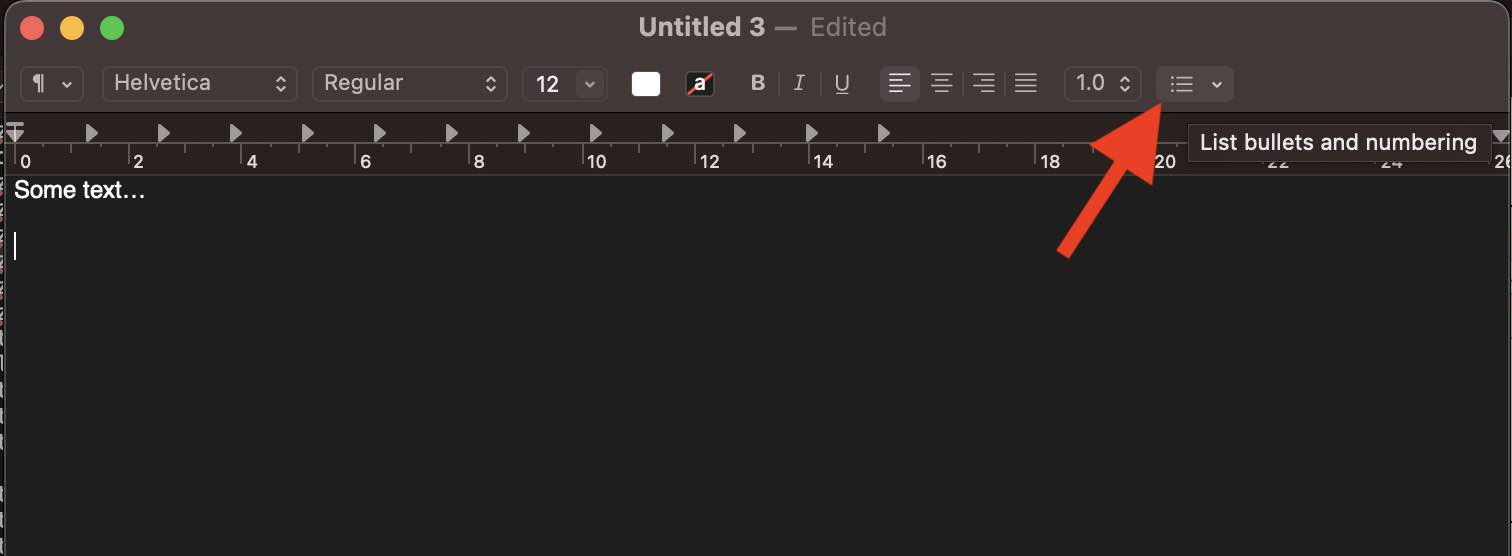
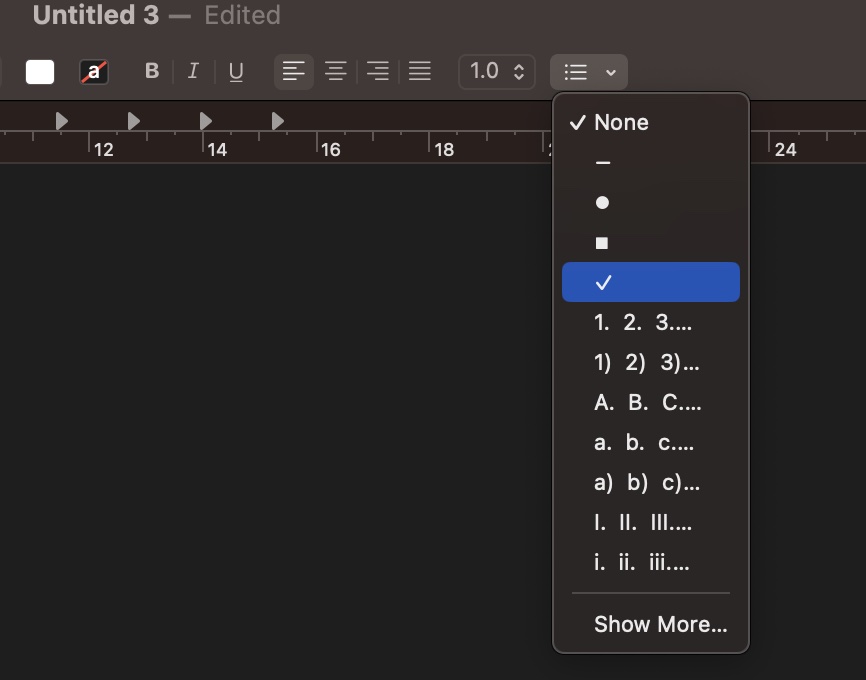
- Select the option you need and when you press enter, the list should continue in sequence.
Example:1. Point one 2. Point two 3. Point three • Bullet one • Bullet two • Bullet three ✓ Tick one ✓ Tick two ✓ Tick three I. Number one II. Number two III. Number threeNone - • ▪ ✓ 1. 2. 3.. 1) 2) 3).. A. B. C.... a. b. c.... a) b) c).. Show More...
Provide Feedback For This Article
We take your feedback seriously and use it to improve our content. Thank you for helping us serve you better!
😊 Thanks for your time, your feedback has been registered!
Comments & Discussion
Facing issues? Have questions? Post them here! We're happy to help!