
Notepad++ makes it very easy to find and replace characters in a file, especially regular expressions makes it a very powerful text editor for software developers in order to replace all spaces with dots in a file you can make use of the Repace feature,
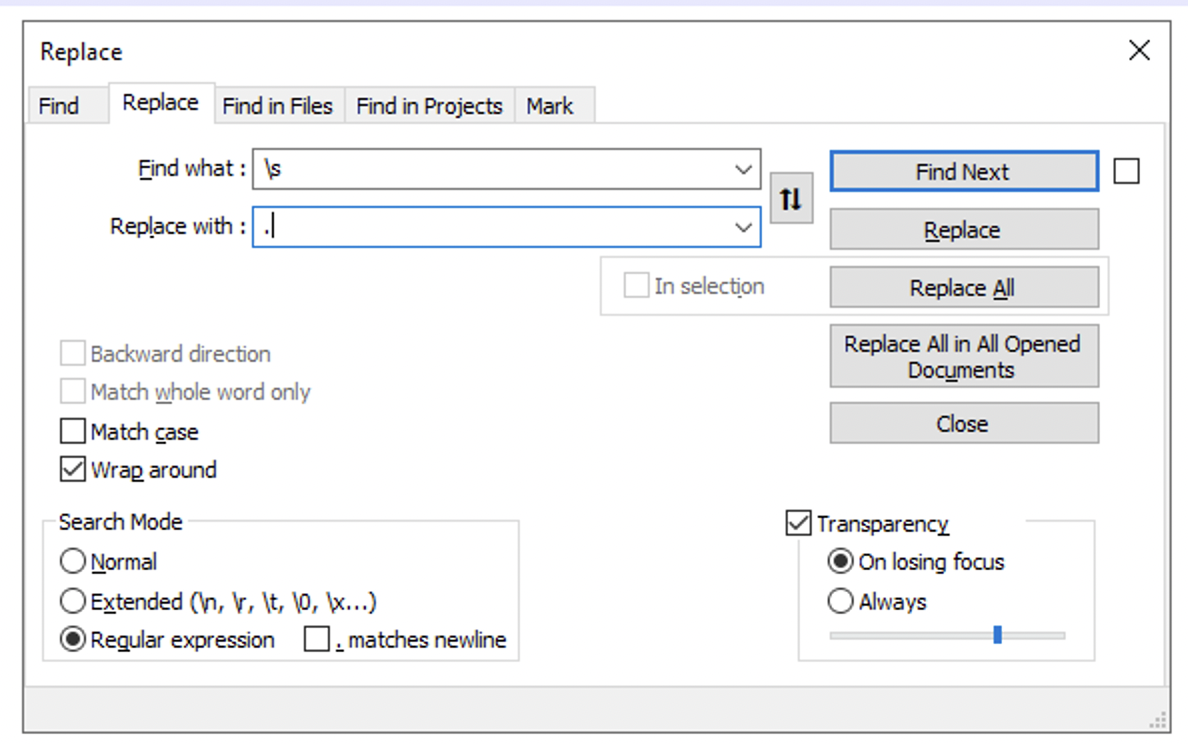
- Open your file in Notepad++, or text in a tab,
- Now press Command + H to open Replace,
- In Search Mode, select Regular Expression,
- Find what: \s
- Replace with: .
- Click - Replace All
192 168 0 1192.168.0.1Provide Feedback For This Article
We take your feedback seriously and use it to improve our content. Thank you for helping us serve you better!
😊 Thanks for your time, your feedback has been registered!
Comments & Discussion
Facing issues? Have questions? Post them here! We're happy to help!