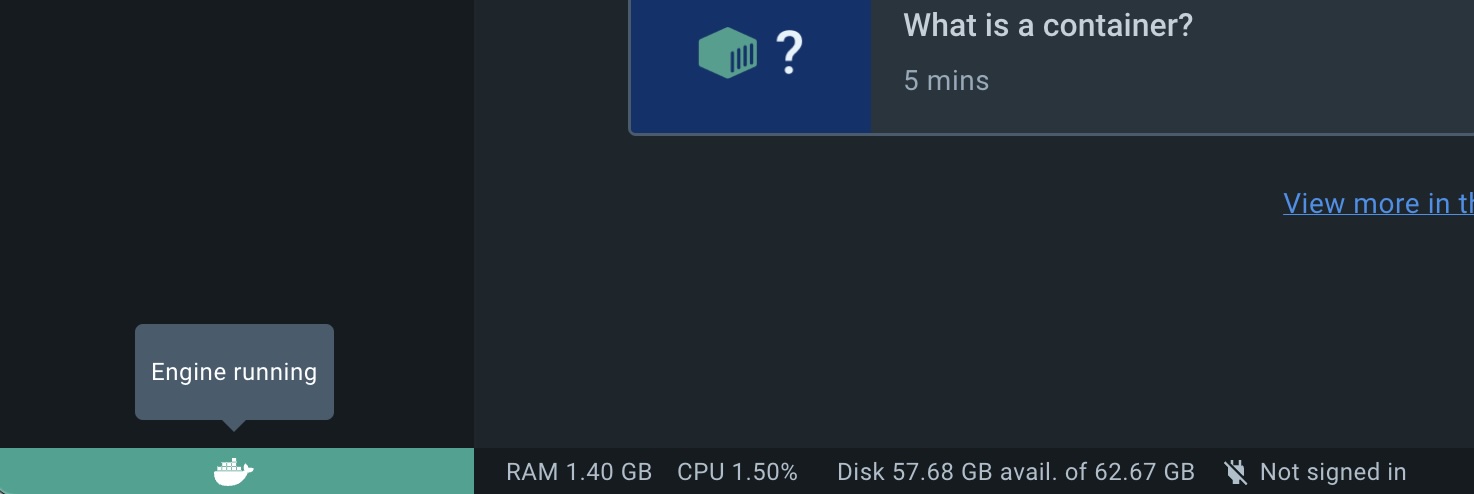
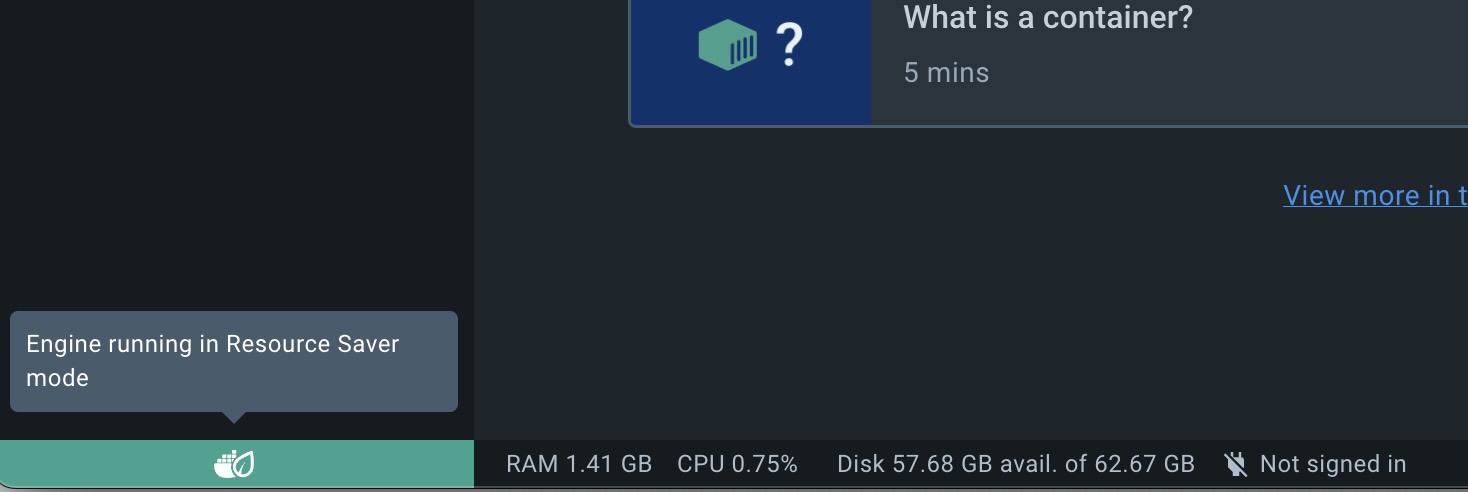
Recently when I downloaded and installed Docker Desktop on my new Macbook, I saw something different. Instead of saying, "Docker Desktop is running" on the macOS Menu bar, it read "Running in Resource Saver mode".
What is Running in Resource Saver mode?
This is a new feature introduced by Docker in the version 4.22.0 (I am currently using 4.23).
This is a great feature that helps you to conserve resources of your Windows/Mac device by reducing energy consumption utilized by Docker in terms of CPU/GPU and memory.
DockerDesktop 4.22 is now available and includes a new Resource Saver feature that massively reduces idle memory and CPU utilization to ensure efficient use of your machine’s resources.
When the Docker Desktop on your Mac/Windows device is idle without any active containers for a duration of 30 seconds, the Resource Saver automatically reduces the memory and CPU footprint and when a container needs resources, they’re quickly allocated on demand.
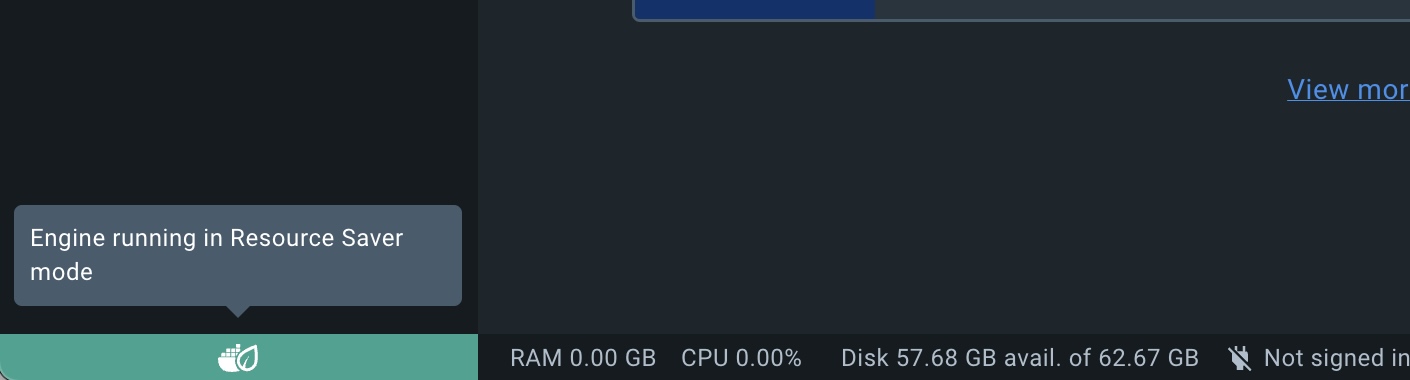
You can notice this yourself when you start Docker Desktop and leave it idle for 30 seconds having no containers running, you will see that a leaf appears over the whale icon in your Docker Desktop menu and the sidebar of the Docker Desktop dashboard, indicating that Resource Saver mode is activated.
You can see that the RAM and CPU usage goes down to Zero.
You may have also noticed that the logo on the Mac Menu bar for docker has a leaf symbol on it when running in energy-saving mode.
This is not an AI-generated article but is demonstrated by a human running Docker Desktop version 4.23 on a M1 Mac running macOS Sonoma 14.0.
Please support independent contributors like Code2care by donating a coffee.
Buy me a coffee!
Comments & Discussion
Facing issues? Have questions? Post them here! We're happy to help!
Provide Feedback For This Article
We take your feedback seriously and use it to improve our content. Thank you for helping us serve you better!
Thanks for your feedback! If you have time, please provide details by selecting options below.
😊 Thanks for your time, your feedback has been registered!


Comments & Discussion
Facing issues? Have questions? Post them here! We're happy to help!