Notepad++ is a very powerful text editing tool. It has some great useful text editing features like case conversion, to upper, lower, proper, or sentence case.
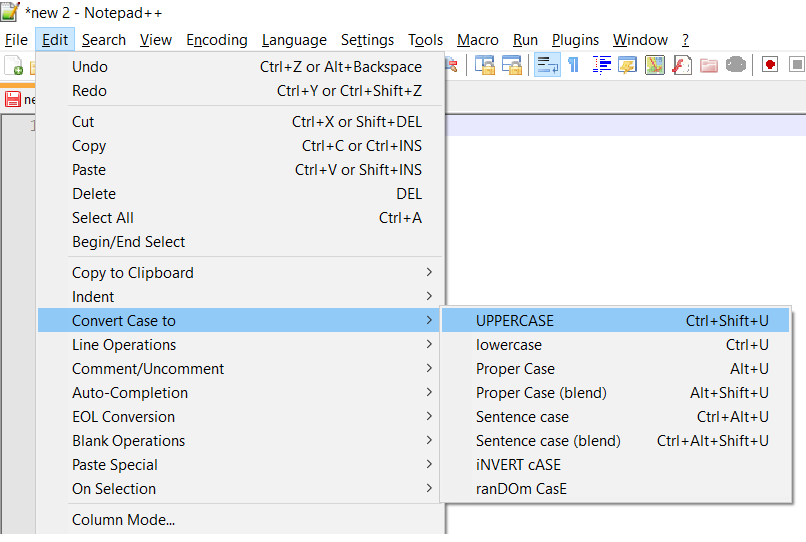
If you have a use-case where you need to randomly change the case of your text to upper and lower cases you can use ranDOm CasE option, here is how you can do this,
- Open your text file in Notepad++
- Select you text
- Now to go Menu and look for Covert Case to
- Now select - ranDOm CasE
- You would see that your text is not in random case.
Source file text: This is my random text file that i want to convert
Post conversion: THIS IS mY rAndOm tExt FIlE tHaT I WaNT tO CoNVErT

This is not an AI-generated article but is demonstrated by a human.
Please support independent contributors like Code2care by donating a coffee.
Buy me a coffee!
Comments & Discussion
Facing issues? Have questions? Post them here! We're happy to help!