
Steps:
- Login to your SharePoint Site where you want to add the external link.
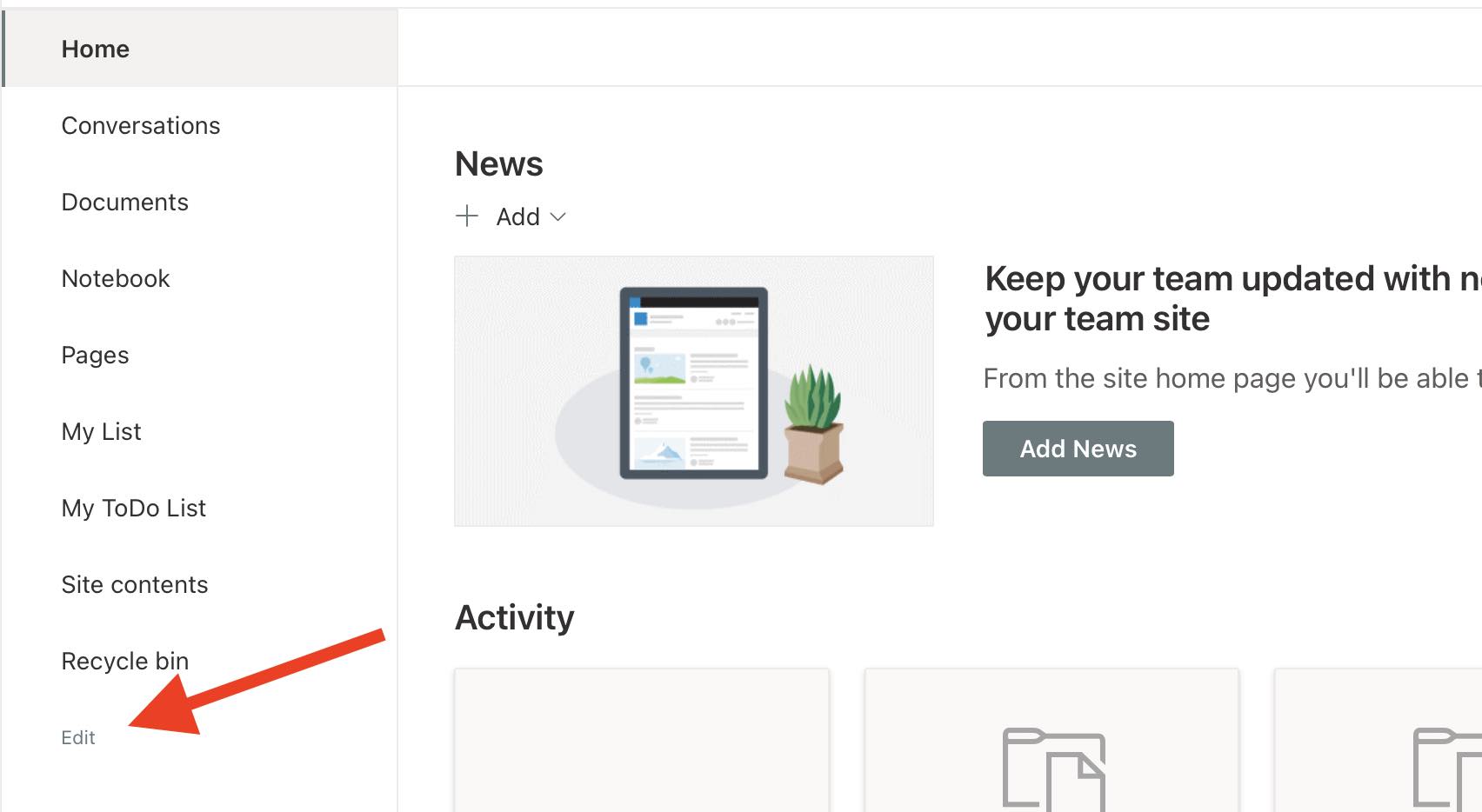
- On the left Navigation list at the bottom you will see a Edit button, click on it,
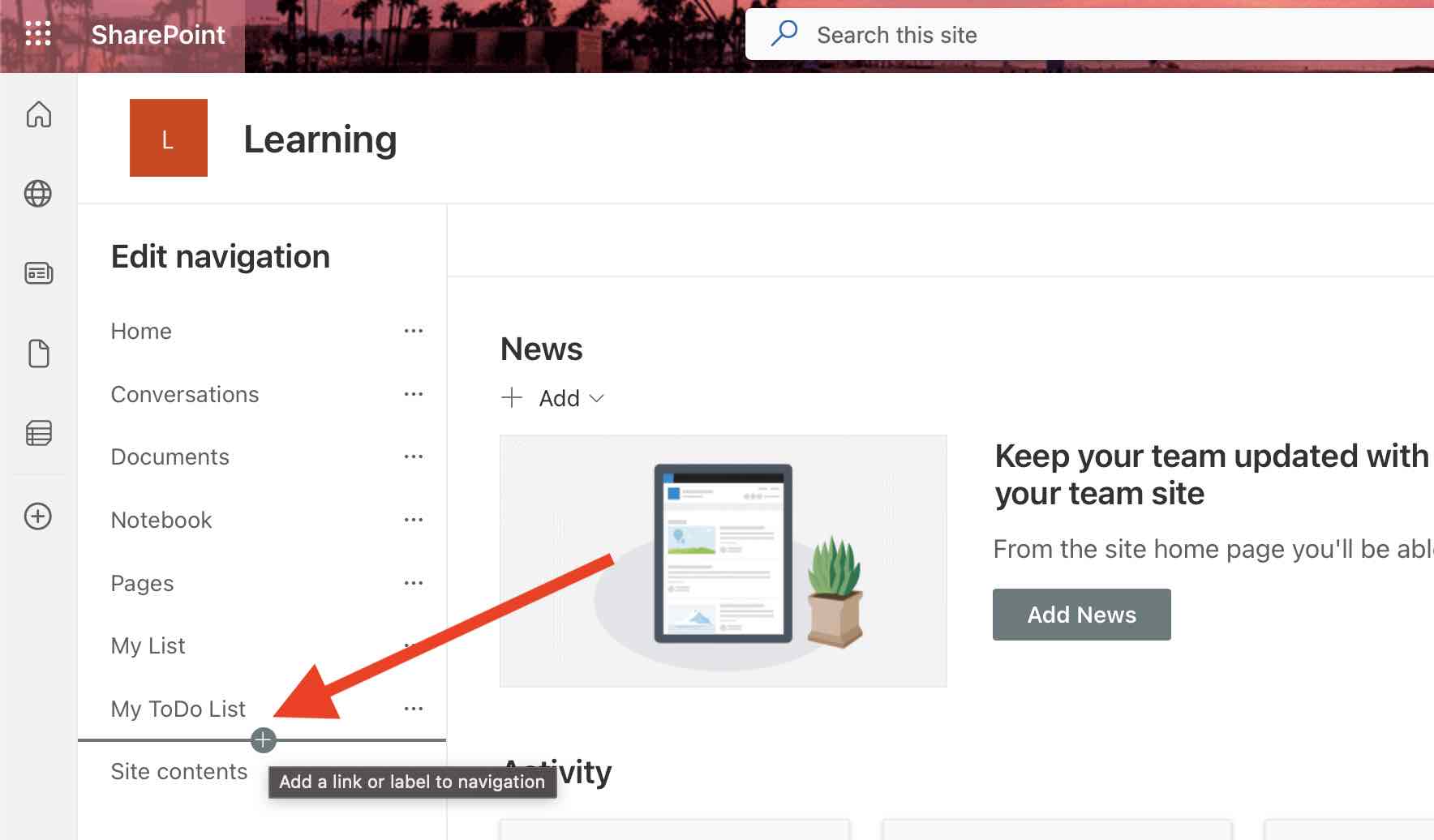
- Now hover over the navigation links, you should see a horizontal ruler with a + sign, click where you want to stack the link.
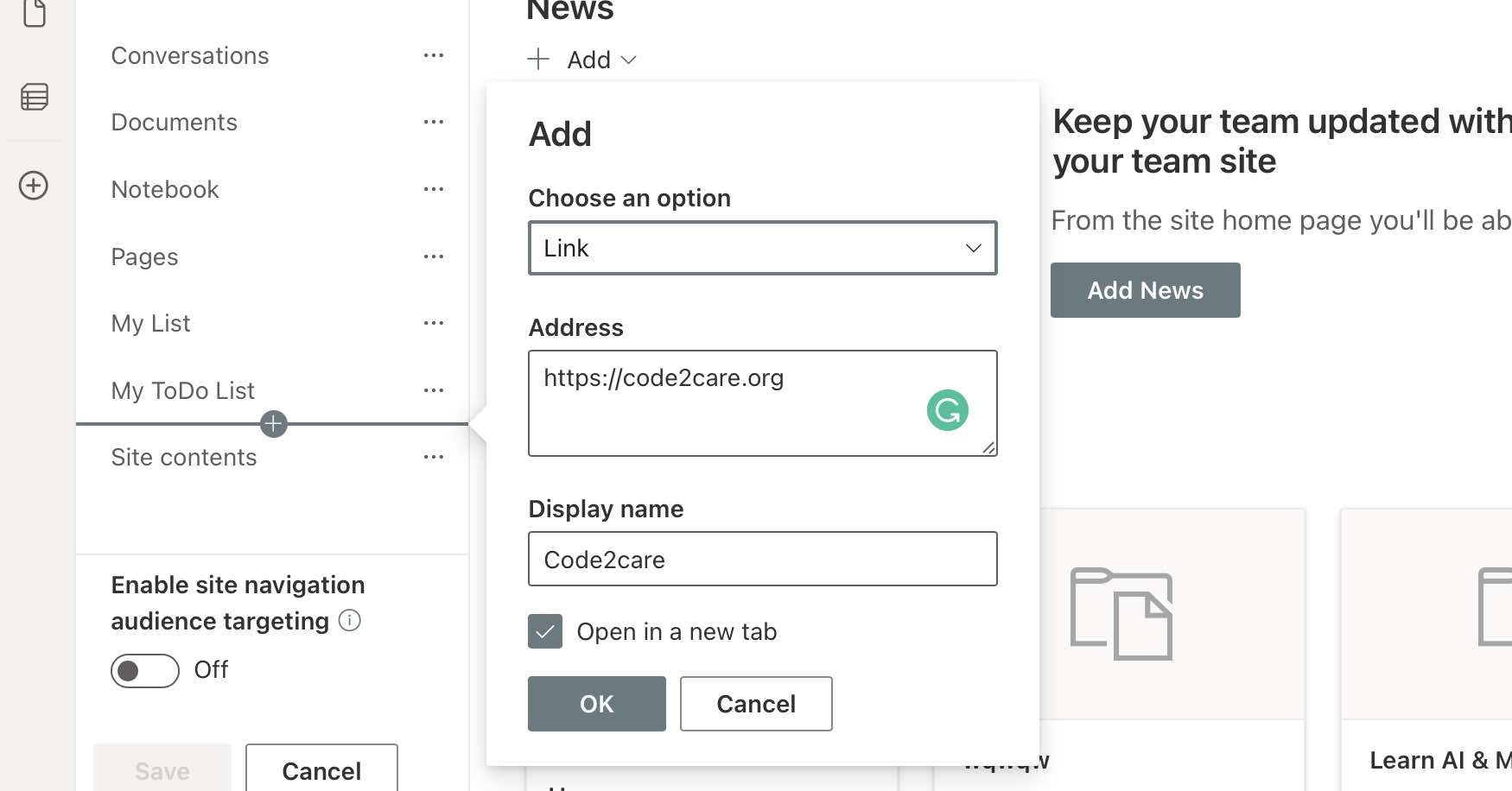
- A pop-up will be shown where you can add the details
- Choose an option: Link.
- Address: Web Address.
- Display name: Name as displayed for the Link.
- Open in a new tab: To open the link in a new tab.
- Click OK
- You should now have the link displayed on the Navigation Menu.

Provide Feedback For This Article
We take your feedback seriously and use it to improve our content. Thank you for helping us serve you better!
😊 Thanks for your time, your feedback has been registered!
Comments & Discussion
Facing issues? Have questions? Post them here! We're happy to help!