
If you have a task list and want to add it to the SharePoint Online Site Quick View Menu? follow the below steps,
- Step 1: Navigate to your SharePoint Online Site.
- Step 2: Now move to Site Content.
- Step 3: Locate your Task List and click on the 3 dots next to it to show actions,
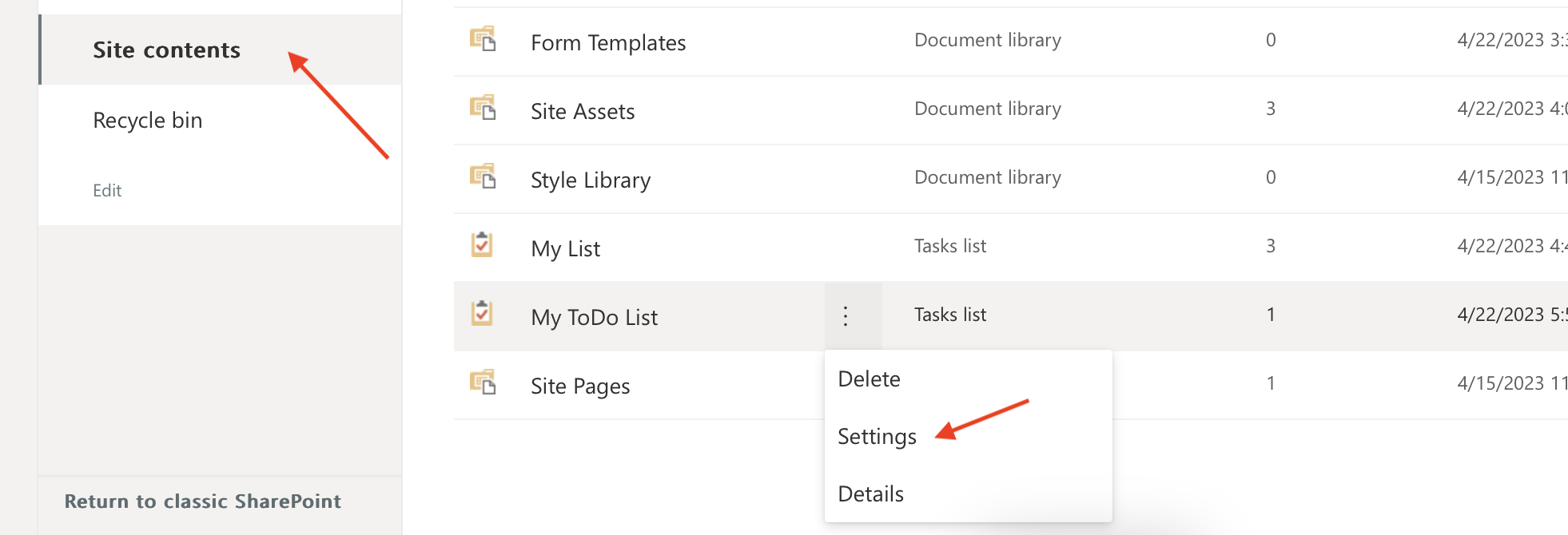
- Step 4: Now choose Settings,
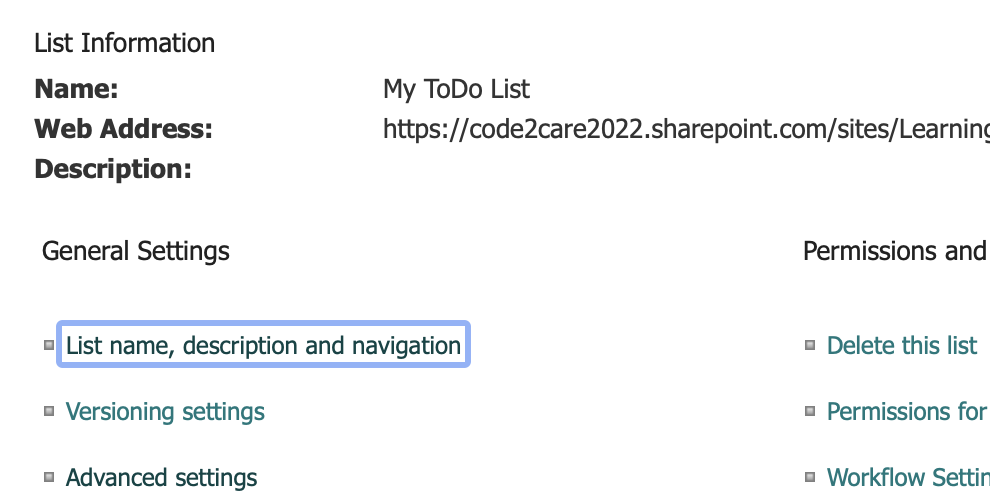
- Step 5: Under General Settings, click on the link List name, description and navigation.
- Step 6: Now under Navigation: Display this list on the Quick Launch? choose Yes.
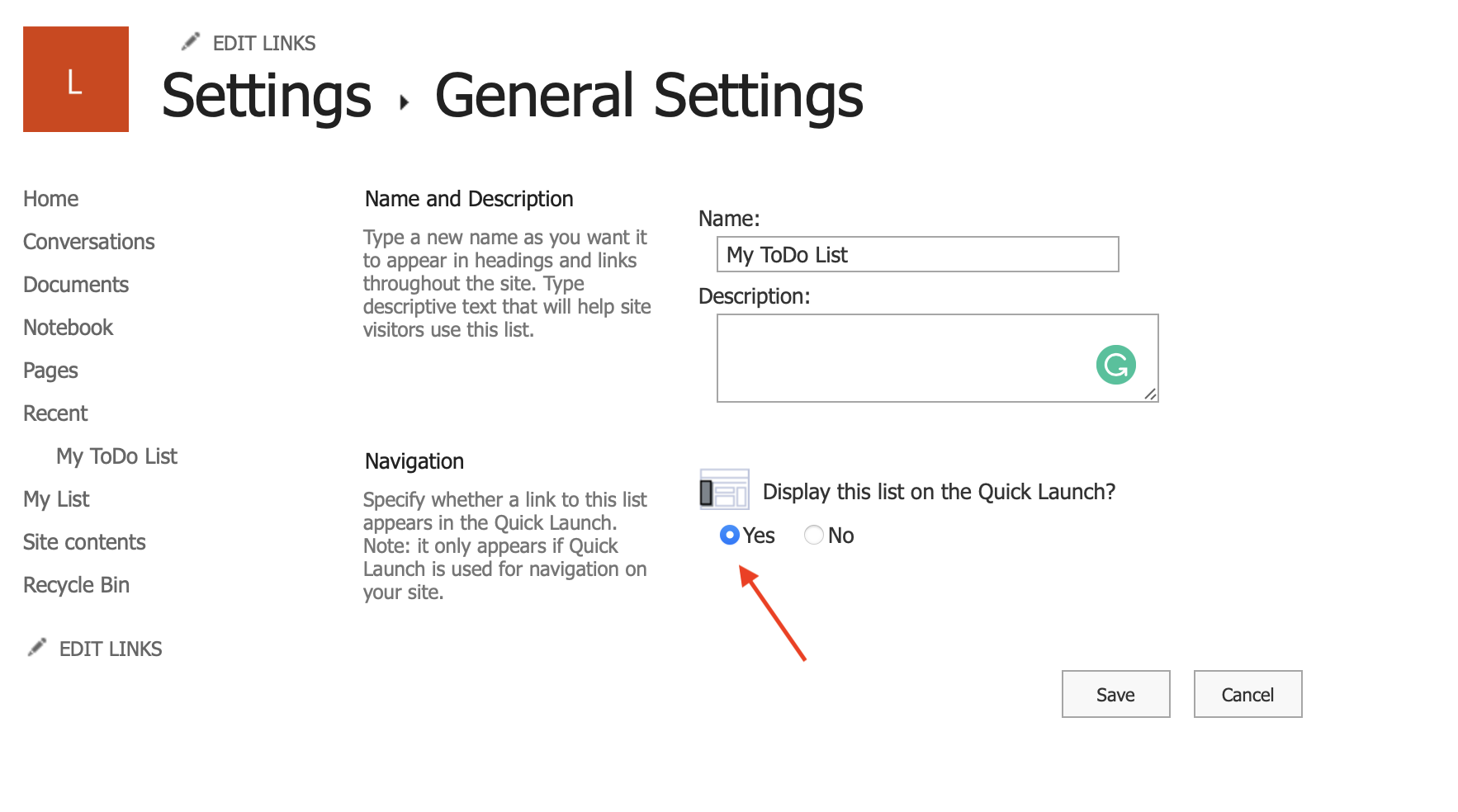
- Step 7: Click save and move back to your site, you should see the task list on your Quick Launch Menu.

Provide Feedback For This Article
We take your feedback seriously and use it to improve our content. Thank you for helping us serve you better!
😊 Thanks for your time, your feedback has been registered!
Comments & Discussion
Facing issues? Have questions? Post them here! We're happy to help!