
If you already have a Task List created in a Sharepoint Online Site on your Windows 365 account, and you wish to change its name of it, you can do so by following the below steps,
- Login to your Office 365 account and navigate to your SharePoint Site Task List.
- Now on the ribbon click on List and choose List Settings
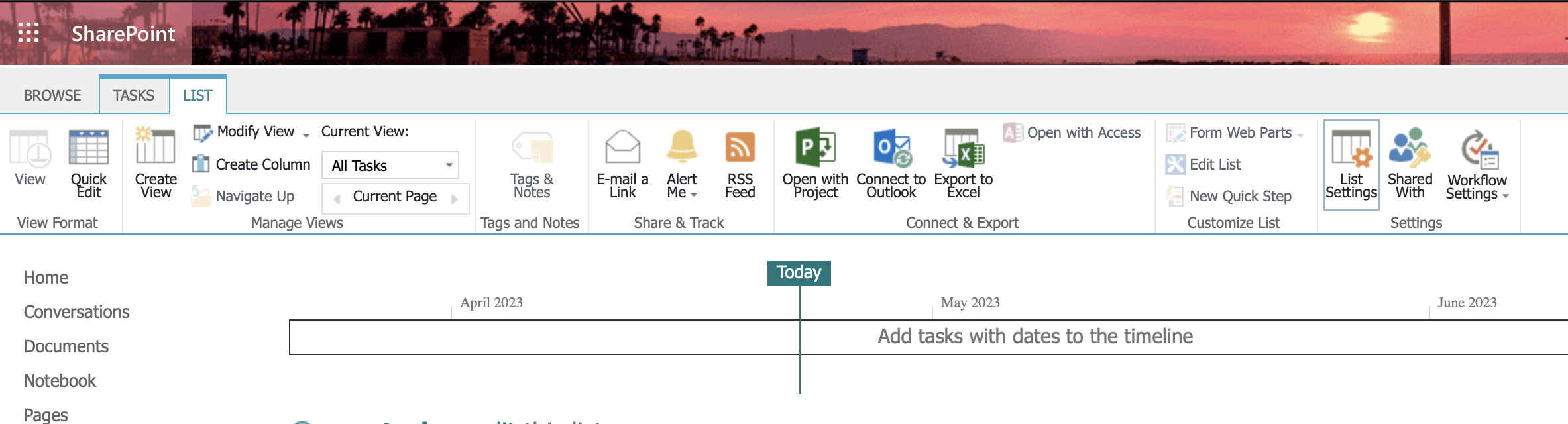
- Under General Settings click on " List name, description and navigation"
- Here you can edit and add a new name as you want it to appear in headings and links throughout the site. You can even update the description.

- Click on Save and you are done!
Provide Feedback For This Article
We take your feedback seriously and use it to improve our content. Thank you for helping us serve you better!
😊 Thanks for your time, your feedback has been registered!
Comments & Discussion
Facing issues? Have questions? Post them here! We're happy to help!