
To identify the installed version of IntelliJ IDE on your device,
- Open IntelliJ: You would see the version on the Splash screen example: 2020.3.1
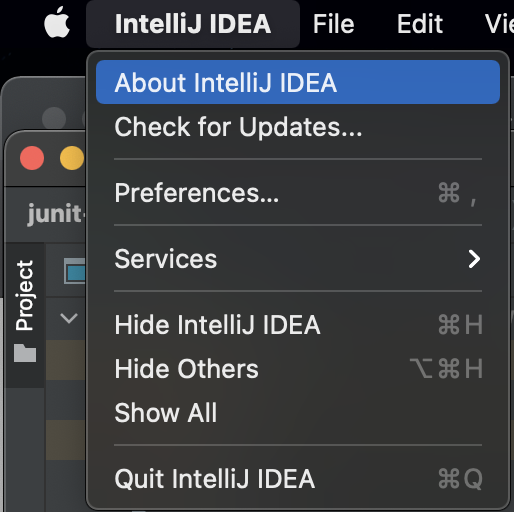
- If you want to know more details about the build - click on the Menu -> IntelliJ IDEA -> About IntelliJ IDEA
✌️ You may want to share the details about the version that you have - you can click on the copy icon to copy the details to clipboard.
IntelliJ IDEA 2020.3.1 (Community Edition)
Build #IC-203.6682.168, built on December 29, 2020
Runtime version: 11.0.9.1+11-b1145.63 aarch64
VM: OpenJDK 64-Bit Server VM by JetBrains s.r.o.
macOS 11.2.3
GC: ParNew, ConcurrentMarkSweep
Memory: 989M
Cores: 8
You get the details such as its a Community or Ultimate Edition, when the build was created as well as the VM and OS details.
⚡️On Windows you may have to go to Help -> About
Have Questions? Post them here!Provide Feedback For This Article
We take your feedback seriously and use it to improve our content. Thank you for helping us serve you better!
😊 Thanks for your time, your feedback has been registered!
Comments & Discussion
Facing issues? Have questions? Post them here! We're happy to help!