We can make use of the urlencode function from urllib.parse module to do a URL encoding.
Let's take a few examples.
Example 1
from urllib.parse import urlencode

product_query_params = {
    'product': 'Smart Phone',
    'name': "iPhone 15",
    'model': 15
}

product_url_encoded_query = urlencode(product_query_params)

print("URL-encoded Query String:", product_url_encoded_query)Example 2:
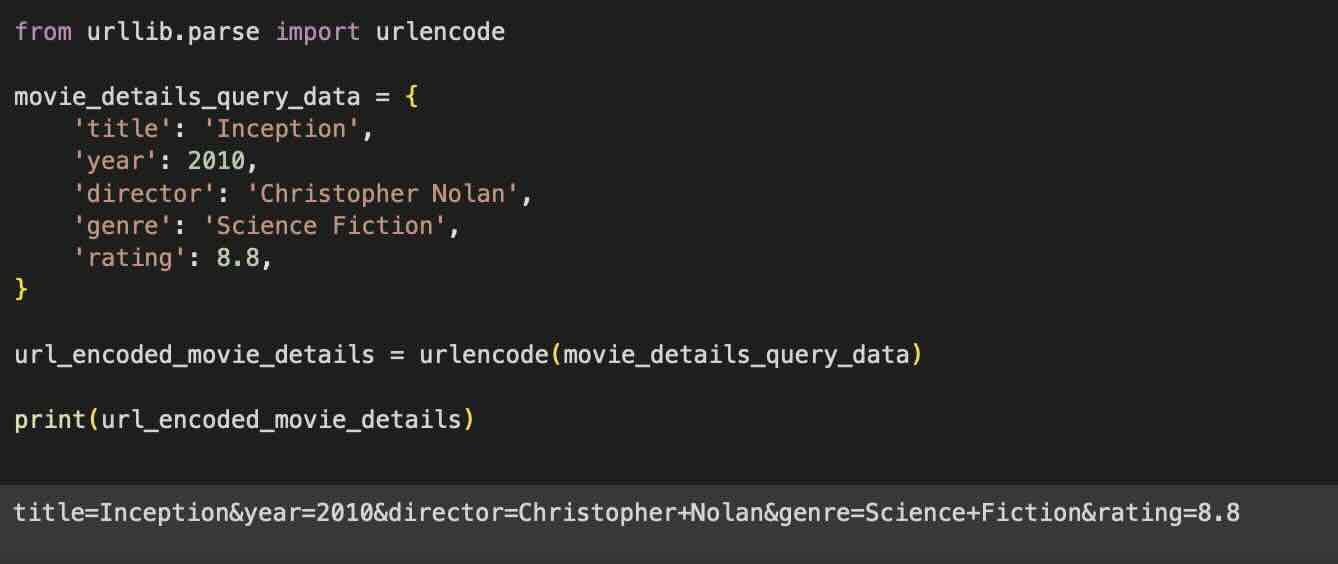
from urllib.parse import urlencode

movie_details_query_data = {
    'title': 'Inception',
    'year': 2010,
    'director': 'Christopher Nolan',
    'genre': 'Science Fiction',
    'rating': 8.8,
}

url_encoded_movie_details = urlencode(movie_details_query_data)

print(url_encoded_movie_details)

Reference:
Comments & Discussion
Facing issues? Have questions? Post them here! We're happy to help!