
Notepad++ is by far the most popular Text Editor for Windows operating system. One of the most common use case for a developer is to quickly remove duplicate lines in a text for a file, Notepad++ is best tool for it,
Steps to remove duplicate lines in text or file using Notepad++
- Open your file in Notepad++ or copy your text in a tab,
- Now select all the text,
- Go to: Menu: View -> Line Operations -> Remove Duplicates Lines
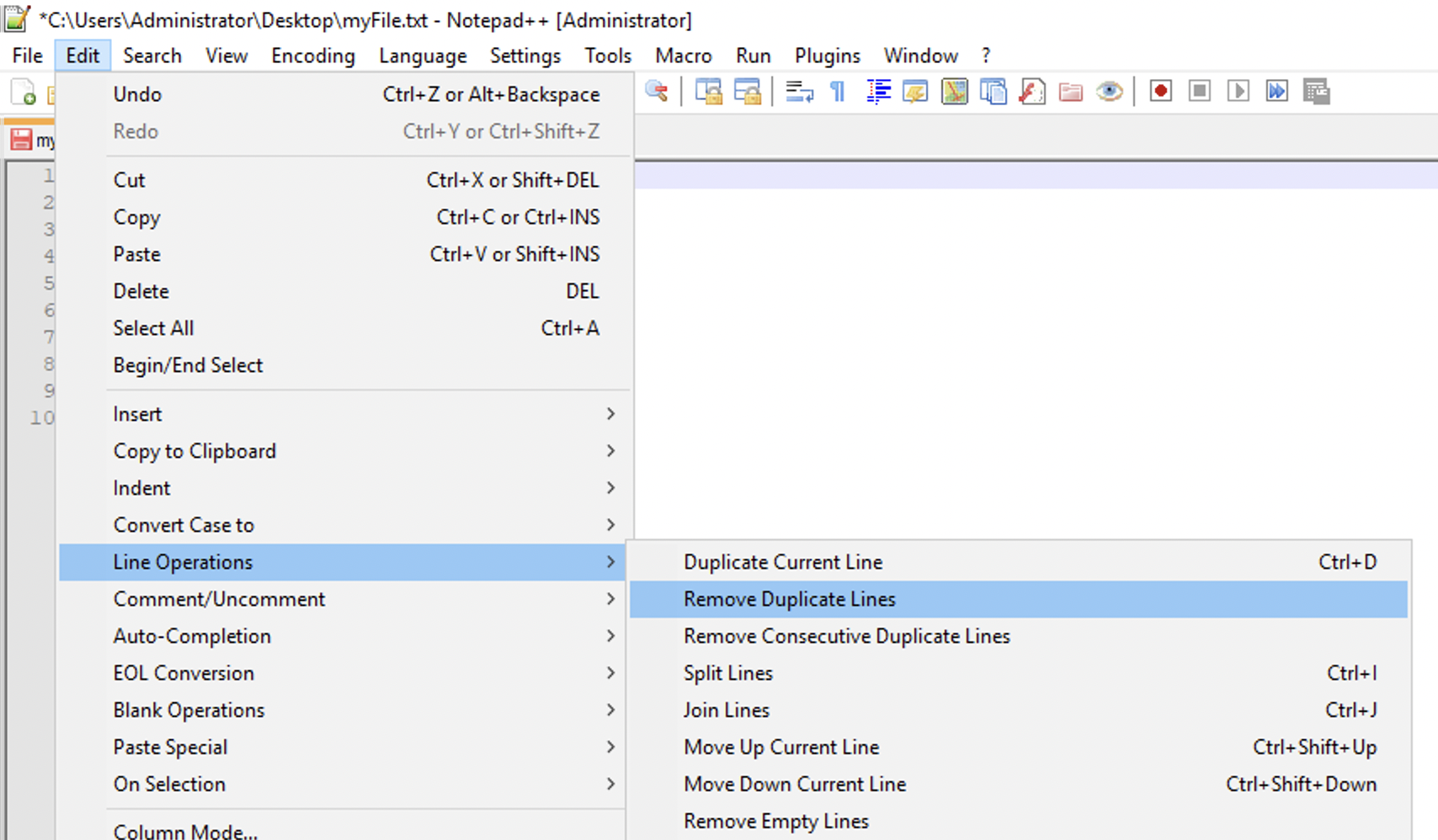
There is no need to use any regular expressions to remove duplicates as Notepad++ has an inbuilt option to do it.
Provide Feedback For This Article
We take your feedback seriously and use it to improve our content. Thank you for helping us serve you better!
😊 Thanks for your time, your feedback has been registered!
Comments & Discussion
Facing issues? Have questions? Post them here! We're happy to help!