
As a Software Developer one spends most of the time either in an IDE like Eclipse or trying to run commands or scripts on the Terminal (Mac or Linux) or the Command Line.
Nowadays almost all IDEs are equipped with a Terminal embedded in the tool itself.
Steps to Open Terminal in Eclipse
- Open Eclipse,
- Go to the Menu: Window -> Show View
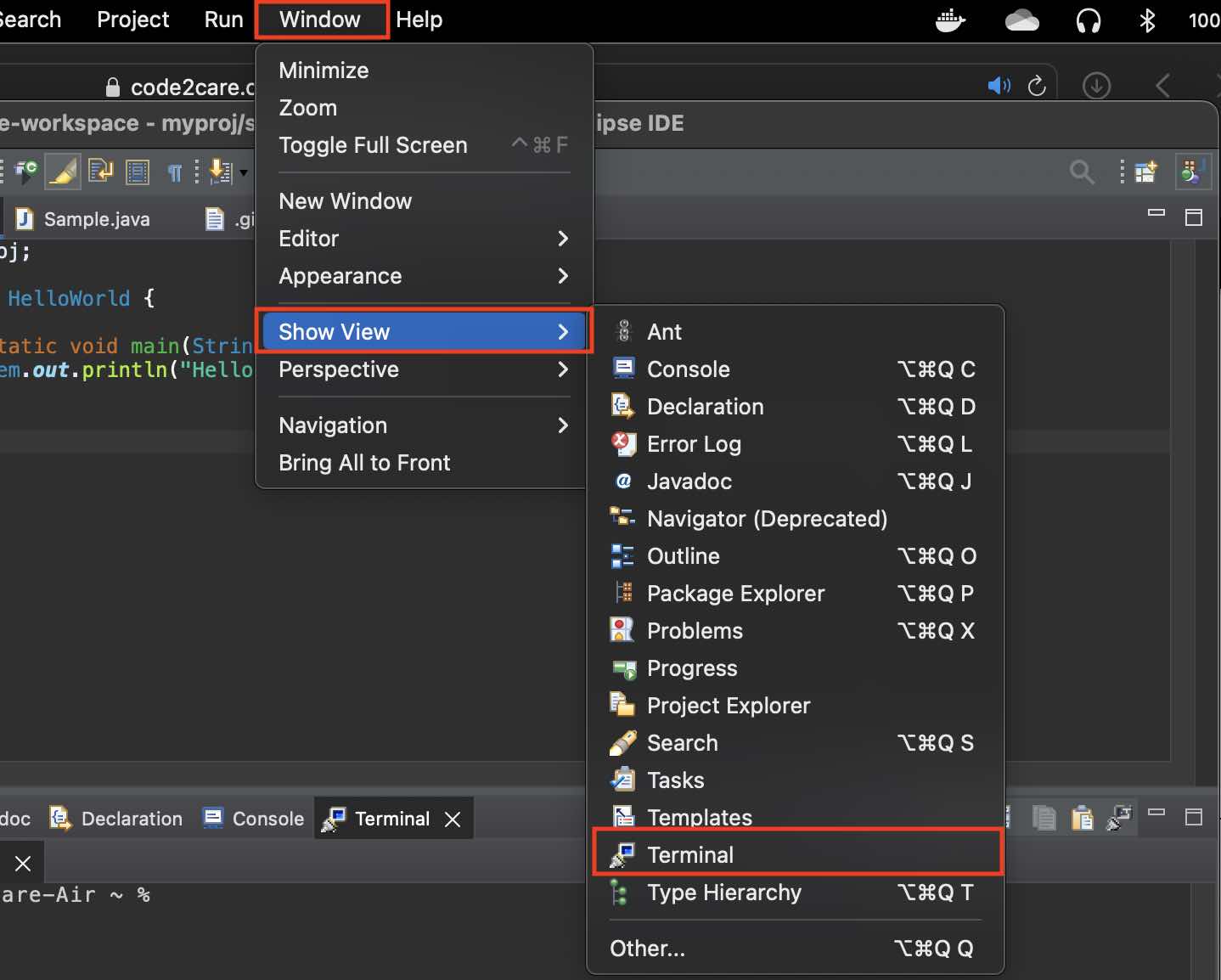
- Select Terminal (if you do not see it click on Others and Look for Terminal)
- You should see the Terminal View

Open Terminal with the PWD in Eclipse
There is another way you can view the Terminal which can be quite useful if you want to open a specific location path in the project in the Console,
- Be on the file or package location where you can open the terminal.
- Now Go to Menu: Navigate -> Show in -> Terminal
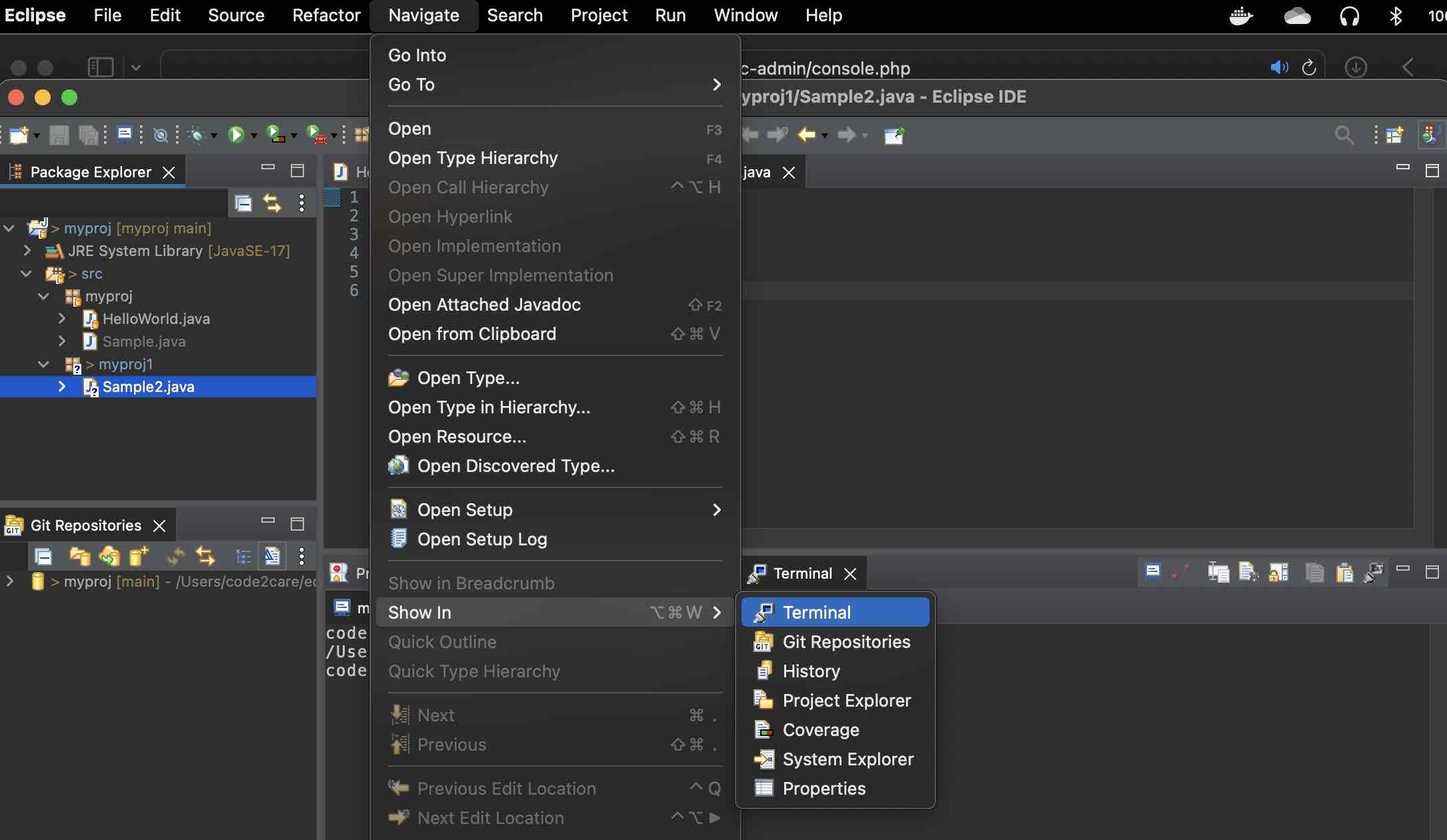
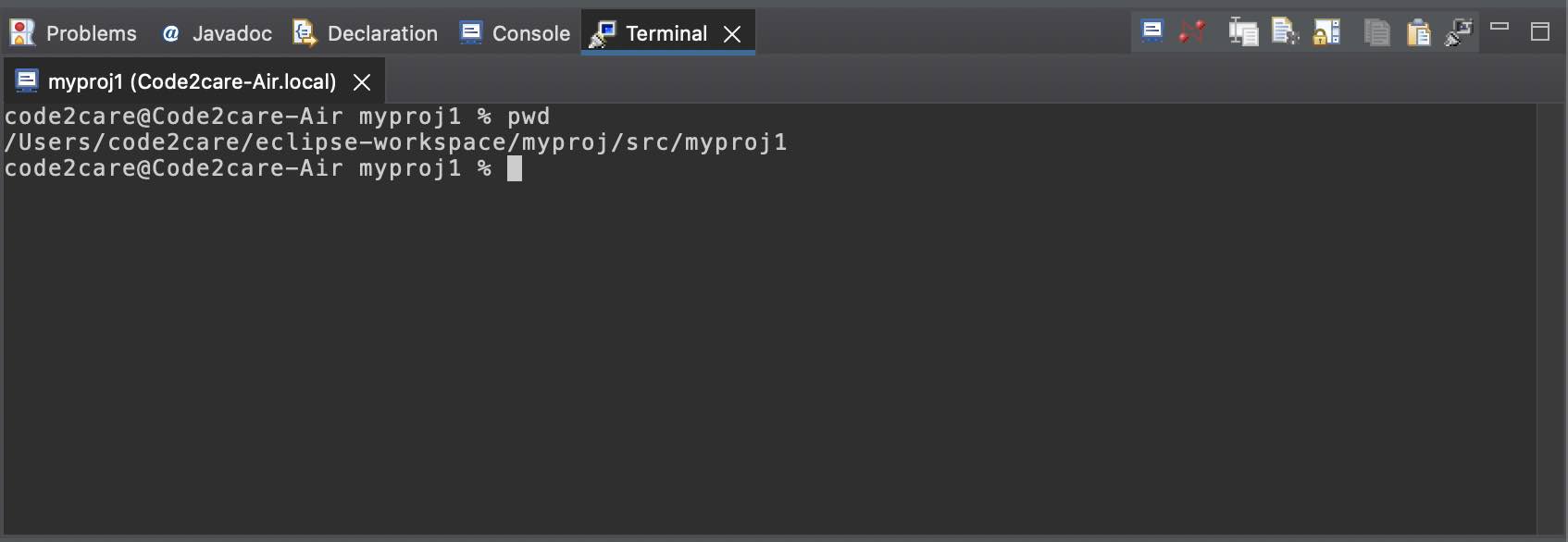
- This will open Terminal View with the present working directory as the current project folder (or the folder in which the file is currently open).
How to Open Multiple Terminals
To open multiple terminals in eclipse, you can click on the below icons next to a terminal view.
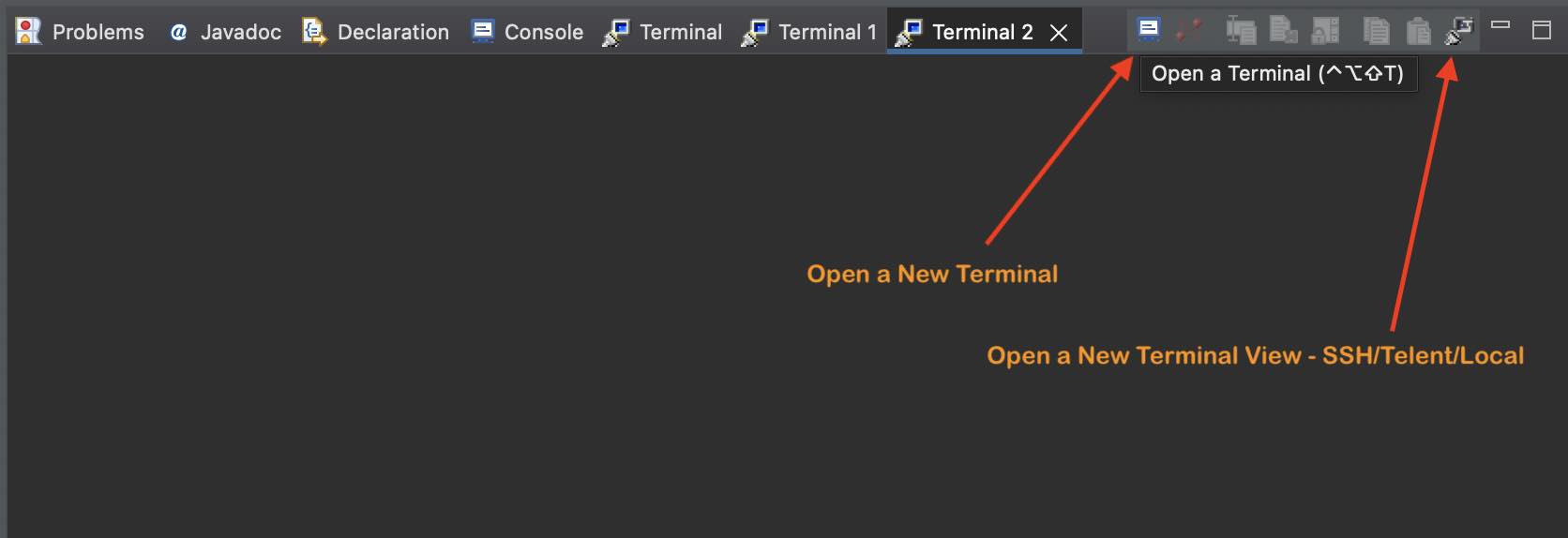
Note: You also have the option to open a Terminal using SSH and Telnet.
Provide Feedback For This Article
We take your feedback seriously and use it to improve our content. Thank you for helping us serve you better!
😊 Thanks for your time, your feedback has been registered!
Comments & Discussion
Facing issues? Have questions? Post them here! We're happy to help!