
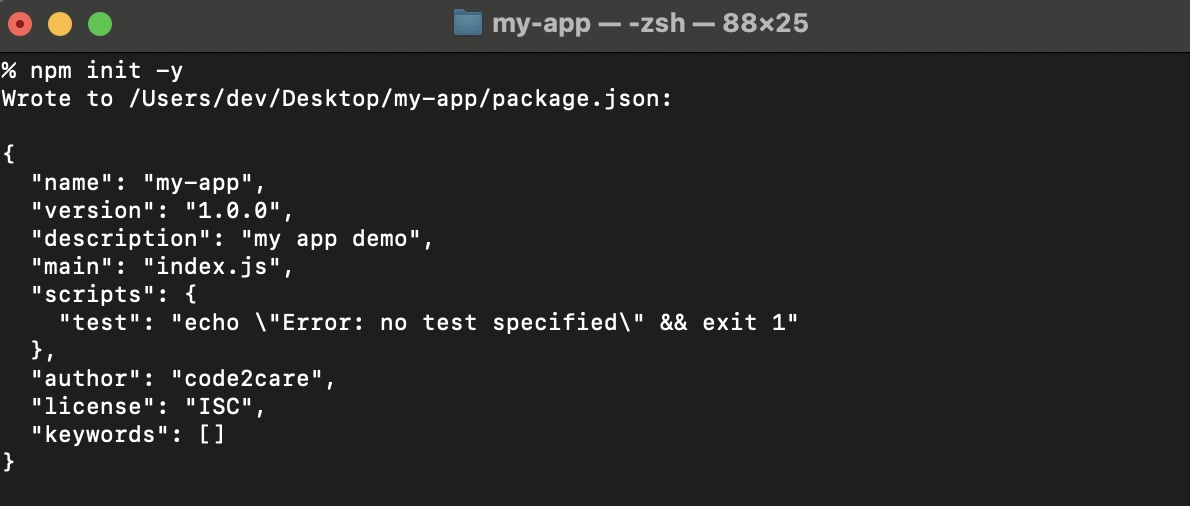
If you want to create a node project and want to have package.json file created then you should make use of the npm init command.
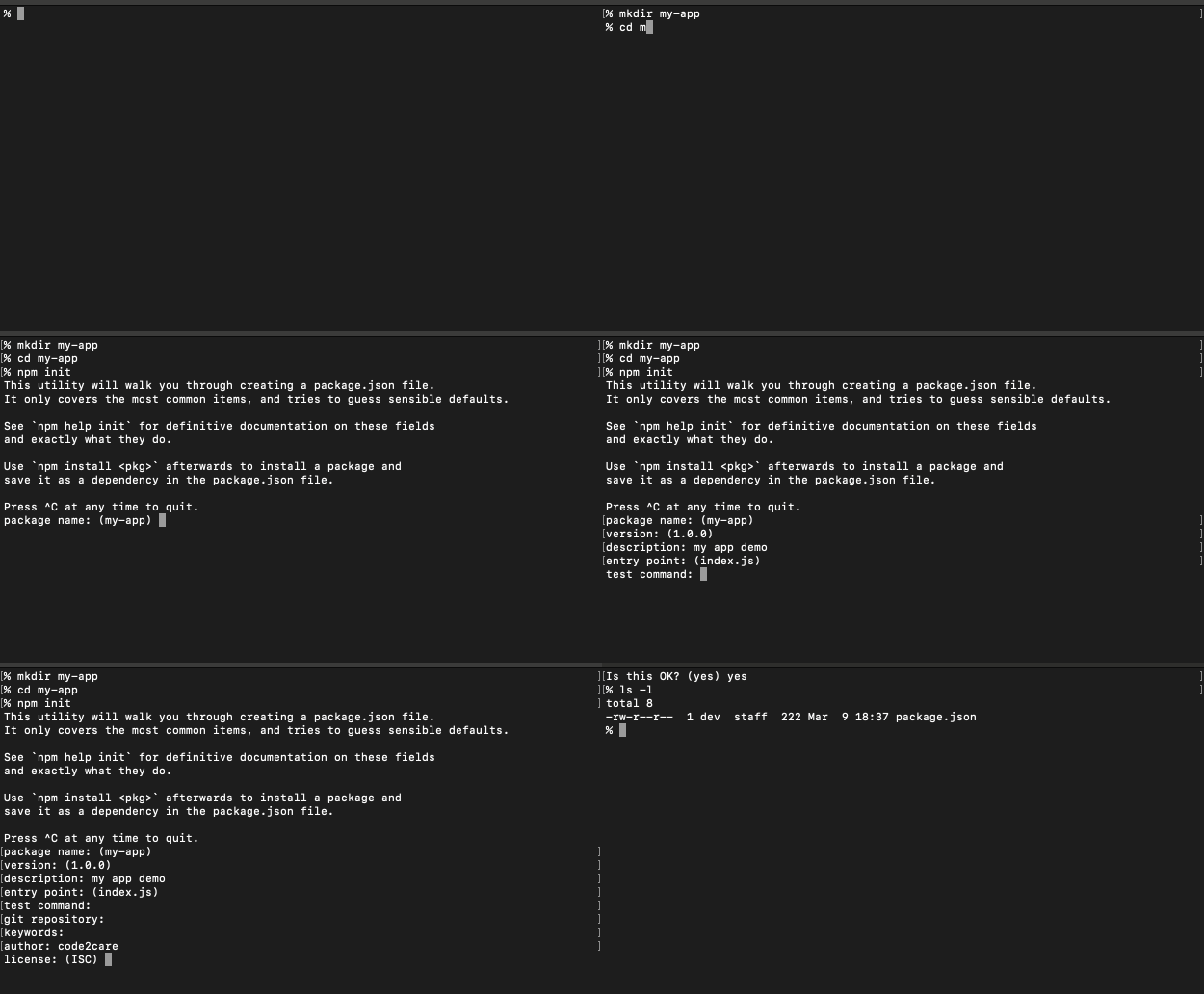
Let us take a look at the steps to create this file,
- Step 1: Open Terminal.
- Step 2: Make sure you are within your project folder
- Step 3: Now run the command npm init
- Step 4: You will be prompted with the below text,
% npm init This utility will walk you through creating a package.json file. It only covers the most common items and tries to guess sensible defaults. See `npm help init` for definitive documentation on these fields and exactly what they do. Use `npm install <pkg>` afterward to install a package and save it as a dependency in the package.json file. Press ^C at any time to quit. package name: (my-app) - Step 5: You'll be asked to enter a package name. Keep the default (my-app) and press enter.
- Step 6: Next, you'll see the version details. Keep the default (1.0.0) and press enter.
- Step 7: You'll be prompted for a description. Press enter to leave it blank or provide a brief description.
- Step 8: Enter the details for the git repository if applicable, or simply press enter to skip.
- Step 9: You'll see an option for keywords. Press enter to skip or add relevant keywords separated by spaces.
- Step 10: Enter the author's name when prompted or press enter to skip.
- Step 11: Choose a license or press enter to select the default license.
Finally you will be asked to verify the details before creating package.json
Type yes and the file will be created under the root folder of your project.
Below is the gif demo of the same:
Provide Feedback For This Article
We take your feedback seriously and use it to improve our content. Thank you for helping us serve you better!
😊 Thanks for your time, your feedback has been registered!
Comments & Discussion
Facing issues? Have questions? Post them here! We're happy to help!