
Have you installed a Python module/package using the pip command and wondering how you can remove the package, well here is how you can do that,
Uninstalling/Removing Python packages/modules using pip command
- Open Terminal if using macOS or Command Prompt (CMD) if using Windows,
- Say you want to delete the requests module, type pip install requests
- You may see a set to confirm: Proceed (y/n)? press y and enter.
- That's it! the python package is removed!
Syntax: pip uninstall package-name
Example:
C:\Users> pip uninstall requests

Found existing installation: requests 2.24.0
Uninstalling requests-2.24.0:
  Would remove:
    c:\users\c2c\appdata\local\packages\
    pythonsoftwarefoundation.python.3.8_qbz5n2kfra8p0\
    localcache\local-packages\python38\site-packages\requests-2.24.0.dist-info\*

    c:\users\c2c\appdata\local\packages\
    pythonsoftwarefoundation.python.3.8_qbz5n2kfra8p0\
    localcache\local-packages\python38\site-packages\requests\*
Proceed (y/n)? y

Successfully uninstalled requests-2.24.0
Let's validate, try running the command again, you should see something like this,
C:\Users> pip uninstall requests
WARNING: Skipping requests as it is not installed.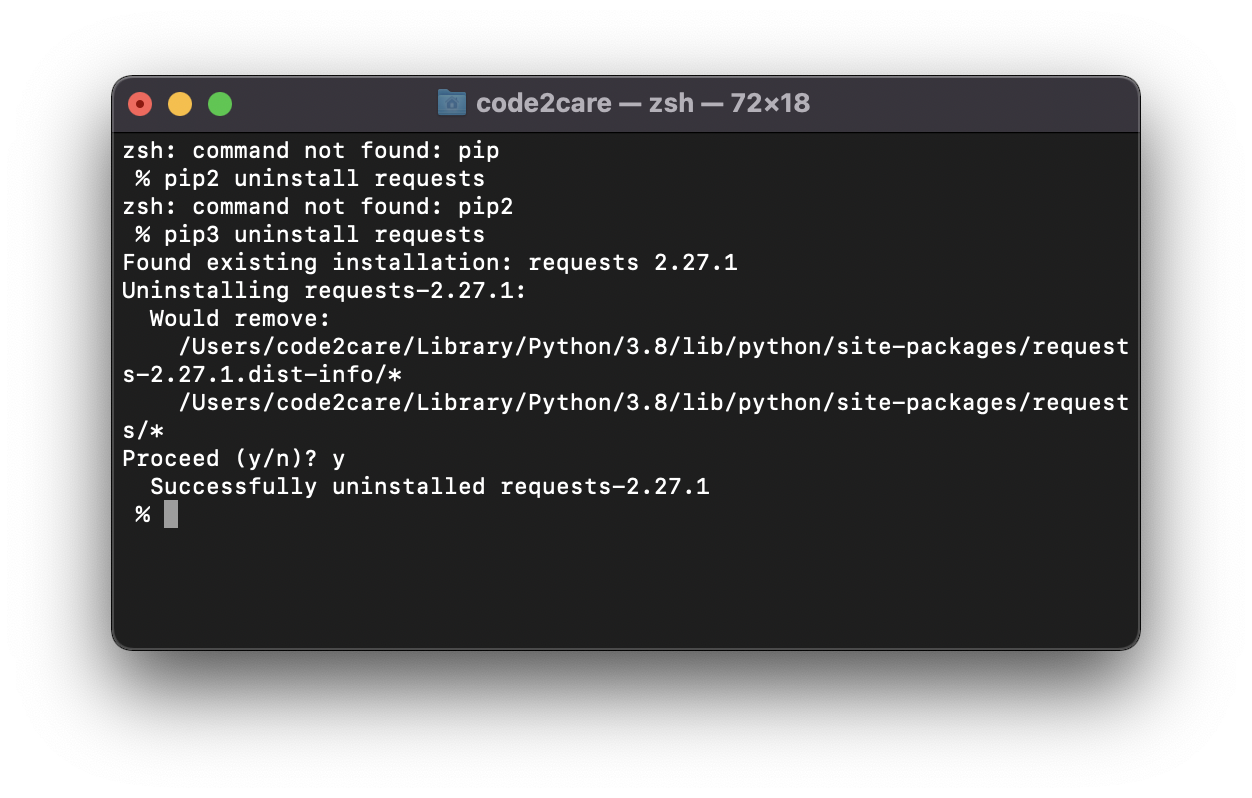
Provide Feedback For This Article
We take your feedback seriously and use it to improve our content. Thank you for helping us serve you better!
😊 Thanks for your time, your feedback has been registered!
Comments & Discussion
Facing issues? Have questions? Post them here! We're happy to help!