
Basic steps performed, Power BI desktop --> Get Data --> Online Service --> SharePoint Online List --> Site URL --> Click OK.
If you receive error "The remote server returned an error: (404) Not Found", refer here to fix.
⚠️ Clicking on Retry results in the same error.
⚠️ Clear permissions does not help.
⚠️ Re entering the password does not help.

Unable to connect

We encountered an error while trying to connect.

Details: "Access to the resource is forbidden".
⛏️ How to fix Power BI access to resource forbidden error ?
The error occurs due to wrong Credential Type used, Anonymous by default. You need to use Organizational Microsoft Account for SharePoint Online.- Click 'Cancel' to exit the screen.
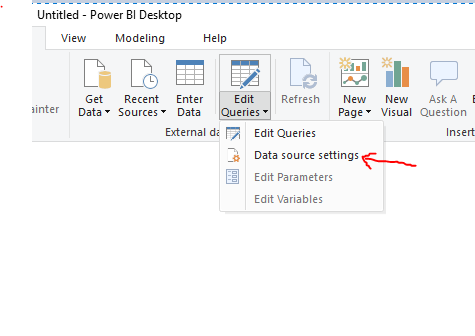
- From the Ribbon, click "Edit Queries" --> "Data source settings".
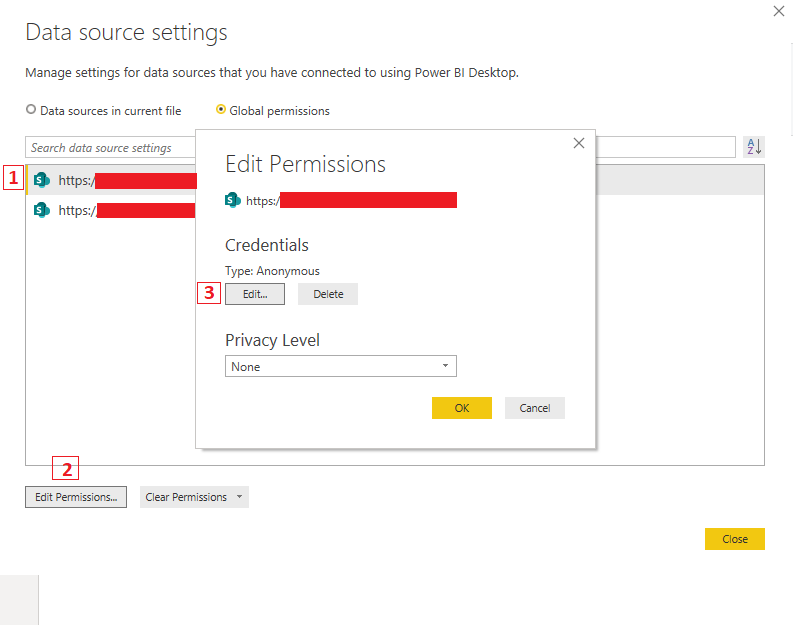
- Select your site and click Edit Permissions --> Edit.
- Select Microsoft account.
- Set Privacy level - Organizational.
- Sign in with your organizational Microsoft Office 365 account.
- Click Save.
- Click OK.
- Click Close.
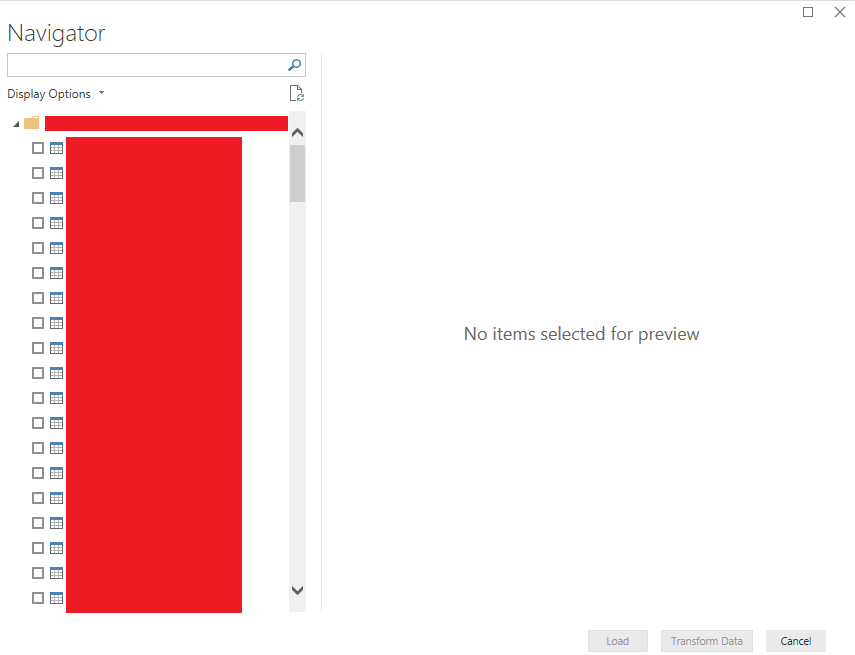
- Resubmit the URL in the connection and you should see the SharePoint site lists in the Navigator.
Clear permissions and try with above steps, this helps when there is a cache issues or password change issue.
Provide Feedback For This Article
We take your feedback seriously and use it to improve our content. Thank you for helping us serve you better!
😊 Thanks for your time, your feedback has been registered!
Comments & Discussion
Facing issues? Have questions? Post them here! We're happy to help!