
By default size of macOS Terminal in Big Sur is 80 (Columns) x 24 (Rows), if you want to change this ratio, you can do that by following the below steps,
- Open Terminal App,
- Go to Terminal Menu: Terminal -> Preferences...
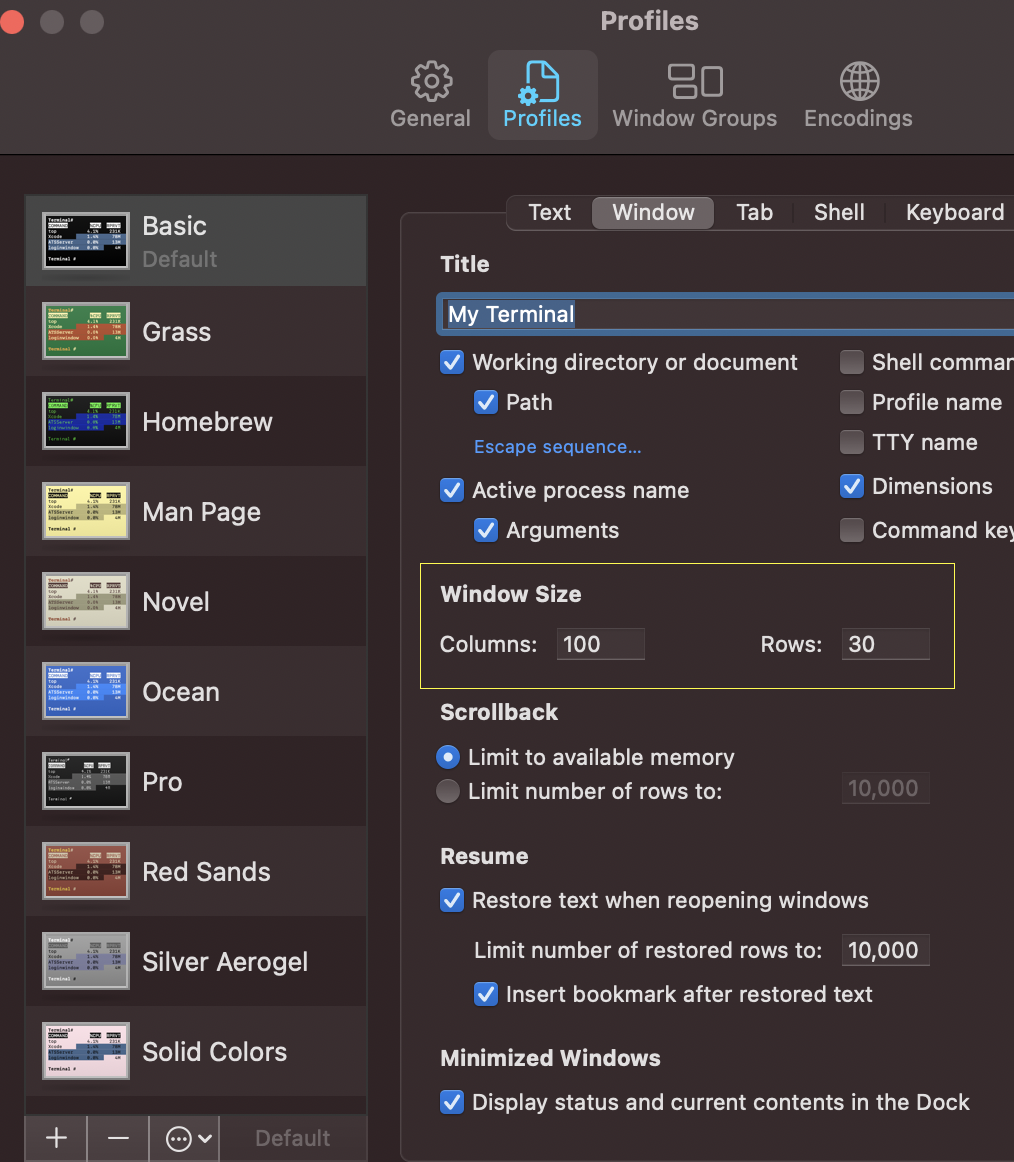
- Go to Profiles,
- Click on Window tab,
- Look for Window Size, change the values for Columns and Rows according to your requirement,
- As you close Preferences, you will see that changes are refected instantly.
✌️This will not make the size of the Terminal fixed, you can resize it by stretching the edges! ✏️ Check out more posts related to macOS
Have Questions? Post them here!
Provide Feedback For This Article
We take your feedback seriously and use it to improve our content. Thank you for helping us serve you better!
😊 Thanks for your time, your feedback has been registered!
Comments & Discussion
Facing issues? Have questions? Post them here! We're happy to help!