
Notepad++ is the first choice for developers among the other text-editors that are available in the market. Being lightweight, ability to work with multiple files at a time, handling large files for editing, syntax highlighting for almost all known and unknown programming languages are some of its key features. Plugins are readily available from the Plugins Manager.
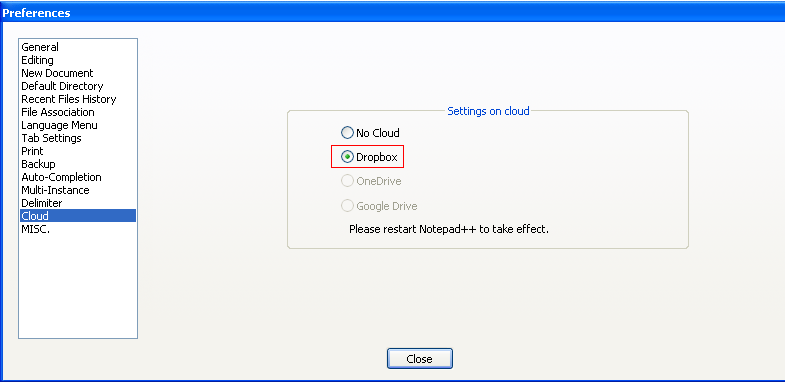
In this world of Apps everything is moving on the cloud. Using Cloud for storage makes data accessible anywhere and on any device may it be a Mac, Windows PC, Mobile phone or a Tablet.
The Latest Version of Notepad++ now has an option to work on files stored on Cloud. You can set-up Cloud for Notepad by Going to Menu : Settings -> Preferences -> Cloud
Provide Feedback For This Article
We take your feedback seriously and use it to improve our content. Thank you for helping us serve you better!
😊 Thanks for your time, your feedback has been registered!
Comments & Discussion
Facing issues? Have questions? Post them here! We're happy to help!