
You make have noticed that if you use the export command JAVA_HOME = your/java/home/path on the console, it will only be active for the particular session. In order to permanently set $JAVA_HOME, you need to see it in the shell profile file, for Mac running on macOS it should be the .zshrc file,
Steps to Permanently Set $JAVA_HOME on Mac
- Open Terminal,
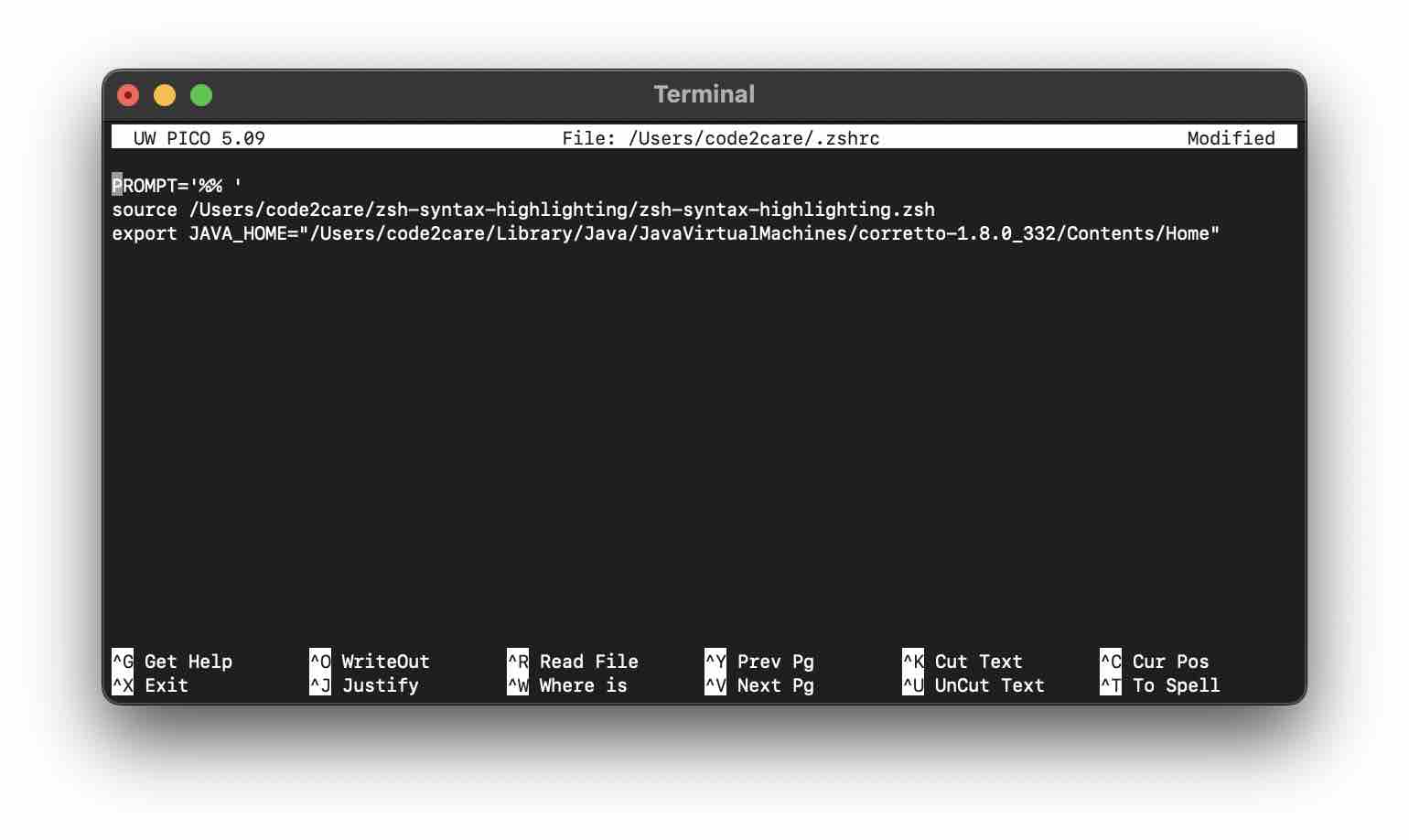
- Type: nano ~/.zshrc (or vi ~/.zshrc if you are a Vi guy!)
- Now add your JAVA_HOME=/your/java/jdk/home/path, somewhere in the file, if its empty add it at the start (then mostly you just created it :)) if it's not empty, it is good to add as the last line.
- Save the file (Control + X followed by Y, if using Nano Editor)
- Now just type zsh to refresh the shell or source ~/.zshrc to reflect the change permanently!
Provide Feedback For This Article
We take your feedback seriously and use it to improve our content. Thank you for helping us serve you better!
😊 Thanks for your time, your feedback has been registered!
Comments & Discussion
Facing issues? Have questions? Post them here! We're happy to help!