
In order to run commands on a Mac running macOS, you can make use of the built-in Terminal application. There are multiple ways in which you can open the Terminal on Mac,
Open Terminal App using Spotlight Search:
- Press F4 Key to open Sportlight Search, if you are using the latest M1 Macbooks, or click on the search icon on the Apple Menu bar,
- Type Terminal
- Terminal App will be loaded.
Open Terminal App using Finder:
- Open Finder,
- Go to Applications from Favorites section,
- Look for Terminal.
- Double tap to open.
Open Terminal App Keyboard Shortcut:
- Press Command + Spacebar keys to open Spotlight Search,
- Type Terminal and press Enter,

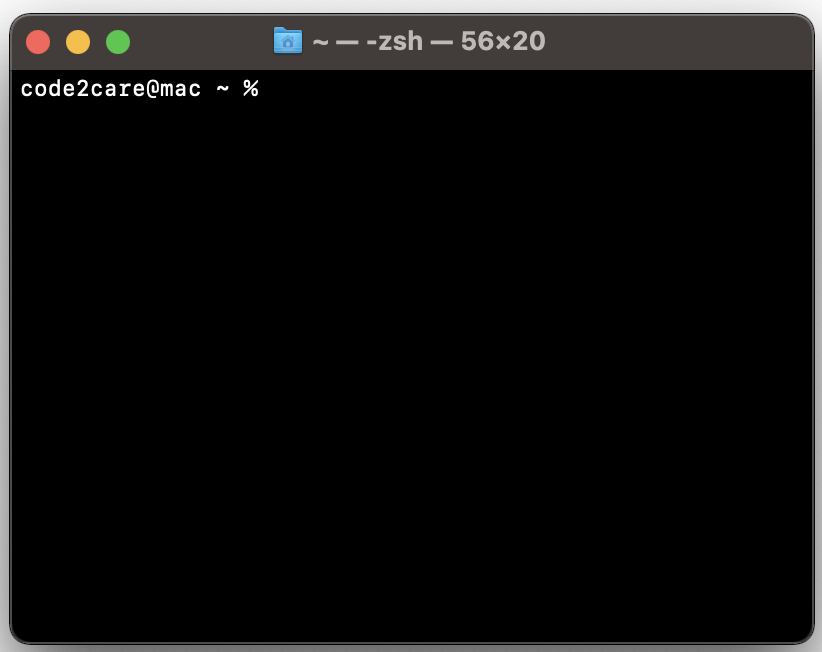
Now that the terminal window is open - you can type in your commands to do your desired work.
Example of a command: Type cal and press enter, you should see the current calendar month with the current date selected.
Comments:
- Anonymous: How do I open two tabs in the terminal?
07 Aug 2121 11:12:23 GMT
- Further comments disabled!
Comments & Discussion
Facing issues? Have questions? Post them here! We're happy to help!
Provide Feedback For This Article
We take your feedback seriously and use it to improve our content. Thank you for helping us serve you better!
😊 Thanks for your time, your feedback has been registered!