
code2care@mac bin % brew
zsh: command not found: brew
code2care@mac bin %
If you get brew command not found error when you run a brew command on zsh (or any other shell like bash) on macOS Terminal, there could be few reasons, 1) you many have not installed brew - if so please follow this article - Installing Brew, 2) you many not have set the PATH for brew,
Adding brew to PATH variable:
- Open Terminal,
- Go to /opt/homebrew/bin/ (if you do not find this path - brew is not installed - Article - Installing Brew),
- Run: export PATH=$PATH:/opt/homebrew/bin,
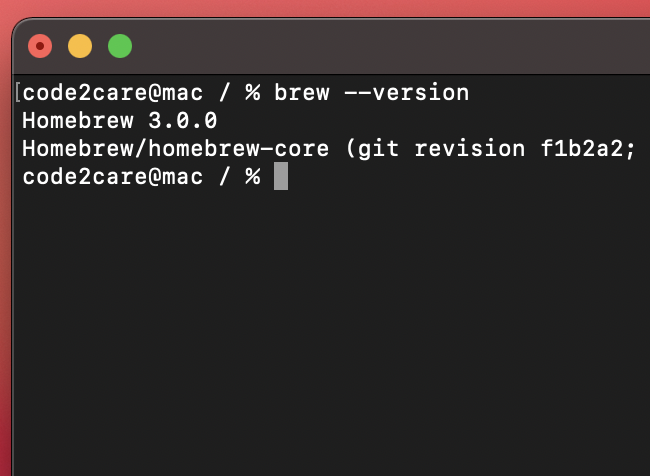
- Try running the brew version command to validate,
code2care@mac % brew --version
Homebrew 3.0.0
Homebrew/homebrew-core (git revision f1b2a2; last commit 2021-02-10)
code2care@mac / % brew help
Example usage:
  brew search [TEXT|/REGEX/]
  brew info [FORMULA...]
  brew install FORMULA...
  brew update
  brew upgrade [FORMULA...]
  brew uninstall FORMULA...
  brew list [FORMULA...]

Troubleshooting:
  brew config
  brew doctor
  brew install --verbose --debug FORMULA

Contributing:
  brew create [URL [--no-fetch]]
  brew edit [FORMULA...]

Further help:
  brew commands
  brew help [COMMAND]
  man brew
  https://docs.brew.sh
Comments:
- I was trying to install brew on my new Macbook and got stuck on this, thanks!!! worked like a charm!
Mike J: 02 Jan 2222 14:01:28 GMT
- Further comments disabled!
Comments & Discussion
Facing issues? Have questions? Post them here! We're happy to help!
Provide Feedback For This Article
We take your feedback seriously and use it to improve our content. Thank you for helping us serve you better!
😊 Thanks for your time, your feedback has been registered!